
TL;DR:
- A Shopify blog content calendar is a strategic schedule that aligns keyword research, seasonal campaigns, and consistent posting with your store's goals. It functions as an operational system to manage content pillars, publishing frequency, keyword targeting, and performance tracking, driving organic growth effectively. Using tools like Google Sheets or BlockPress, merchants can streamline planning, execution, and analysis to ensure steady organic traffic and conversions.
A Shopify blog content calendar is a strategic publishing schedule that connects keyword research, seasonal campaigns, and consistent posting to your store's business goals. Without one, most Shopify merchants publish sporadically, miss seasonal traffic windows, and leave organic growth to chance. Shopify recommends building an editorial calendar as a core part of any blog strategy, noting that free tools like Google Sheets, Google Calendar, and Airtable are enough to get started. The payoff is real: nearly 40% of marketers publishing multiple times weekly with posts over 2,000 words report strong results, compared to just 16% for shorter or less frequent publishing.
What tools you need for a Shopify blog content calendar
Before you plan a single post, you need the right infrastructure in place. The good news is that the toolset is simple and mostly free.
Content planning tools:
- Google Sheets or Airtable for your master calendar. Airtable adds kanban views and assignee fields, which helps if you have a team or freelancers.
- Google Search Console for tracking which posts get indexed and which keywords drive clicks.
- Google Analytics 4 for measuring traffic, engagement rate, and conversions per post.
- Shopify's built-in scheduling to set exact publish dates directly from the Shopify admin without a third-party plugin.
Data you need before you start:
- A keyword list organized by search volume and keyword difficulty, pulled from tools like Google Keyword Planner or Ahrefs.
- Your store's promotional calendar: product launches, sales events, and seasonal peaks like Black Friday or Valentine's Day.
- Your existing blog performance data. If you already have posts live, pull their organic traffic and engagement stats before planning new content.
Pro Tip: Add a "Status" column to your calendar with stages like Idea, In Progress, Scheduled, and Published. This single column prevents posts from falling through the cracks and gives you an instant workload snapshot.
A content calendar functions as an operational system that ties keyword research, publishing, promotion, and performance tracking into one place. Treat it as your editorial command center, not just a date list.

How to create your Shopify blog content calendar step by step
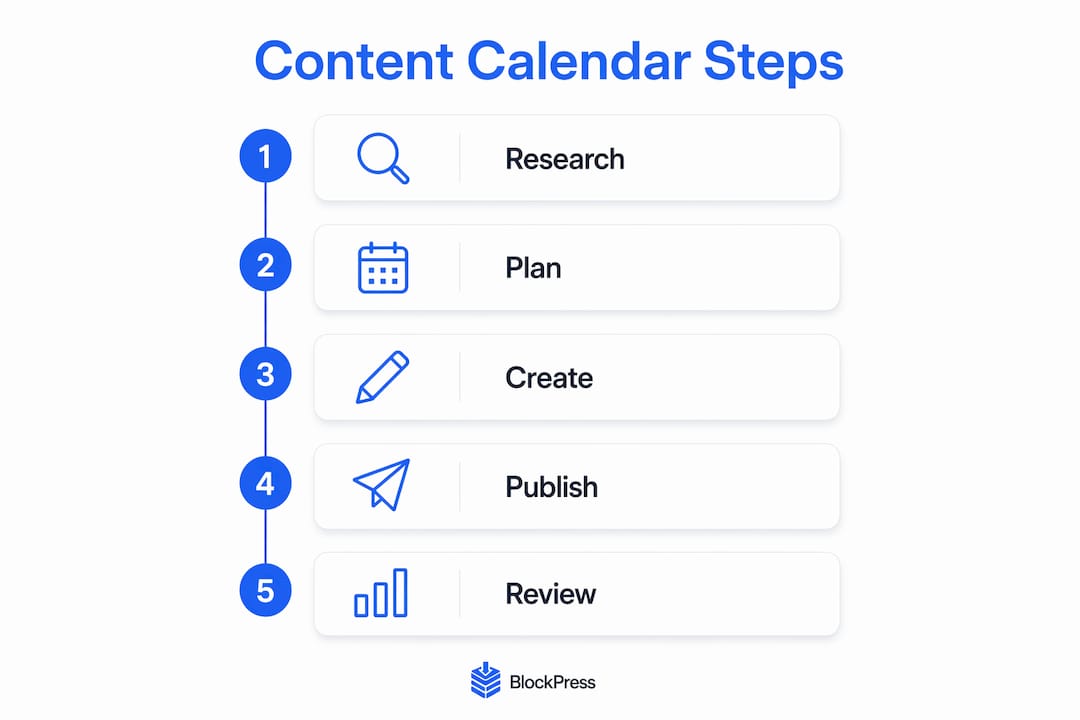
Building a calendar that actually gets used requires structure from day one. Follow these steps in order.
-
Define your content pillars. Choose 4 to 6 broad topics that map directly to your product categories and customer questions. A Shopify store selling outdoor gear might use pillars like Gear Reviews, Hiking Tips, Camping Recipes, and Seasonal Guides. Every post you plan should belong to one pillar.
-
Set your publishing cadence. A sustainable schedule matters more than volume. A realistic starting point for most solo operators is one post per week. If you have a content team or use AI drafting tools, two posts per week on a Monday and Thursday schedule is a proven rhythm. A 52-week template targeting 104 articles annually uses exactly this Monday and Thursday cadence organized across five content pillars.
-
Assign keywords to each post slot. Every article needs one primary keyword and one to two secondary keywords assigned before writing begins. This prevents two posts from competing for the same search term, a problem called keyword cannibalization.
-
Build pillar and cluster relationships. Your pillar pages cover broad topics. Cluster posts cover specific subtopics and link back to the pillar. Top Shopify bloggers use this structure to build topical authority over time rather than treating each post as a standalone piece. Learning more about Shopify topic clusters before you plan your calendar will save you significant restructuring later.
-
Map seasonal and campaign dates. Block out your promotional windows first, then fill in supporting content around them. A post about "best gifts for hikers" needs to publish three to four weeks before the holiday shopping window, not the week of.
-
Build your calendar template. Your working calendar should include at minimum: publish date, content pillar, working title, primary keyword, assigned writer, status, and internal links planned.
| Column | Purpose |
|---|---|
| Publish date | Sets the exact Monday or Thursday slot |
| Content pillar | Keeps posts organized by topic cluster |
| Primary keyword | Prevents cannibalization across posts |
| Status | Tracks progress from draft to published |
| Internal links | Plans cluster connections before writing |
Pro Tip: Add an "Internal Link Target" column to your calendar and fill it in when you create each new post slot. This forces you to think about site architecture before writing, not after.
How to implement and manage your calendar effectively
Planning the calendar is the easy part. Executing it consistently is where most stores fall short.
Start by scheduling posts directly in Shopify admin. When a draft is ready, set the publish date and time in the post settings before you hit save. This removes the manual step of remembering to publish and keeps your Monday and Thursday cadence intact without daily intervention.
If you work with a team, use project management features like deadlines, role assignments, and task checklists to surface uneven workloads before they become missed deadlines. Airtable's automation features can send Slack or email notifications when a post moves to "Ready to Schedule," which removes the need for manual check-ins.
Content promotion belongs in the calendar too. For each post, plan the following alongside the publish date:
- One email newsletter mention or dedicated send.
- Two to three social media posts with platform-specific copy.
- One internal link added to an existing high-traffic post on your site.
Pro Tip: Set a recurring quarterly calendar review. Pull Google Analytics 4 data on your top and bottom performers, then adjust your next quarter's plan based on what actually drove traffic and conversions.
Common mistakes that undermine your blog calendar
Even well-planned calendars break down. These are the pitfalls worth knowing before you hit them.
- Overcommitting on cadence. Setting a daily publishing goal when your realistic capacity is two posts per week guarantees failure within a month. Start conservative and scale up.
- Skipping keyword research for filler posts. Every post slot should have a keyword assigned before writing begins. Posts without target keywords rarely rank and rarely earn their keep.
- Ignoring the store's promotional calendar. Blog content that doesn't align with your product launches and sales events misses the highest-intent traffic windows of the year.
- Treating internal links as optional. Google prioritizes indexing based on internal linking and site architecture, not just manual index requests. Posts with no internal links from existing pages get crawled slowly and rank later.
- No performance review cycle. A calendar without a review process becomes stale. Posts that underperform need diagnosis. Reading about fixing underperforming Shopify blog posts gives you a clear framework for that process.
How to measure and optimize your Shopify editorial calendar
Measurement turns a content calendar from a publishing schedule into a growth system.
- Track organic traffic per post in Google Analytics 4. Filter by organic channel and sort by sessions to identify your top performers each month.
- Monitor keyword rankings in Google Search Console. Check which queries each post ranks for and whether positions are improving after publication.
- Measure engagement rate, not just pageviews. A post with 200 sessions and a 70% engagement rate outperforms one with 800 sessions and a 20% rate in Google's eyes.
- Request indexing strategically. After publishing, use the URL Inspection tool in Google Search Console to request indexing. Pair this with adding an internal link from an existing high-traffic page. That combination gets new posts crawled faster than a manual request alone.
- Republish and update underperforming posts. Posts that rank on page two for their target keyword often need a content refresh, not a new article. Update the post, change the publish date, and re-request indexing.
Pro Tip: Build a monthly "content health" review into your calendar. Flag any post that has dropped more than five positions in Google Search Console and schedule an update within the next two weeks.
Key takeaways
A Shopify blog content calendar works when it connects keyword research, a sustainable publishing cadence, pillar content structure, and performance tracking into one operating system.
| Point | Details |
|---|---|
| Start with content pillars | Define 4 to 6 topic clusters aligned with your product categories before planning any posts. |
| Set a realistic cadence | One to two posts per week beats daily publishing that burns out after a month. |
| Assign keywords before writing | Every post slot needs a primary keyword to prevent cannibalization and directionless content. |
| Internal links drive indexing | Linking new posts from existing pages speeds up crawling more than manual index requests alone. |
| Review quarterly | Use Google Analytics 4 and Google Search Console data to cut, update, or scale what works. |
Why I treat the calendar as the most important document in a Shopify blog strategy
Most store owners build a content calendar once, use it for six weeks, and then abandon it when life gets busy. That's the wrong way to think about it. The calendar is not a to-do list. It's the operating system for your entire content strategy.
What I've seen work consistently is treating the calendar as a living document with a fixed review date every quarter. When you sit down with your Google Analytics 4 data and your Google Search Console rankings at the end of each quarter, the calendar tells you exactly where your strategy is working and where it's leaking traffic. Posts that rank on page two get flagged for updates. Pillars with thin cluster coverage get new post slots added.
The other thing most merchants underestimate is the compounding effect of internal linking built into the calendar from day one. When you plan your cluster connections before writing, every new post strengthens the topical authority of your pillar pages. That's how a Shopify blog moves from sporadic traffic spikes to predictable monthly organic growth. The calendar makes that possible because it forces you to think in systems, not individual posts.
— Rodney
How BlockPress makes your Shopify blog calendar easier to execute
Managing a content calendar across Google Sheets, a separate SEO tool, and Shopify's default editor means constant context switching. BlockPress eliminates that.
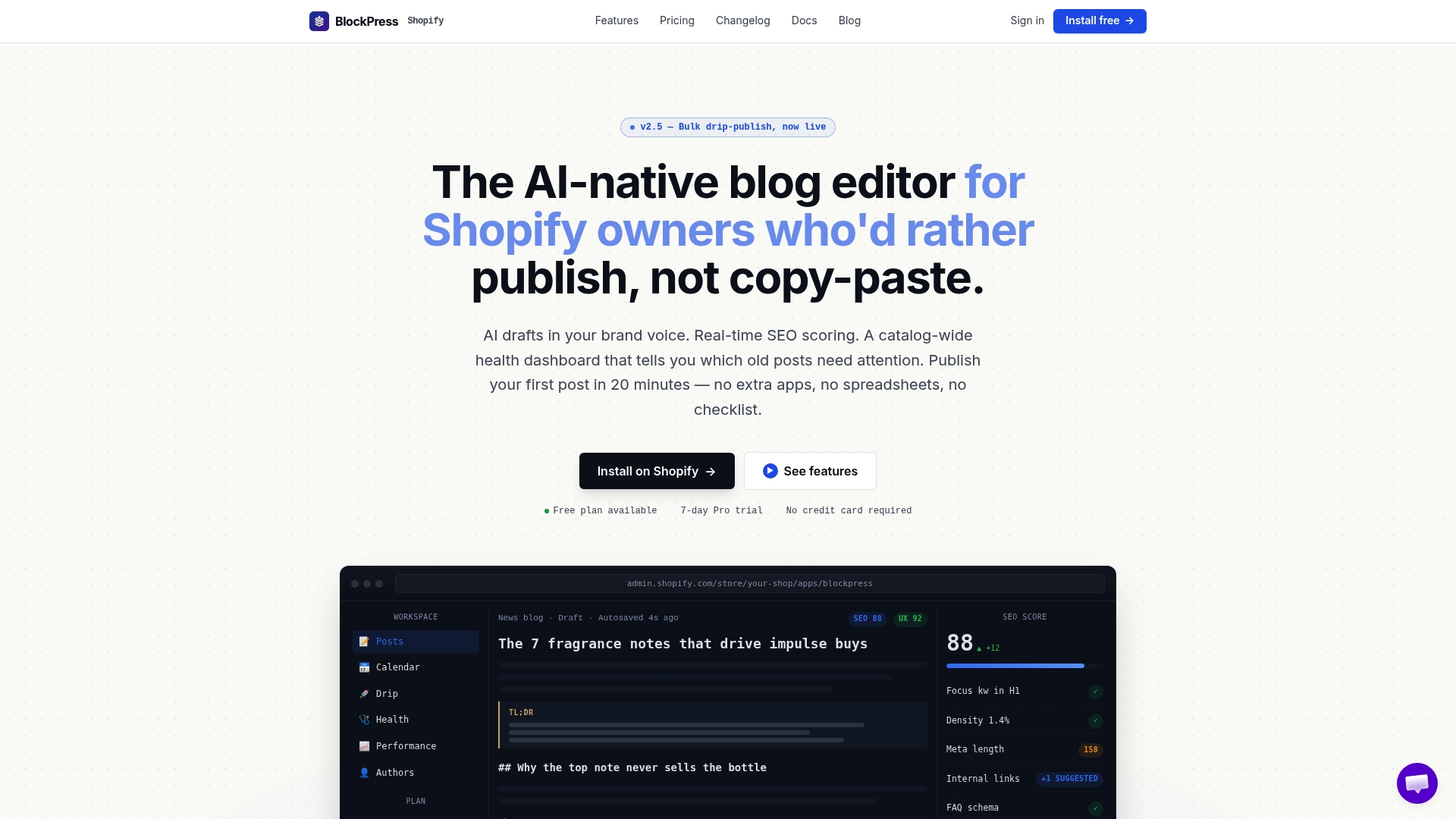
BlockPress is built directly into Shopify, so your keyword research, SEO scoring, AI-generated drafts, and bulk scheduling all live in one place. You can plan your editorial calendar, write and optimize posts, and schedule them for your Monday and Thursday slots without leaving your store admin. The per-article performance analytics inside BlockPress show you exactly which posts are earning organic traffic and which need attention, so your quarterly review takes minutes instead of hours. Explore the full feature set at BlockPress or check BlockPress pricing to find the right plan for your store's publishing volume.
FAQ
What is a Shopify blog content calendar?
A Shopify blog content calendar is a structured publishing schedule that organizes blog post topics, keywords, publish dates, and promotional plans in one place. It aligns your content with business goals, seasonal demand, and SEO strategy.
How often should I publish on my Shopify blog?
One to two posts per week is the most sustainable cadence for most Shopify store owners. Publishing multiple times weekly with posts over 2,000 words produces stronger organic results, but only if the schedule is realistic for your resources.
What should a Shopify blog content calendar template include?
At minimum, your template should include publish date, content pillar, working title, primary keyword, writer assignment, post status, and planned internal links. These fields keep every post on track from idea to publication.
How do I get new Shopify blog posts indexed faster?
Add an internal link to the new post from an existing high-traffic page on your site, verify the post is in your XML sitemap, and use the URL Inspection tool in Google Search Console to request indexing. Internal linking and sitemap inclusion are stronger crawl signals than a manual request alone.
How do I write Shopify blog posts that actually rank?
Start with a target keyword assigned before writing, structure the post around a clear pillar or cluster topic, and include internal links to related posts. For a detailed walkthrough, the guide on writing Shopify posts that rank covers keyword placement, meta descriptions, and on-page optimization in full.