
TL;DR:
- A content publishing workflow is a structured system that guides content from idea through approval and publication to ensure consistency and quality. It includes clear roles, formal checkpoints, and CMS-enforced stages, with task-based or status-based models depending on team size and needs. Properly defined workflows reduce errors, improve transparency, and are most effective when roles are well clarified and integrated with automation and quality gates.
A content publishing workflow is a structured, repeatable system that moves content from initial idea through writing, review, and approval to final publication and promotion. Workflow structures are either task-based, where each step has a named owner and due date, or status-based, where content tracks through stages like "In Review" and "Published." Platforms like Shopify, Enonic, Webflow, and Activepieces each enforce these structures differently, but the core purpose is the same: organize your team, protect quality, and publish consistently. Without a defined system, content teams miss deadlines, skip approvals, and publish work that hasn't been properly reviewed.
What is a content publishing workflow and why does it matter?
A content publishing workflow is the operational backbone of any content team. Shopify describes content workflows as templates that turn informal content tasks into manageable, repeatable systems, tracking projects from inception to publication. That framing matters because most content problems, missed deadlines, inconsistent quality, unclear ownership, trace back to a missing or broken process rather than a talent gap.

The business case is direct. A defined workflow creates transparency across your team. Everyone knows what stage a piece of content is in, who is responsible for the next action, and what the approval criteria look like. HubSpot identifies roles, goals, and timelines as the three pillars of an effective content workflow, not just a checklist of tasks. That distinction separates teams that publish reliably from those that scramble every week.
What are the common types of content workflow structures?
Two primary workflow models exist in practice: task-based and status-based. Understanding which fits your team determines how you track progress and assign accountability.
Task-based workflows assign specific steps to named individuals with deadlines attached. A blog post might have a task for keyword research assigned to an SEO specialist, a writing task assigned to a content writer, and an editing task assigned to an editor, each with its own due date. This model works well for small teams or agencies managing multiple clients where individual accountability is non-negotiable.
Status-based workflows track content through defined stages rather than individual tasks. A piece moves from "Draft" to "In Review" to "Ready for Publishing" to "Published." This model improves visibility across larger teams and integrates naturally with CMS platforms like Enonic, which uses state machine workflows with formal states including "In progress," "Ready for publishing," and "Published."
| Workflow type | How it works | Best for | Key benefit |
|---|---|---|---|
| Task-based | Steps assigned to owners with due dates | Small teams, agencies | Clear individual accountability |
| Status-based | Content moves through defined stages | Larger teams, CMS-driven | High visibility across the team |
| Sequential | Each stage must complete before the next begins | Regulated or compliance content | Strict quality control |
| Automated | Rules trigger next steps without manual handoffs | High-volume publishing | Speed and reduced manual effort |
Pro Tip: Start with a status-based model if your team uses a CMS. Most platforms already support workflow states natively, so you can implement structure without building new tooling.
What are the typical steps in a content publishing workflow?
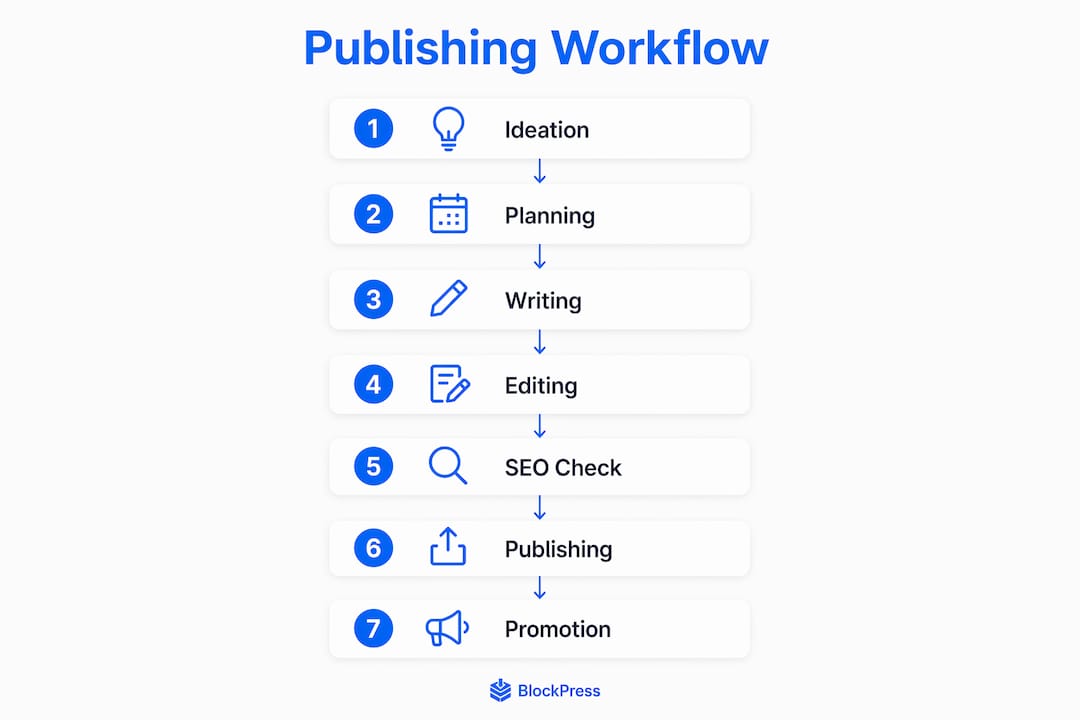
A typical content workflow includes seven core stages, each connected by clear handoffs to maintain momentum and quality.
-
Ideation. Generate and capture content ideas based on keyword research, audience questions, or product priorities. Tools like Google Search Console and keyword planners feed this stage directly.
-
Planning and briefing. Assign the topic, define the target keyword, set the word count, identify internal linking opportunities, and write a content brief. This brief becomes the contract between the strategist and the writer.
-
Writing. The assigned writer produces a draft against the brief. The draft stays in a private or "In Progress" state inside your CMS, invisible to the public until approved.
-
Editing. An editor reviews the draft for accuracy, clarity, brand voice, and structure. This stage often includes two rounds: a structural edit followed by a line edit.
-
SEO optimization. Before approval, the content passes through an SEO review. This includes checking the title tag, meta description, heading structure, internal links, and keyword placement. Embedding SEO governance checks directly into the workflow prevents publishing until standards are met, which Search Engine Journal identifies as a core publishing workflow pillar in 2026.
-
Publishing. The content moves to "Ready for Publishing" and is approved for release. This is a formal gate, not a casual click. Platforms like Enonic enforce this with a readiness gate that blocks publishing if content is incomplete or invalid.
-
Promotion and tracking. After publishing, the content enters distribution. This includes social sharing, email newsletters, and paid amplification. Performance tracking begins immediately, feeding data back into the ideation stage for future content.
Pro Tip: Treat the handoff between each stage as a formal checkpoint. A shared Notion or Trello board with status columns makes these handoffs visible to the entire team without requiring a meeting.
How do CMS platforms enforce and support publishing workflows?
Modern CMS platforms do more than store content. They enforce workflow states, prevent accidental publishing, and give teams visibility into what is live versus what is in progress.
Enonic implements a multi-state publishing model that separates visibility, editorial state, and change comparison into distinct dimensions. Content can be previewed in a staging environment without triggering a live publish. The "Ready for publishing" gate acts as a formal approval checkpoint that prevents any content from going live without explicit sign-off.
Webflow takes a similar approach with its Designer, Staging, and Production publishing workflow. Before anything goes live, editors see a pre-publish summary and a diff comparison showing exactly what changed between the current version and the live version. This reduces the risk of unintended changes reaching your audience.
The practical benefit for content teams is significant:
- Draft isolation keeps unfinished work invisible to the public.
- Approval gates require sign-off before content advances to the next stage.
- Environment diffs show what changed, reducing review time and catching errors.
- Automated governance checklists block publishing until SEO and quality criteria pass.
These controls matter most at scale. When a team publishes dozens of pieces per month, manual oversight breaks down. CMS-enforced workflow states replace manual checking with systematic validation.
What best practices help you optimize your content publishing workflow?
The gap between a workflow that exists on paper and one that actually works comes down to a few operational decisions.
Define roles before you define steps. Every stage in your workflow needs a named role, not just a task. "Editing" assigned to "the team" is not a workflow. Editing assigned to a senior editor with a 48-hour turnaround window is.
Separate creation from scheduling. Meta's creator tooling separates content creation from scheduling using a visual planner, which reduces bottlenecks and prevents rushed publishing decisions. Apply the same logic to your own process. Write in batches, schedule separately.
Build quality gates into the system, not the culture. Relying on individuals to remember SEO checks or brand voice guidelines fails at volume. Embed checklists directly into your CMS or project management tool so the system enforces standards automatically.
- Set realistic timelines with buffer days built in, not aspirational deadlines.
- Use a content calendar that shows publishing dates and production milestones separately.
- Run a monthly workflow audit to identify where content consistently stalls.
- Encourage writers and editors to flag process problems, not just content problems.
Pro Tip: Pair your content strategy with SEO from the ideation stage. Workflows that treat SEO as a final-stage add-on consistently underperform those that bake keyword intent into the brief.
Key takeaways
A content publishing workflow succeeds when it combines clear role definitions, formal approval gates, and CMS-enforced quality controls into one repeatable system.
| Point | Details |
|---|---|
| Define workflow type first | Choose task-based or status-based depending on your team size and CMS capabilities. |
| Use seven core stages | Move content through ideation, briefing, writing, editing, SEO, publishing, and promotion. |
| Enforce gates in your CMS | Platforms like Enonic and Webflow block accidental publishing with formal approval states. |
| Separate creation from scheduling | Batch writing and schedule separately to reduce bottlenecks and improve content quality. |
| Embed SEO checks early | Governance checklists built into the workflow prevent publishing below standard. |
Why most workflow problems are actually role problems
I've reviewed content operations for teams ranging from solo Shopify store owners to mid-size marketing departments, and the pattern is consistent. The workflow itself is rarely the problem. The missing piece is almost always role clarity at the handoff points.
Teams build elaborate status boards in Asana or Notion, map out every stage, and still miss deadlines. When you trace the breakdown, it's usually the same thing: two people thought the other person owned the editing stage, or nobody knew who had final approval authority. The tool didn't fail. The role definition did.
My honest advice is to spend more time on your RACI chart than on your workflow diagram. Know who is Responsible, Accountable, Consulted, and Informed at every stage before you pick a CMS or automation tool. The technology enforces the process, but it cannot substitute for clear human accountability.
The other thing I'd push back on is the instinct to automate too early. Automation works when you have a stable, well-understood process. If your workflow still changes every few weeks, automate nothing yet. Run it manually, find where it breaks, fix the process, then automate the parts that are truly repeatable. Skipping that sequence is how teams end up with automated chaos instead of automated efficiency.
— Rodney
How Blockpress fits into your publishing workflow
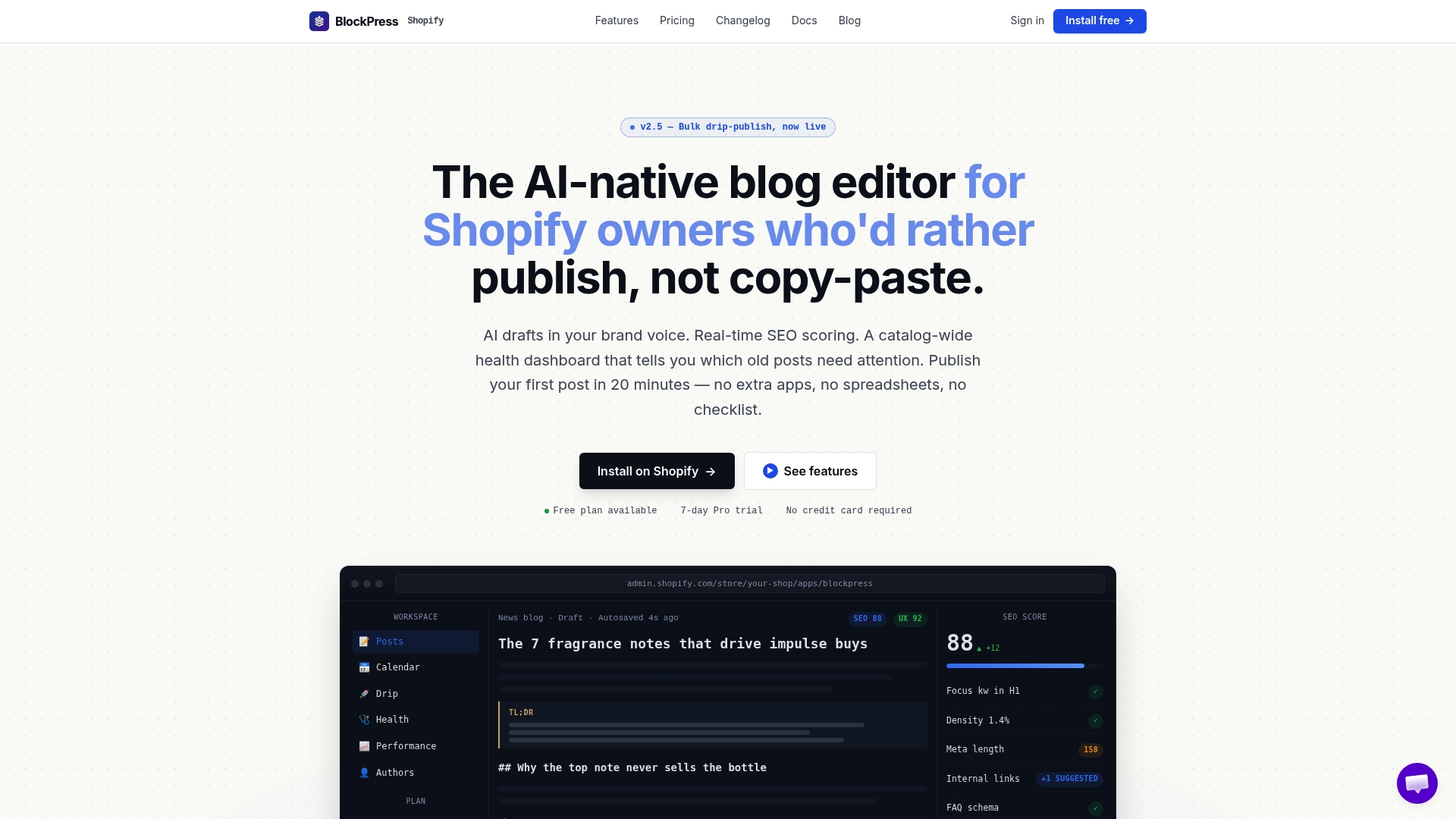
If you run a Shopify store and your blog content feels disconnected from your publishing process, Blockpress was built to close that gap. Blockpress is an AI-native blog editor that lives inside Shopify, giving you real Google keyword data, live SEO scoring, AI-generated drafts, and per-article performance analytics without switching between three separate apps.
The Blockpress features that matter most for workflow management are the bulk drip-publishing scheduler, the article health audit, and the live UX scoring. These replace the manual SEO checklist stage in your workflow with an automated gate that flags issues before you publish. For Shopify merchants who want a tighter content publishing strategy without adding headcount, Blockpress is the practical next step.
FAQ
What is a content publishing workflow in simple terms?
A content publishing workflow is a step-by-step system that moves content from idea to publication, with defined roles, approval stages, and quality checks at each step.
What are the main steps in a content publishing workflow?
The seven core steps are ideation, planning and briefing, writing, editing, SEO optimization, publishing, and promotion with performance tracking.
How does a CMS support a content publishing workflow?
CMS platforms like Enonic and Webflow enforce workflow states such as "Draft," "Ready for Publishing," and "Published," using approval gates and environment diffs to prevent errors and accidental publishing.
What is the difference between task-based and status-based workflows?
Task-based workflows assign steps to named individuals with deadlines. Status-based workflows track content through defined stages like "In Review" and are better suited to larger teams using a CMS.
Why should SEO checks be part of the publishing workflow?
Embedding SEO governance directly into the workflow prevents content from publishing below standard, which Search Engine Journal identifies as a core publishing workflow fix for improving organic search performance.