
TL;DR:
- Refreshing existing Shopify blog posts by updating metadata, content, and links can boost rankings and traffic without full rewrites. Target posts with high impressions but low CTR or positions 5 to 20 using GSC data; enhancing titles, updating facts, adding subtopics, and improving internal links accelerate SEO gains. Valid schema markup and technical optimizations ensure Google recrawls updates promptly, turning your existing content into a powerful, ongoing asset.
Optimizing existing Shopify blog posts, known in SEO practice as content refreshing, is the process of updating metadata, content, links, and technical signals to recover or improve organic rankings. A post that earned traffic 18 months ago may now sit at position 12 with a 1.2% click-through rate, costing you hundreds of monthly visits. The fix rarely requires a full rewrite. Tools like Google Search Console, AI content workflows, and Shopify-native editors like Blockpress make targeted refreshes faster and more precise than starting from scratch.
How to optimize existing Shopify blog posts: finding the right targets first
Not every post deserves your time. The highest-return work starts with Google Search Console data to surface posts with high impressions but low click-through rates, and posts ranking between positions 5 and 20. These are your fastest wins.
Here is the exact process to prioritize:
- Open GSC Performance. Filter by Search results, then sort by Impressions descending. Posts with 1,000-plus monthly impressions and a CTR below 3% are underperforming their visibility.
- Check average position. Any post sitting between positions 5 and 20 is close enough to page one that a targeted refresh can push it over. Posts below position 30 need more substantial work.
- Review 12-month impression trends. A post with declining impressions over the past year signals that Google is losing confidence in its relevance. Flag these for content updates.
- Identify snippet weakness. If a post ranks well but earns few clicks, the title tag and meta description are likely the problem, not the content itself.
Pro Tip: Sort your GSC data by "Impressions" and add a secondary filter for CTR below 3%. Export this list to a spreadsheet and you have a ready-made refresh queue sorted by opportunity size.
You can also use Rankable Solutions to automate this GSC analysis and surface prioritized refresh candidates without manual spreadsheet work.
What content changes actually move rankings on Shopify blogs
Once you have your target list, the refresh process follows a clear sequence. The fastest wins often come from improving metadata to match the SERP snippet, not from rewriting the entire post.
- Rewrite title tags and meta descriptions. A weak metadata rewrite can lift CTR and traffic without any ranking change at all. Your title tag should include the primary keyword near the front and stay under 60 characters. Your meta description should answer the searcher's intent in one sentence and include a clear reason to click.
- Update outdated facts and statistics. Any post referencing data from 2022 or earlier needs a fact check. Replace old numbers with current sources and update any screenshots showing outdated interfaces.
- Add missing subtopics. Search the top five SERP results for your target keyword and note any H2 topics your post does not cover. Adding one or two well-structured sections can significantly expand topical coverage.
- Use question-based headings. Google's featured snippet and AI overview systems favor content structured around direct questions. Reformat flat headings like "Benefits of X" into "What are the benefits of X?" where it reads naturally.
- Fix image alt text and compress images. Descriptive alt text improves accessibility and gives Google additional keyword context. Uncompressed images slow page load, which directly affects Core Web Vitals scores.
Pro Tip: Before you rewrite any section, check what Google is already surfacing in the featured snippet for your target keyword. Match that format exactly, whether it is a numbered list, a definition, or a table, and you give your post the best chance of owning that position.
AI-assisted refresh briefs can identify outdated facts, content gaps, and link opportunities across dozens of posts at once, making bulk optimization practical for stores with large content libraries.

How internal linking in Shopify blogs affects SEO and conversions
Internal linking is one of the most underused levers in Shopify blog SEO. Linking each blog post to two to four relevant product collections and related posts distributes page authority and creates a direct path from content to commerce.
A strong internal link audit covers three areas:
- Broken or orphaned links. Use a crawler like Screaming Frog or a Shopify SEO app to identify links pointing to deleted pages or redirected URLs. Every broken link wastes crawl budget and frustrates readers.
- Anchor text relevance. Generic anchor text like "click here" passes no keyword signal. Replace it with descriptive phrases that match the destination page's primary topic.
- Cluster connectivity. Posts covering related topics should link to each other. Systematic internal link audits and refreshing anchor text in linked posts compound SEO benefits beyond single-post optimizations.
| Link type | Primary benefit |
|---|---|
| Blog post to product collection | Drives purchase intent traffic and passes authority to revenue pages |
| Blog post to related blog post | Strengthens topical clusters and reduces bounce rate |
| Product page to supporting blog post | Builds content depth signals around commercial pages |
For a deeper look at building these pathways, the Shopify internal linking guide from Blockpress covers cluster architecture and anchor text strategy in detail.
Technical SEO checks every Shopify blog refresh needs
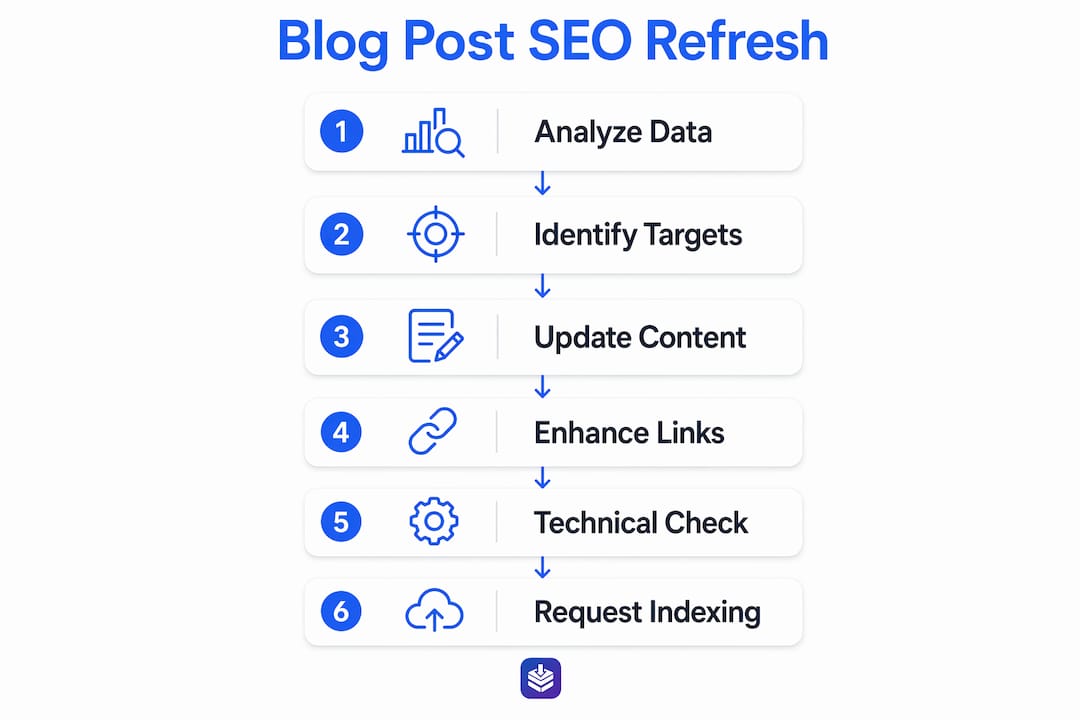
Technical signals determine whether Google processes your content updates quickly or ignores them for weeks. Two areas matter most: structured data and recrawl requests.
Article/BlogPosting JSON-LD schema with a valid "dateModified` field tells Google your content is fresh. Many Shopify themes either omit this schema entirely or implement it incorrectly. Liquid variables in Shopify JSON-LD must be carefully escaped and guarded with page type checks to avoid invalid structured data that appears present but is silently rejected by Google. Adding FAQPage or HowTo schema where applicable improves eligibility for rich results and AI overview citations.
After completing your refresh, request indexing through Google Search Console's URL Inspection tool. Performance effects are typically observable within four to eight weeks. Do not change the post's URL unless absolutely necessary. Keeping URLs stable preserves accumulated link equity from backlinks and indexing history. If you must change a URL to remove an outdated year marker, always implement a 301 redirect.
Pro Tip: After requesting indexing, set a calendar reminder for 30 days out to check GSC for that URL. Look at impressions and CTR first. Improved impressions and CTR typically appear before average position moves, so do not judge a refresh as failed just because rankings have not shifted yet.
The technical SEO guide for ecommerce blogs from Blockpress covers schema implementation and crawl signal management in full detail.
Key takeaways
Optimizing existing Shopify blog posts requires prioritizing posts by GSC performance signals, refreshing metadata and content to match current search intent, strengthening internal link clusters, and validating technical signals before requesting recrawl.
| Point | Details |
|---|---|
| Prioritize with GSC data | Target posts with high impressions, low CTR, or positions 5 to 20 for the fastest ranking gains. |
| Metadata rewrites drive CTR | Rewriting title tags and meta descriptions can increase clicks without any change in ranking position. |
| Internal links build authority | Link each post to two to four product collections and related posts to distribute SEO value. |
| Schema markup matters | Valid Article JSON-LD with updated dateModified signals freshness to Google and improves rich result eligibility. |
| Measure impressions before position | Track CTR and impressions first post-refresh. Position changes follow snippet improvements, not the other way around. |
Why most Shopify stores are sitting on untapped ranking potential
Most store owners I work with focus almost entirely on publishing new content. They treat their existing posts as finished work. That is a significant missed opportunity. A post that already has backlinks, indexed history, and some ranking signals is far easier to push to page one than a brand-new post starting from zero.
The mistake I see most often is changing URLs during a refresh. Someone decides the post title needs updating, changes the handle in Shopify, and loses months of accumulated link equity overnight. The second most common mistake is over-optimizing internal links by stuffing too many into a single post. Three to five contextual links per post is a ceiling, not a floor.
Refreshing top pages every six months and reviewing the rest annually keeps your content library competitive without burning out your team. Time-sensitive posts that cannot be kept current are better archived or redirected than left to decay in rankings.
The stores that win at blog SEO are not the ones publishing the most. They are the ones treating their existing content as a living asset that earns its keep month after month.
— Rodney
Put Blockpress to work on your blog refresh
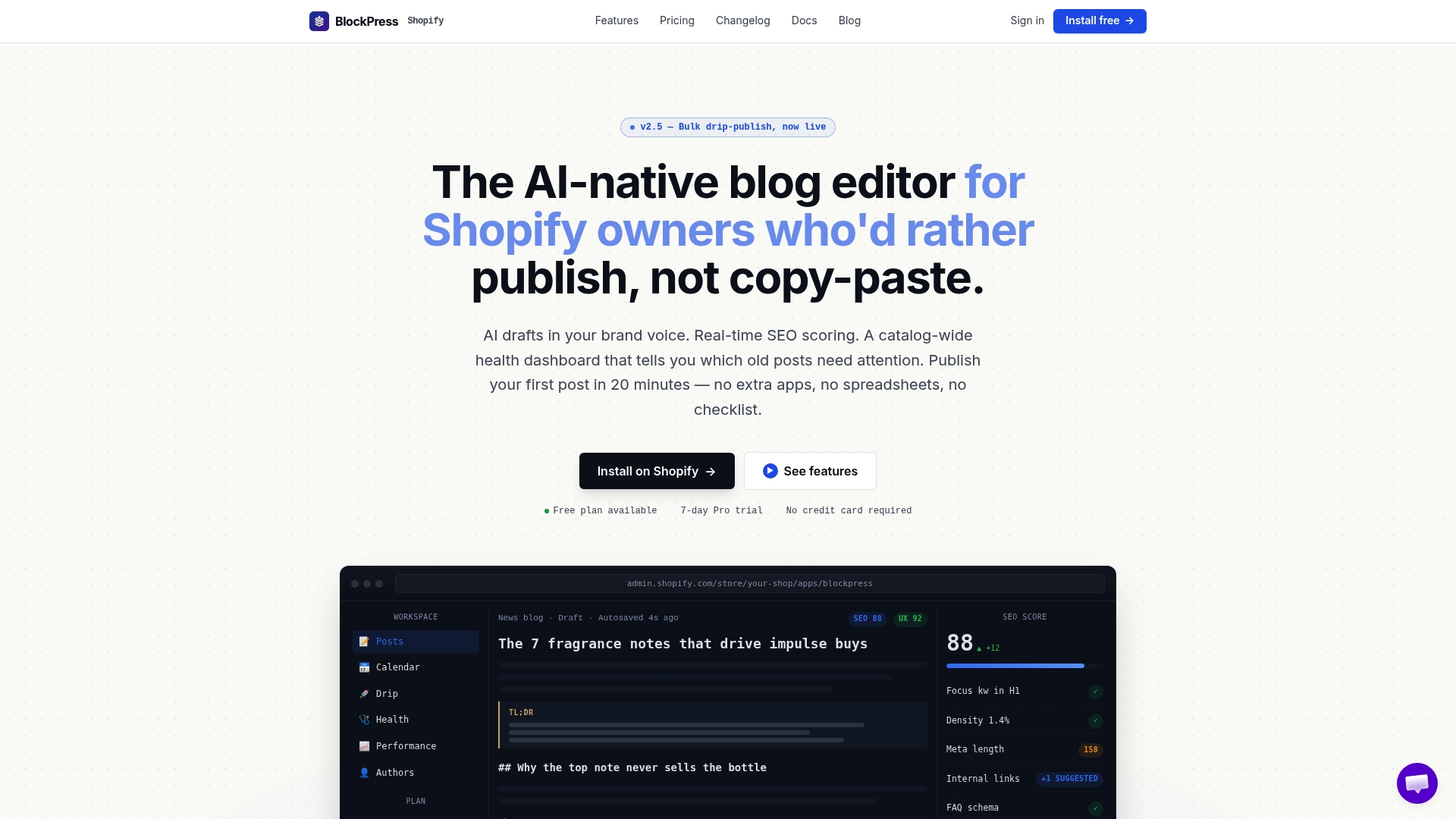
Blockpress is an AI-native blog editor built directly into Shopify that gives you the tools to act on everything covered in this article. Its article health audits surface underperforming posts automatically, and its AI-generated refresh briefs identify content gaps, outdated facts, and missing internal links without you having to run manual audits. Live SEO scoring updates as you edit, so you can see exactly when a post is ready to republish. Per-article performance analytics track impressions, CTR, and ranking changes post-refresh, all inside your Shopify admin.
If you are managing more than a handful of posts, Blockpress replaces the three separate apps most merchants use to do what it handles natively. See the full feature set here and start your first refresh today.
FAQ
How often should I refresh Shopify blog posts?
Top-performing pages benefit from a refresh every six months, while lower-priority posts can be reviewed annually. Time-sensitive content that cannot be kept current should be archived or redirected rather than left to decline.
What is the fastest way to improve a blog post's CTR?
Rewriting the title tag and meta description to better match search intent is the fastest CTR improvement available. High impressions with low clicks almost always point to weak metadata rather than poor content quality.
Should I change a Shopify blog post's URL when refreshing it?
No. Keeping the URL stable preserves backlink equity and indexing history. Only change a URL if it contains outdated information like a year marker, and always use a 301 redirect when you do.
How do I know if a blog refresh is working?
Track impressions and CTR in Google Search Console before looking at average position. Snippet improvements appear first, and ranking position changes typically follow two to three months after a successful refresh.
Does Shopify support structured data for blog posts?
Shopify themes vary widely in schema support. Many lack valid Article or BlogPosting JSON-LD entirely. You can add custom schema via Liquid snippets, but variables must be carefully escaped to avoid silent validation errors in Google's Rich Results Test.