
Meta descriptions don't move rankings. They win clicks. Google confirms they aren't a ranking signal, but a well-written one still shapes whether someone taps your result or scrolls past it. Write one unique, front-loaded sentence that fits the mobile pixel width, and you'll see the difference in Search Console within weeks.
Here's what to do right now:
- Front-load the payload. Put your core benefit or keyword in the first ~120 characters, since that's what mobile users see before truncation.
- Measure by pixel, not character count. A description that "fits" at 155 characters can still get cut off depending on which letters you used.
- Write one per page. Duplicate or missing descriptions are one of the fastest ways to get your snippet rewritten by Google.
Key Takeaways
Meta descriptions don't influence rankings directly, but a front-loaded, pixel-checked, unique description consistently earns more clicks than a generic or truncated one.
| Point | Details |
|---|---|
| CTR driver, not ranking factor | Meta descriptions shape click-through rate; Google treats them as independent of ranking signals. |
| Measure by pixel width | Target roughly 920 pixels on desktop and 680 pixels on mobile rather than a flat character count. |
| Front-load the first 120 characters | Put the core benefit and keyword early so mobile users see it before truncation. |
| Prioritize human writing for top pages | Reserve handcrafted descriptions for homepages, top products, and high-traffic hubs; automate the rest with safe templates. |
| Automate and audit at scale | Blockpress generates pixel-checked draft descriptions and flags duplicates as part of its built-in Shopify SEO checks. |
Table of Contents
- Meta Description Guidelines Start With How Google Builds Snippets
- Why Pixel Width Matters More Than Character Count
- Best Practices for Writing Meta Descriptions That Convert
- Scaling Meta Descriptions Without Losing Quality
- How to Measure Whether Your Descriptions Are Working
- Common Meta Description Mistakes and How to Fix Them
- Templates and a Pre-Publish Checklist You Can Copy
- What Actually Separates Good Meta Descriptions From Wasted Effort
- Let BlockPress Handle the Pixel Math for You
- Sources
- FAQ
Meta Description Guidelines Start With How Google Builds Snippets
Google doesn't always use what you write. It frequently builds the snippet from your page content instead, pulling whichever sentence or paragraph best answers the query at that moment. Your meta description becomes the fallback, or the winner, depending on how well it matches search intent.
Three scenarios determine which one gets used:
- Google prefers page content when your meta description is generic. If your tag reads like boilerplate ("Welcome to our store, we sell great products"), Google will pull a more specific sentence from your body text.
- Google prefers page content when the query is narrow. A searcher typing a long, specific question often triggers a snippet built from the exact paragraph answering that question, even if your meta description is well written.
- Google uses your meta description when it's tightly matched to common queries for that page. This is confirmed directly in Google's own documentation, which also covers
nosnippet,max-snippet, anddata-nosnippettags for controlling what gets shown at all.
If you want more control over snippet behavior for a specific page, those meta tags are worth learning. For most content teams, though, the bigger lever is simply writing a description precise enough that Google has no reason to override it.
Why Pixel Width Matters More Than Character Count
Character limits are a rough proxy. Pixel width is the real constraint, because "W" and "i" don't take up the same space on screen. Two descriptions with the same character count can render completely differently depending on their letters, punctuation, and whether they include a date or a price.
The practical thresholds: roughly 920 pixels on desktop and about 680 pixels on mobile mark where Google typically starts truncating your description, according to pixel-width analysis from Molixa. Since most clicks now happen on mobile, that 680-pixel ceiling is the one that actually matters for most pages.

Statistic to remember: aim for about 140–160 characters on desktop, but keep your essential message inside the first ~120 characters so it survives on mobile, per character-based guidance from TextPulses.
A few things quietly eat your pixel budget:
- Capital letters and wide characters (W, M, O) take up more horizontal space than lowercase or narrow letters (i, l, t).
- Dates, prices, and special characters ($, %, &) add width fast without adding many characters.
- Google sometimes appends its own text (like a date stamp) in the visible snippet, shrinking your usable space further.
Preview your draft in a pixel-width tool before publishing, not after. Writing to a character count and hoping it fits is how good copy gets cut off mid-sentence, right where your call to action was supposed to land.
Best Practices for Writing Meta Descriptions That Convert
Think of each meta description as a one-line pitch, not a summary. Nobody clicks because your page has "information about X." They click because you told them what they'll get and why it's worth their time.
Write a different description for every page. A duplicated or missing description signals to Google that the page isn't worth distinguishing, and it will often generate its own snippet instead, per Moz's meta description guide. Treat "set-and-forget" templates as a last resort, not a starting point.
Front-load the benefit and the primary keyword, once. Say the payoff before the padding. Use active voice ("Get free shipping on orders over $50" beats "Free shipping is offered on orders over $50"), and close with a light call to action when there's room, like "Shop now" or "See sizes."
Get specific. Numbers, audience labels, and product types do more work than adjectives. "5 fixes for cracked leather boots" beats "Tips for taking care of your boots." Specificity also happens to be what keeps you from stuffing keywords, since a concrete detail crowds out generic filler naturally.
Match the description to the page type:
- Guides and blog posts: lead with the outcome the reader gets, not the topic name.
- Product pages: lead with the differentiator, material, size range, or price point, not the product name repeated from the title.
- Homepages: lead with what you sell and who it's for, since this is often the most-searched, least-specific page on the site.
- Tool or checker pages: lead with what the tool outputs and how fast, since utility searchers want function, not brand story.
Pro Tip: Read your draft out loud. If it sounds like something a person would say to a friend recommending the page, it's probably strong enough to survive a Google rewrite.
Scaling Meta Descriptions Without Losing Quality
Not every page deserves the same attention. Moz recommends reserving human-written descriptions for the pages doing the heaviest lifting: your homepage, top-converting product pages, and any content hub pulling significant traffic. Everything below that tier is a reasonable candidate for programmatic generation.
When building templates at scale:
- Pull page-specific fields into the template. Product name, key feature, and price band, not a static sentence with a blank swapped in.
- Ban boilerplate phrases from the template logic. If every generated description could apply to any page on the site, the template needs more variables, not fewer.
- Build in variation across similar pages. Rotate sentence structures so 500 product pages don't all read as the same sentence with one word changed.
For a deeper technical walkthrough on setting this up safely, Baby Love Growth's guide to automatic meta descriptions covers rollout patterns worth reviewing before you commit to a template structure.
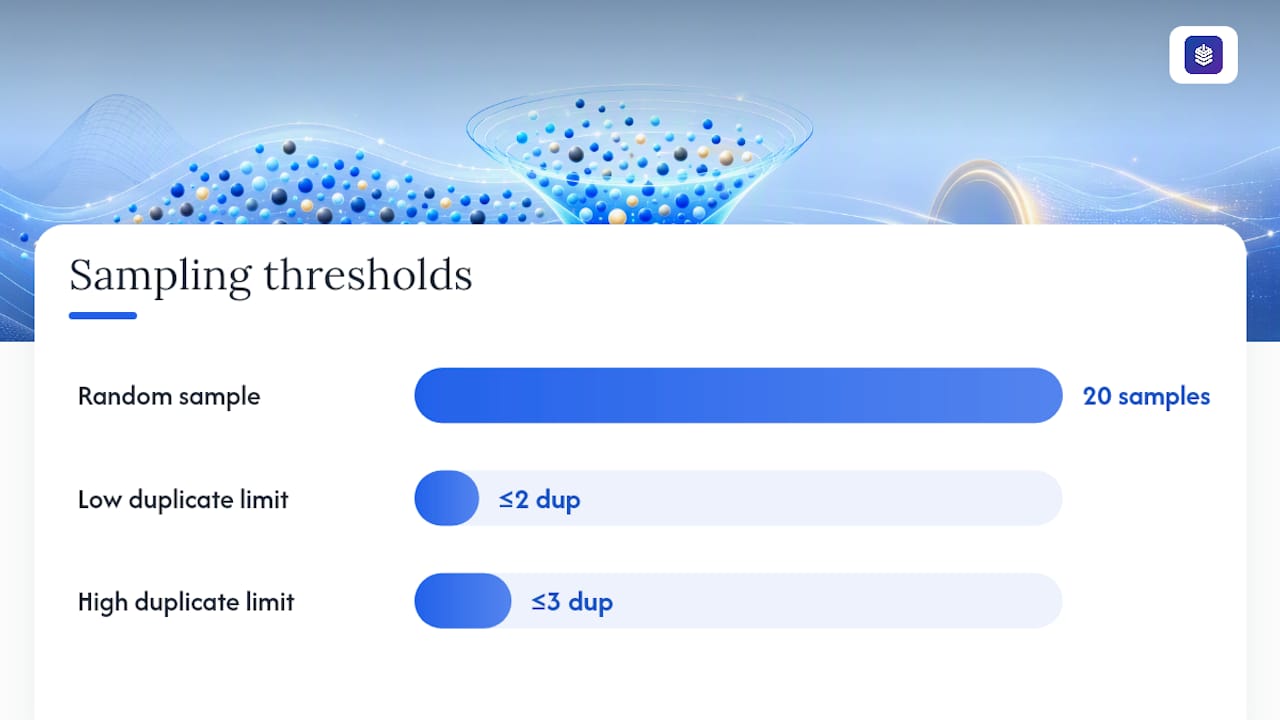
Pro Tip: Run a random sample of 20 generated descriptions through a duplicate checker before launch. If more than two or three read nearly identical, your template needs another variable.
How to Measure Whether Your Descriptions Are Working
Click-through rate by page and query, tracked in Search Console, is the metric that actually tells you whether a description is working. Impressions matter too, since a low CTR on high impressions is a bigger opportunity than the same CTR on a page nobody sees.
Statistic to remember: Google's own guidance on meta descriptions points to Search Console performance reports as the primary way to validate whether a rewrite happened and whether it helped.
A simple testing approach that works for most teams:
- Pick one high-traffic page with a clear opportunity (high impressions, low CTR).
- Write one or two alternate descriptions, each front-loaded differently.
- Run each variation for two to four weeks, long enough to smooth out day-to-day query volume swings.
- Compare CTR and impression-share before and after, not just click volume.
Pixel-width previewers, used before publishing, catch the truncation problems that no amount of post-launch measurement can fix retroactively.
Common Meta Description Mistakes and How to Fix Them
Most meta description problems fall into four repeatable buckets, and each one has a fast fix.
- Duplicate descriptions across pages. Run a site crawl or check Search Console's coverage reports to flag duplicates, then rewrite each one around what makes that specific page different.
- Truncation on mobile. This usually means the value proposition was buried past character 120. Move the payoff to the front and recheck in a pixel previewer.
- Keyword stuffing or vague copy. A description crammed with repeated keywords reads as spam to a human and often gets swapped out by Google anyway. Replace it with one clear benefit and one simple call to action.
- Missing descriptions on low-value pages. Leaving a description blank is fine for thin utility pages, like filtered category pages with little unique content, but never for a page you actually want ranked and clicked.
Every one of these shows up in a routine technical SEO audit, so build the check into your regular publishing workflow instead of treating it as a one-time cleanup.
Templates and a Pre-Publish Checklist You Can Copy
Templates save time, but only if the fields inside them stay specific.
- Homepage: "[Store name] sells [product category] for [audience]. [Differentiator]. [CTA]."
- Blog guide: "[Outcome/answer] in [timeframe or number of steps]. [Specific detail that proves expertise]."
- Product page: "[Product name] in [material/size range]. [Key feature]. [Price or shipping detail]."
- Category page: "Shop [category] from [$X to $Y]. [Filter or selection detail]. [CTA]."
- Tool/checker page: "[Tool name] checks [what it checks] in [time/effort]. [Output format]. Try it free."
Before publishing, confirm four things: the payoff sits in the first 120 characters, the description passes a pixel preview on both mobile and desktop, no other page on the site uses the same wording, and the description actually answers the query the page is meant to rank for.
Before: "Learn about running shoes and how to choose the right pair for your needs." After: "Marathon runners: find your right shoe size in 3 questions. Free fit guide inside."
The second version front-loads the audience, states a number, and survives mobile truncation. The first one gets cut off before it says anything useful.
What Actually Separates Good Meta Descriptions From Wasted Effort
Most teams don't fail at meta descriptions because they don't know the character rules. They fail because they treat every page as equally deserving of a carefully written sentence, and end up spreading thin effort across thousands of pages instead of sharp effort across the handful that matter.
The fix isn't more rules. It's prioritization: identify which pages drive the bulk of your impressions and conversions, and give those the human attention. Automate the long tail, but review a sample regularly. One habit worth stealing: keep a running list of your top 50 pages by impressions and revisit their descriptions quarterly, before touching anything further down the list.
Let BlockPress Handle the Pixel Math for You
Writing pixel-perfect meta descriptions across a growing product catalog gets tedious fast, especially when you're also managing titles, alt text, and internal links for every new post. Blockpress builds pixel previews, duplicate detection, and AI-drafted description suggestions directly into its Shopify blog editor, so you check snippet fit without switching between three separate apps.
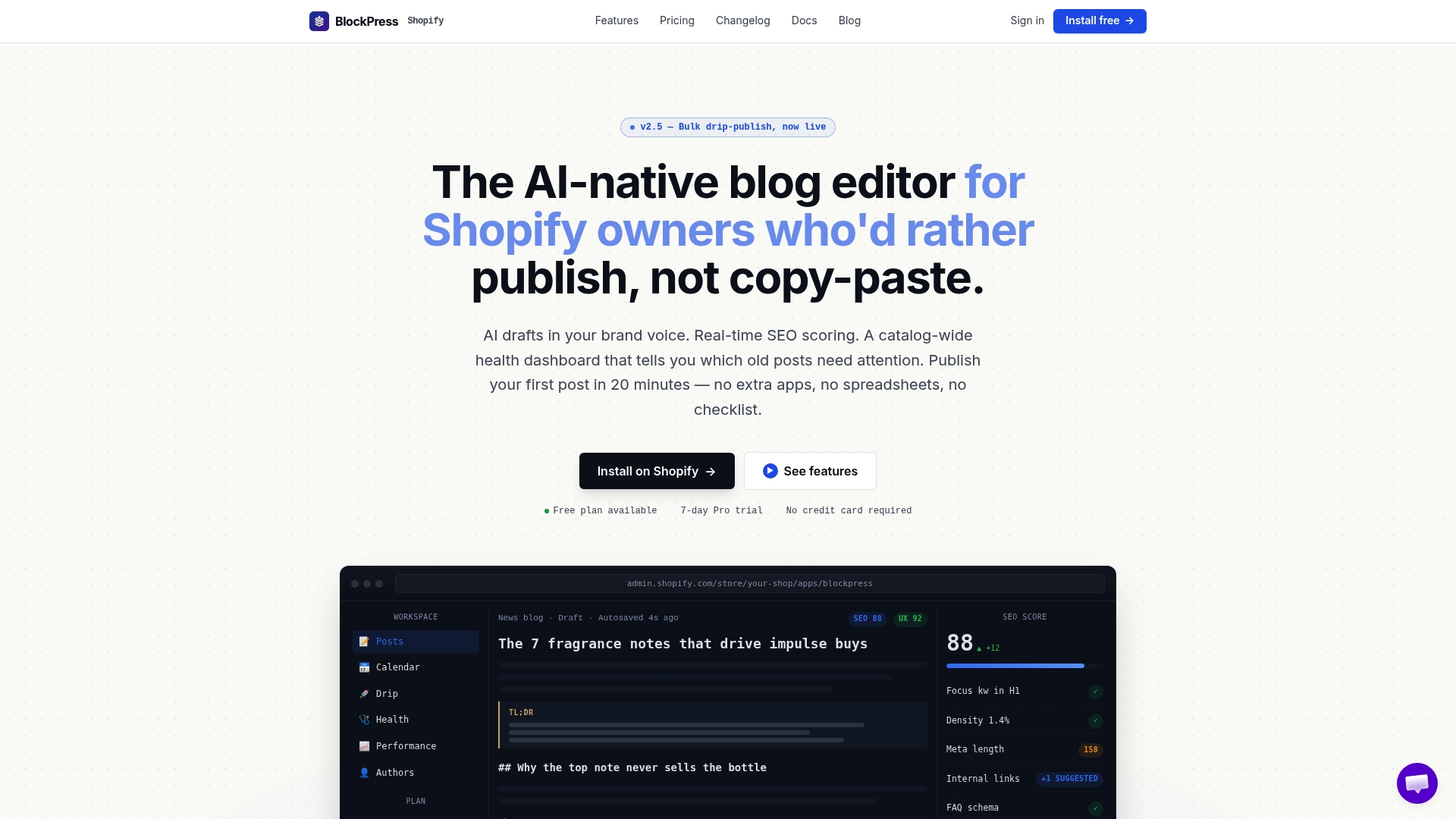
It's part of a broader set of 12 automated SEO checks Blockpress runs on every article, covering the same duplicate and truncation issues this guide walks through by hand. For teams following the human-first-then-automate approach outlined above, Blockpress lets you handcraft descriptions for your top pages while still generating safe, on-brand drafts for the rest of your catalog. Start a free plan on the BlockPress landing page and run your existing product pages through a pixel preview before your next publish.
Sources
- How to Write Meta Descriptions | Google Search Central
- Meta Description Length 2026 (Pixels) | Molixa
- Meta Description Length: How Long Should It Be? (2026)
FAQ
What should a meta description include?
A strong meta description includes a clear benefit or answer, a specific detail like a number or audience, and a short call to action, all front-loaded within the first 120 characters.
What happens if a meta description goes over 155 characters?
It risks getting cut off mid-sentence on desktop, and even sooner on mobile, since Google truncates based on rendered pixel width, not raw character count.
What is the ideal meta description length?
Aim for about 140 to 160 characters on desktop, but keep the essential message within the first 120 characters so it survives on mobile, per character-based drafting guidance.
Do meta descriptions still matter?
Yes. They aren't a ranking factor, but they directly shape click-through rate, and a tight, relevant description is more likely to be shown instead of a Google-generated rewrite.
Can Blockpress help write meta descriptions at scale?
Blockpress generates pixel-checked draft descriptions and flags duplicates automatically inside the Shopify blog editor, which supports the human-first, automate-the-rest approach this guide recommends.