
Image alt text is one of the most underused levers in SEO. It tells search engines what your images show, helps visually impaired users understand your content, and directly influences your visibility in Google Image Search. Miss it, and you leave organic traffic on the table. Get it right, and you strengthen every image on your site.
Here is what you need to know:
- Alt text is Google's primary metadata source for images. According to Google Search Central, alt text is the main signal Google uses to understand and index images for Google Image Search.
- It supports image search rankings, not general web rankings. Google's John Mueller has clarified that alt text is a ranking factor specifically for Google Images, not a direct lever for standard web search position.
- It reinforces page context. Even without a direct ranking boost, well-written alt text adds contextual signals that help Google understand what your page covers.
- It is required for accessibility. WCAG standards mandate meaningful alt text so screen reader users can access your visual content.
- Missing alt text has real costs. Pages with untagged images lose image search traffic and create barriers for users with visual impairments or slow connections.
Table of Contents
- 1. Best practices for writing SEO-effective alt text
- 2. Common misconceptions about alt text and SEO
- 3. How alt text fits into a holistic image SEO strategy
- 4. Alt text and accessibility: why it matters beyond SEO
- 5. How Blockpress supports image SEO for Shopify merchants
- Key Takeaways
- FAQ
1. Best practices for writing SEO-effective alt text
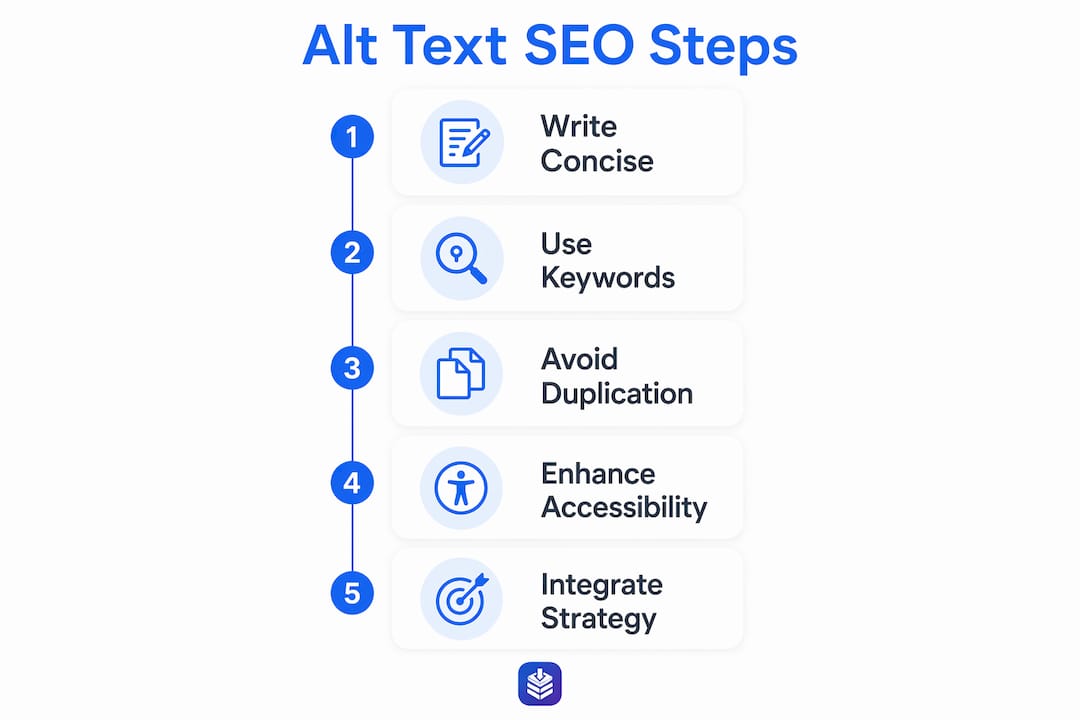
Good alt text is specific, concise, and written for a human first. These rules keep you on the right side of both Google and accessibility standards.
- Describe what is actually in the image. Focus on the visual content, not what you wish the image communicated. "Red leather running shoe with white sole" beats "product image."
- Keep it under 125 characters. Screen readers cannot pause mid-alt-text, so long descriptions frustrate users before they finish.
- Integrate keywords naturally. If your page targets "women's trail running shoes," and the image shows exactly that, include the phrase. Do not force it where it does not fit.
- Skip "image of" or "photo of." Screen readers already announce that content is an image, so those phrases are redundant and waste your character budget.
- Match alt text to the image's purpose. An informative image needs a full description. A functional image (like a button) needs to describe its action. A purely decorative image can use an empty alt attribute (
alt=""). - Write descriptive filenames too.
red-leather-running-shoe.jpgreinforces your alt text;IMG_4892.jpgdoes nothing.
Pro Tip: Front-load the most important information in your alt text. Screen reader users often scan by jumping between elements, so the first few words carry the most weight.
2. Common misconceptions about alt text and SEO
A lot of SEO advice around alt text is either outdated or flat-out wrong. Here are the myths worth correcting.

Myth: Alt text is a keyword tag for general rankings. It is not. Google treats alt text as a ranking signal for Google Images only. Stuffing it with keywords to climb standard web search results does not work and can trigger spam signals.
Myth: Keyword-rich alt text always helps. Overloading alt text with repeated product names or exact-match phrases is a recognized spam pattern. Balance is the standard: describe the image accurately, include a relevant keyword where it fits naturally, and stop there.
Myth: If the page has plenty of text, alt text does not matter. Google uses alt text alongside page text and computer vision to build its understanding of an image. Surrounding text helps, but it does not replace a clear alt attribute.
Myth: Copying your product title into every alt tag is fine. Repeating the same phrase across dozens of product images creates redundancy. Vary your descriptions to reflect what each image actually shows.
Myth: Alt text alone will rank your images. It is one signal among many. Filenames, page context, image placement, and site authority all factor in. Alt text without the rest of the strategy only goes so far.
3. How alt text fits into a holistic image SEO strategy
Alt text does not work in isolation. Think of it as one layer in a stack of image SEO signals that Google reads together.
- Pair alt text with descriptive filenames. Both communicate image content to Google. A strong alt attribute on a file named
image1.jpgsends mixed signals. - Place images near relevant text. Google reads surrounding content to confirm what an image shows. An image of a product placed next to its description gets indexed more accurately than one buried in a footer.
- Use captions where they add value. Captions are read by more users than almost any other page element. They also give Google another contextual signal.
- Choose the right file format. WebP delivers smaller file sizes than JPEG or PNG at comparable quality, which speeds up load times. Page speed is a confirmed ranking factor.
- Audit your alt text regularly. Images get added, pages get updated, and alt text often gets left behind. Tools like Screaming Frog, Ahrefs Site Audit, and Google Search Console's coverage reports can surface images with missing or thin alt attributes. The on-page SEO checklist from Blockpress walks through how alt text fits alongside other on-page elements.
- Do not treat alt text as the only fix. A page with perfect alt text but slow load times, poor mobile experience, or thin content will still underperform. Alt text earns its keep as part of a complete strategy.
4. Alt text and accessibility: why it matters beyond SEO
Accessibility is the original reason alt text exists, and it remains the most important one. The SEO benefits of alt text are real, but they are secondary to making your site usable for everyone.
- Screen readers depend on alt text. For users with visual impairments, alt text is the only way to understand what an image shows. Without it, screen readers either skip the image or read out the filename, which is rarely helpful.
- Slow connections and broken images benefit too. When an image fails to load, the alt text displays in its place. Users on low-bandwidth connections get context instead of a broken icon.
- WCAG compliance is not optional for many organizations. The Web Content Accessibility Guidelines require meaningful alt text for non-decorative images. For U.S.-based organizations subject to ADA requirements, inaccessible web content carries legal risk.
- Cognitive accessibility matters. Clear, plain-language alt text also helps users with cognitive disabilities process visual information more easily.
- Accessibility and SEO reinforce each other. A site that is genuinely usable for all audiences tends to perform better in search. Google has consistently stated that user experience quality is a factor in how it evaluates pages.
5. How Blockpress supports image SEO for Shopify merchants
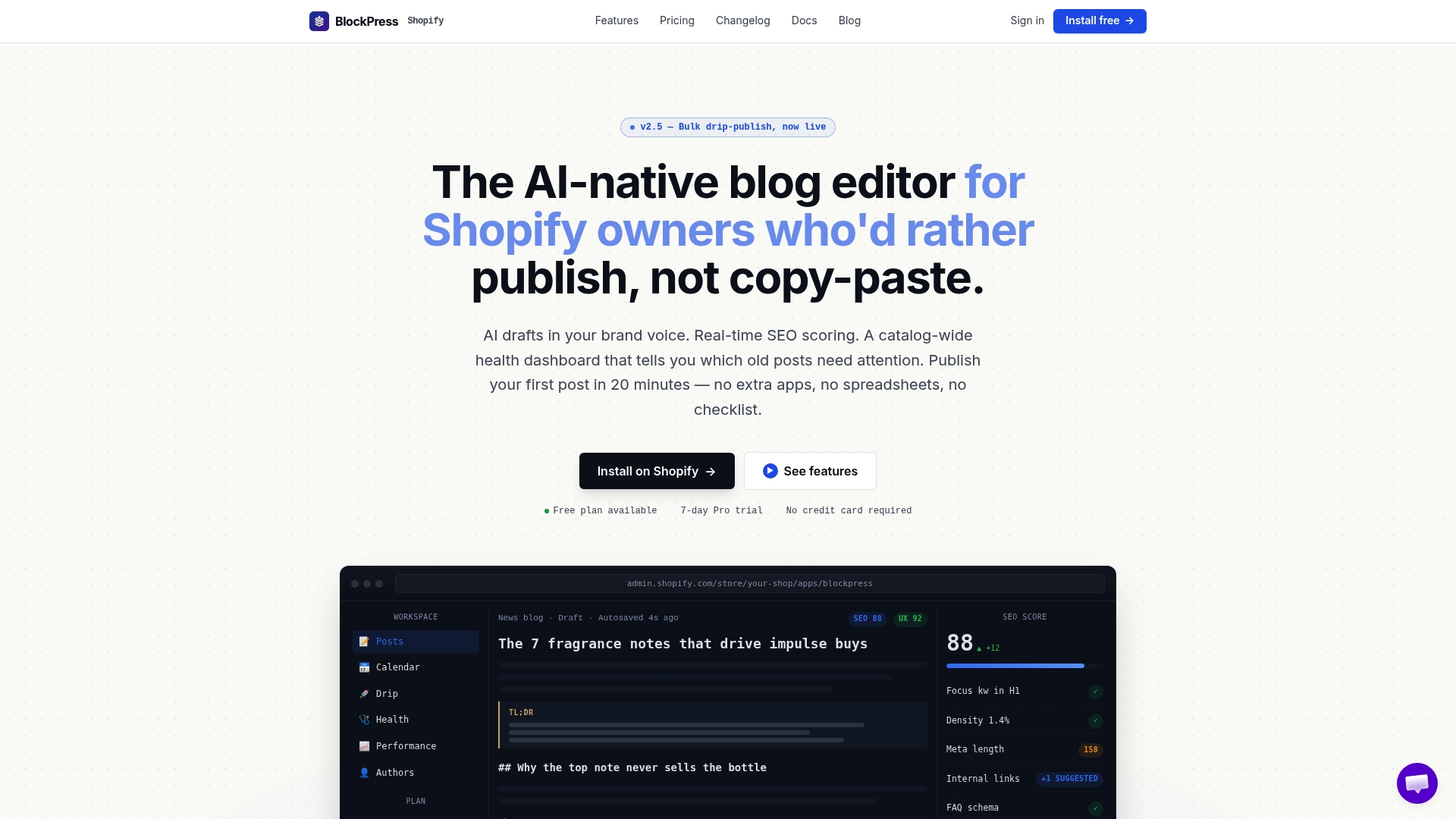
Shopify's default blog editor gives you a text field for alt text and not much else. Blockpress goes further by building SEO checks directly into the editing workflow, so you catch alt text gaps before a post goes live rather than during a quarterly audit.
- Live SEO scoring flags missing alt text in real time. As you build a post, Blockpress surfaces alt text issues alongside other on-page signals, so nothing gets published with untagged images.
- Keyword data informs your alt text decisions. Because Blockpress pulls real Google keyword data into the editor, you can see which terms are relevant to your page and write alt text that aligns with your content strategy.
- Health audits identify existing gaps. The SEO audit tools inside Blockpress scan your published posts and flag images that are missing alt text or using thin descriptions, giving you a prioritized list to work through.
- Per-article analytics show the impact. After you update alt text across a set of posts, Blockpress's performance tracking lets you see how image traffic and organic visibility shift over time.
- Content strategy alignment is built in. Blockpress connects alt text optimization with your broader content goals, so image SEO does not sit in a silo separate from your keyword and publishing strategy.
Pro Tip: Use Blockpress's health audit to prioritize your highest-traffic posts first. Fixing alt text on pages that already rank well tends to produce faster, more measurable gains than starting with new content.
If you want image SEO built into your Shopify workflow rather than bolted on after the fact, Blockpress is worth a close look.
Key Takeaways
Alt text is Google's primary signal for understanding and indexing images, making it the single most important attribute you can add to every non-decorative image on your site.
| Point | Details |
|---|---|
| Alt text drives image search visibility | Google uses alt text as its main metadata source for indexing images in Google Image Search. |
| It is not a general ranking factor | John Mueller confirmed alt text affects Google Images rankings, not standard web search position. |
| Keep descriptions under 125 characters | Screen readers cannot pause alt text, so concise descriptions improve usability for all users. |
| Avoid keyword stuffing | Overloading alt text with keywords can trigger spam signals; describe the image accurately first. |
| Audit regularly with the right tools | Tools like Screaming Frog and Blockpress's health audit surface missing or thin alt text at scale. |
FAQ
Does alt text directly improve my Google search rankings?
Alt text is a direct ranking factor for Google Images, not for standard web search. Google's John Mueller has confirmed this distinction, though well-written alt text still adds contextual signals that support overall page relevance.
How long should image alt text be?
Keep alt text under 125 characters. Screen readers read alt text continuously without allowing users to pause, so shorter descriptions are easier to process and more useful.
What happens if I leave alt text blank?
Missing alt text means Google has less information to index your images, reducing your visibility in image search. It also makes your content inaccessible to screen reader users, which can violate WCAG accessibility standards.
Can I use the same alt text on multiple images?
No. Duplicate alt text across multiple images signals low effort to search engines and gives screen reader users no way to distinguish between images. Write a unique description for each image based on what it actually shows.
Is alt text the only thing I need to optimize for image SEO?
Alt text is one signal among several. Descriptive filenames, image placement near relevant text, fast load times, and proper file formats all contribute to how well your images perform in search.