
Shopify keyword research starts by mapping search demand to your product catalog, not by chasing traffic. Pull your Google Search Console queries this week, pick 3 to 5 commercial keywords you can act on immediately, and assign each one to a specific product or collection page. Success looks like a ranking or click increase within a few months, plus at least one tracked sale from a page you optimized.
TL;DR:
- Focusing on commercial keywords that match existing products and mapping each to a single page increases purchase likelihood and avoids keyword cannibalization.
- Using Google Search Console and autocomplete tools helps identify low-hanging, high-converting keywords already driving impressions and clicks.
- Prioritizing keywords by intent, difficulty, and fit allows you to target the most valuable terms efficiently, with ongoing monthly tracking of rankings and conversions.
- Shopify's built-in SEO fields cover core optimization, but managing keyword mapping and cannibalization requires external spreadsheets or tools for best results.
- Combining customer reviews, on-site search data, and Google keywords reveals gaps and new opportunities for keyword targeting and page creation.
Table of Contents
- Why Shopify Keyword Research Works Differently
- How Do You Actually Find Shopify Keywords?
- Which Tools Should You Actually Use?
- How Do You Prioritize and Track Keyword Research?
- What Mistakes Waste the Most Time?
- Who's Behind This Guide (And Why We Follow It Ourselves)
- What Can You Actually Do With Shopify's Built-In SEO Tools?
- Can Customer Reviews Reveal Keywords You're Missing?
- Do Shopify Apps Help With Keyword Optimization?
- Do Different Product Types Need Different Keyword Approaches?
- Publisher Perspective: Execution Beats Tool-Hopping
- Speed Up the Research-to-Publish Loop With BlockPress
- Where to Learn More
- Sources
- FAQ
Why Shopify Keyword Research Works Differently
Content blogs pick topics first and traffic follows. Shopify stores work backward: you already have a fixed set of products, so keyword research means finding what people type when they're ready to buy one of them, not what topics might attract an audience someday.
That constraint is actually an advantage. A content site chasing "best hiking boots" has to build authority from nothing. A boot store selling waterproof trail boots in wide sizes just needs to find the handful of queries that describe that exact product and get a page in front of them. Shopify's own keyword research guidance frames this as a sequence: brainstorm seed terms, expand the list, group by intent, then map keywords to pages you already have or need to build.
Mapping keywords to product and collection pages instead of generic blog posts shortens the distance between a search and a purchase. Someone searching "waterproof trail boots women's wide" is closer to buying than someone searching "how to break in hiking boots." Both deserve attention, but they belong on different page types, and treating ecommerce keyword research as infrastructure that connects your product taxonomy to search demand keeps that distinction from getting lost.
The KPIs that matter shift accordingly. Impressions and clicks tell you visibility. Click-through rate tells you whether your title and meta description are earning the click you're already getting. But the number that actually matters is revenue per visit on the landing page, because a keyword that ranks well and converts poorly is still a losing keyword.
Focus your tracking on:
- Impressions and average position — is Google showing the page for the terms you targeted?
- Click-through rate — does the snippet make people want to click?
- Conversion rate on the landing page — does the page close the sale once they arrive?
- Revenue per visit — the number that ties keyword choice to actual business impact.
A collection page ranking well for a moderately searched term with a reasonable conversion rate can outperform a blog post ranking first for a higher-volume search term that never sells anything.
How Do You Actually Find Shopify Keywords?
This is the five-step version of Shopify keyword research that turns a vague to-do into a repeatable weekly habit. Each step has a clear decision rule so you're not guessing what "good enough" looks like.
Step 1: Collect seeds from what you already know
Start with your product names, variant attributes (size, color, material, use case), and category names. Then add customer language: pull the actual phrases customers use in reviews, support tickets, and on-site search queries. Finally, export your Google Search Console queries (Performance report, filtered by Pages, last 3 to 6 months) and sort by impressions. This single export usually surfaces terms you're already ranking for that you never intentionally targeted.
Step 2: Expand with autocomplete and question data
Type your seed terms into Google and note the autocomplete suggestions. Check the "People Also Ask" boxes for question-based long-tail variants. Run the same seeds through Google Keyword Planner for volume estimates, then run them through a paid tool for related terms and competitor gaps. This is where "waterproof trail boots" turns into "waterproof trail boots women's wide," "waterproof trail boots for snow," and "best waterproof trail boots under $150."
Step 3: Analyze volume, difficulty, and intent
For each term, note estimated monthly search volume (MSV), keyword difficulty (KD), and likely click-through rate for your current or projected position. Then classify intent: informational ("how to waterproof boots"), commercial ("best waterproof trail boots"), or transactional ("buy waterproof trail boots women's 8"). Prioritize long-tail transactional terms tied to a specific product over high-volume informational ones. A 300-search transactional term that matches a SKU you stock will usually out-earn a 4,000-search informational term that only fits a blog post.
Step 4: Map keywords to URLs
Build a simple matrix: one column for the primary keyword, one for the target URL, one for 2 to 3 supporting variants, one for intent type. The rule that prevents most Shopify SEO problems is simple: one primary keyword per page. If two pages are both trying to rank for "leather crossbody bag," you're competing with yourself, a problem known as keyword cannibalization. Assign a single primary term per URL and use variants as supporting language in the body copy instead of duplicating the exact match everywhere.
Step 5: Implement across the six Shopify fields
Shopify gives you six specific places to place keywords, and each one carries different weight:
- Page title (H1) — put the primary keyword near the front.
- Meta title — under 60 characters, primary keyword plus a modifier (brand, size, benefit).
- Meta description — under 160 characters, written to earn the click, not just describe the page.
- URL handle — short, keyword-forward, no stop words ("/womens-waterproof-trail-boots" beats "/product-id-4482").
- Body copy — natural placement of the primary keyword plus 2 to 3 variants, never stuffed.
- Image alt text — descriptive, includes the product keyword, and doubles as accessibility text.
Pro Tip: Write your meta description like a tiny ad, not a summary. "Waterproof trail boots built for wide feet and wet trails. Free returns." earns more clicks than a restated product description.
Which Tools Should You Actually Use?
You don't need five subscriptions running at once.
- Google Search Console — your most valuable free source, because it shows the exact queries already driving impressions and clicks to your store. This is where you'll find "striking distance" keywords: queries ranking positions 11 through 25 that need a small push, not a rebuild.
- Google Keyword Planner — useful for sanity-checking search volume once you have a shortlist. It's less reliable for brand-new long-tail ideas but solid for confirming a term is worth building around.
- One primary paid tool (Ahrefs or Semrush) — pick one, not both. Use it for competitor keyword gaps, related-term expansion, and difficulty scoring you can't get from free tools alone.
- an AI-native blog editor that surfaces live Google keyword data directly inside the writing screen, so you're not tabbing between five browser windows to draft a category guide or buying guide post.
The practical combination looks like this: pull real queries from GSC first, run the promising ones through your chosen paid tool for expansion and difficulty, then use Keyword Planner as a final volume check before you commit a page to a term. A focused stack like this beats juggling four overlapping subscriptions that all tell you slightly different numbers.
Where an editor like BlockPress earns its place in that stack is speed. Instead of researching in one tool, drafting in Shopify's default blog editor, then checking SEO scoring in a third app, BlockPress keeps keyword data, SEO and UX scoring, and the draft itself in one screen. That shortens the loop between finding a keyword worth targeting and actually publishing a page for it.
How Do You Prioritize and Track Keyword Research?
Not every keyword deserves a page. Run each candidate through a short rubric before you commit time to building anything.
Score keywords on four factors: does the term match a product you actually stock (fit), how close is the searcher to buying (commercial intent), how hard will it be to rank (keyword difficulty), and how much page-building effort does it require versus the likely payoff (effort-to-build). A high-fit, high-intent, low-difficulty term is your first build. A low-fit, high-difficulty term isn't worth a dedicated page regardless of volume.
For a store with 50 to 500 SKUs, the initial keyword-to-URL mapping build typically takes 20 to 30 hours, covering catalog review, seed collection, expansion, and the matrix itself. After that, budget 2 to 4 hours a month for maintenance: new product launches, seasonal terms, and checking for cannibalization as your catalog grows.
Track these on a monthly cadence:
- Ranking movement for your mapped primary keywords.
- Impressions and CTR in Google Search Console, by page.
- Clicks, especially on pages sitting in positions 5 through 15.
- Conversions and revenue attributed to the landing page in Shopify Analytics or GA.
Striking-distance queries in GSC, those ranking in positions 11 through 25 with decent impressions, are the fastest wins available. A small meta description rewrite or a title tweak often moves them into the top 10 within a few weeks. Run these as lightweight experiments: change one field, wait three to four weeks, check the movement, then decide whether to iterate again.
What Mistakes Waste the Most Time?
Four mistakes account for most of the wasted effort in Shopify keyword research, and all four are avoidable with a five-minute check before you publish.
Chasing volume over intent tops the list. A 10,000-search keyword that's purely informational won't sell trail boots as efficiently as a 200-search term that names the exact product. Keyword stuffing is the second, still common enough to flag: repeating the same phrase five times in a product description reads as spam to both readers and Google. Duplicate manufacturer copy is the third, since pasting the same product description every other store selling that item uses gives you nothing unique to rank on. Poor page mapping, assigning the same primary keyword to two different pages, rounds out the list and quietly cannibalizes your own rankings.
Run this checklist before publishing any product, collection, or blog page:
- One primary keyword assigned, with 2 to 3 supporting variants in the body copy.
- All six Shopify fields addressed: title, meta title, meta description, URL handle, body, image alt text.
- Internal links pointing to the relevant category or collection page.
- Product schema added where applicable (price, availability, reviews).
Pro Tip: If a page has strong impressions but a weak click-through rate, the keyword targeting is usually fine and the snippet is the problem. Rewrite the meta title and description before touching anything else.
Who's Behind This Guide (And Why We Follow It Ourselves)
This guide was written by Rodney for the BlockPress blog, drawing on Shopify SEO workflows tested across stores of varying catalog sizes and niches.
The workflow described here includes live Google keyword data inside the editor, real-time SEO and UX scoring as you write, AI-generated drafts you can shape into your own brand voice, and per-article performance analytics so you can see which pages actually earn clicks and conversions after publishing. The checklist covered above maps closely to what BlockPress checks automatically on every draft, and the blog-writing framework it's built on follows this same research-to-publish sequence.
What Can You Actually Do With Shopify's Built-In SEO Tools?
Shopify's admin gives you real control over the fields that matter most: page titles, meta titles, meta descriptions, URL handles, body copy, and image alt text. That covers the six placements search engines weigh most heavily, and for most stores, that's enough to compete on well-targeted long-tail terms without a single extra app.
The limitations show up as your catalog grows. Shopify's default editor doesn't surface keyword data, so you're guessing at volume and difficulty unless you research separately and copy findings over manually. It also has no built-in system for flagging cannibalization across dozens or hundreds of pages, no automated alerting for pages that lose ranking, and no native content scoring to tell you whether a draft is actually optimized before you hit publish. You end up managing the keyword-to-URL matrix in a spreadsheet, checking Search Console separately, and hoping you remember to update alt text on product images added six months ago.
None of that makes Shopify's SEO tools bad. It means they're the mechanism, not the strategy. You still need a system, whether that's a spreadsheet, a project board, or an integrated editor, to decide which keyword goes where and to catch drift before it costs you rankings.
Can Customer Reviews Reveal Keywords You're Missing?
Customer reviews are one of the most underused keyword sources on a Shopify store, mostly because they're written by people who already bought the product and describe it in their own words, not marketing language. Scan reviews for repeated phrases: "true to size," "runs small," "great for wide feet," "held up in the rain." Each of those is a phrase someone else is likely typing into Google before buying.
Your on-site search data tells a similar story from the other direction. If customers search "wide boots" inside your storefront and find nothing, that's a signal you either need to improve product tagging or the search term deserves its own collection page. Shopify stores with more than a handful of monthly searches should check the on-site search report regularly, since it shows exactly what shoppers expect to find and often exposes gaps between your product naming and customer vocabulary.
Combine both sources with your Google Search Console export, and you'll usually find three types of keyword gaps: terms customers use that you don't, terms you rank for that you didn't target, and terms with zero results that need a new page entirely.
Do Shopify Apps Help With Keyword Optimization?
The Shopify App Store has no shortage of SEO apps, and most solve one narrow piece of the puzzle: bulk alt text editing, structured data injection, redirect management, or broken-link scanning. Installed individually, they add up to real coverage, but also to real overhead, since each app needs its own settings, its own learning curve, and often its own monthly fee.
The practical question isn't whether an app helps, it's whether it replaces a manual task you'd otherwise do in a spreadsheet or by hand in the theme editor. An app that bulk-generates alt text across 400 product images saves hours a general keyword tool never touches. An app that only duplicates what Search Console already shows you for free isn't worth the subscription.
This is also where an integrated editor like BlockPress differs from a single-purpose app: instead of stacking three apps to get keyword data, SEO scoring, and draft generation, all three live inside one Shopify-native editor, cutting the number of tools you have to manage and keep in sync.
Do Different Product Types Need Different Keyword Approaches?
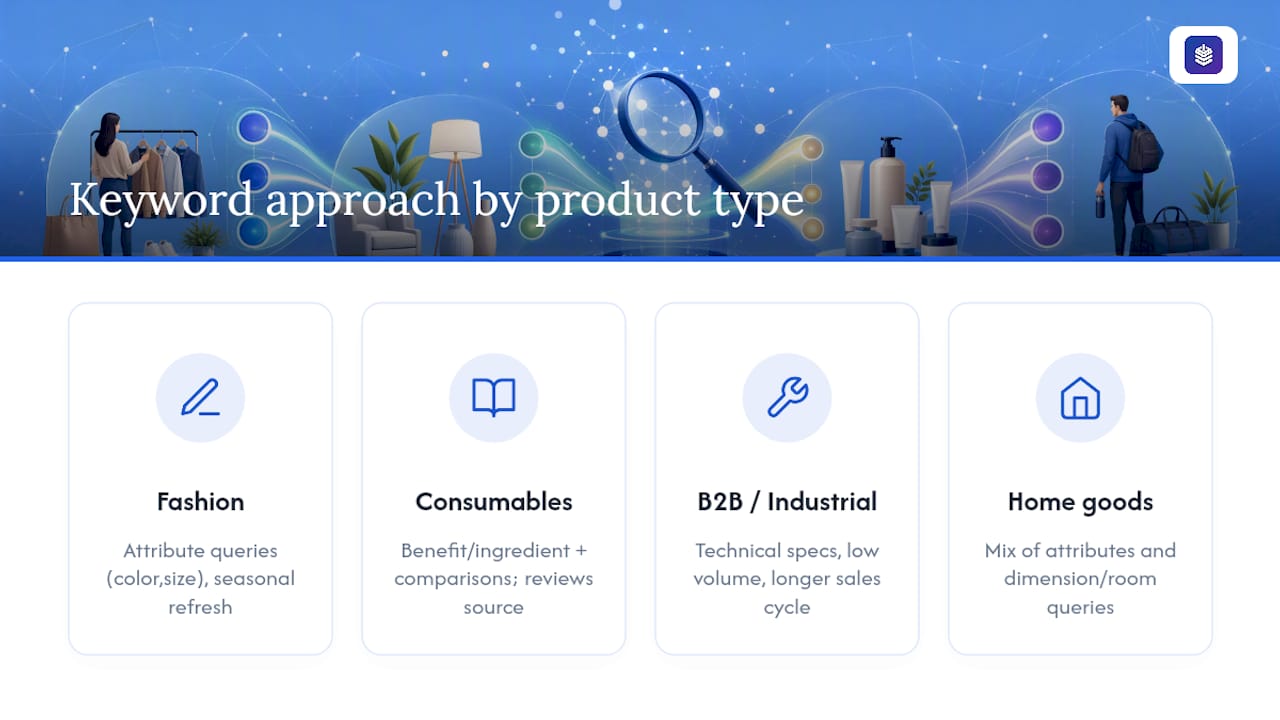
A fashion store, a supplement brand, and a B2B hardware supplier are not searching the same way, and treating them identically wastes effort. Fashion and apparel keywords lean heavily on attributes: color, size, material, occasion ("wedding guest dress plus size"). Expect high seasonal swings and short product lifecycles, so keyword research needs to repeat every season, not once a year.
Consumables and supplements skew toward benefit and ingredient language ("magnesium glycinate for sleep") alongside comparison terms ("vs" searches are common here). Reviews are an especially rich keyword source in this category because customers describe results in their own words.
B2B and industrial products behave more like content sites: lower search volume per term, longer sales cycles, and buyers who search technical specifications ("1/4 inch stainless steel hex bolt grade 8") rather than lifestyle language. Keyword difficulty tends to be lower here too, since fewer stores compete for these exact technical phrases.
Home goods and furniture sit in between, blending attribute searches ("mid century modern accent chair") with dimension-specific and room-specific queries. Across all of these, the underlying process stays the same: seed, expand, analyze, map, implement. What changes is which modifiers matter and how often you need to refresh the research.
Publisher Perspective: Execution Beats Tool-Hopping
Most Shopify keyword research fails not from bad tools but from skipping the mapping step and jumping straight to writing. A spreadsheet with a keyword-to-URL matrix, built once and maintained monthly, will outperform a store that owns four SEO apps but never decided which page should rank for which term.
Keep research in-house if you're under a few hundred SKUs and have a few hours a month to spare. Hire or subscribe to a heavier tool once cannibalization starts showing up across dozens of pages, or once tracking rankings manually becomes its own part-time job. Small experiments prove the point faster than theory: rewriting a meta description on a striking-distance page, or adding a missing product attribute to a title tag, routinely moves rankings within weeks. That kind of visible payoff builds the habit that makes the whole system stick.
— Rodney
Speed Up the Research-to-Publish Loop With BlockPress
Doing everything in this guide manually means juggling Google Search Console exports, a paid keyword tool, a spreadsheet matrix, and Shopify's default blog editor, all before you write a single word. The process collapses that into one screen: live Google keyword data while you draft, real-time SEO and UX scoring so you know a page is optimized before you publish, AI-generated drafts you can shape into your brand voice, and per-article analytics that show which keywords actually convert.
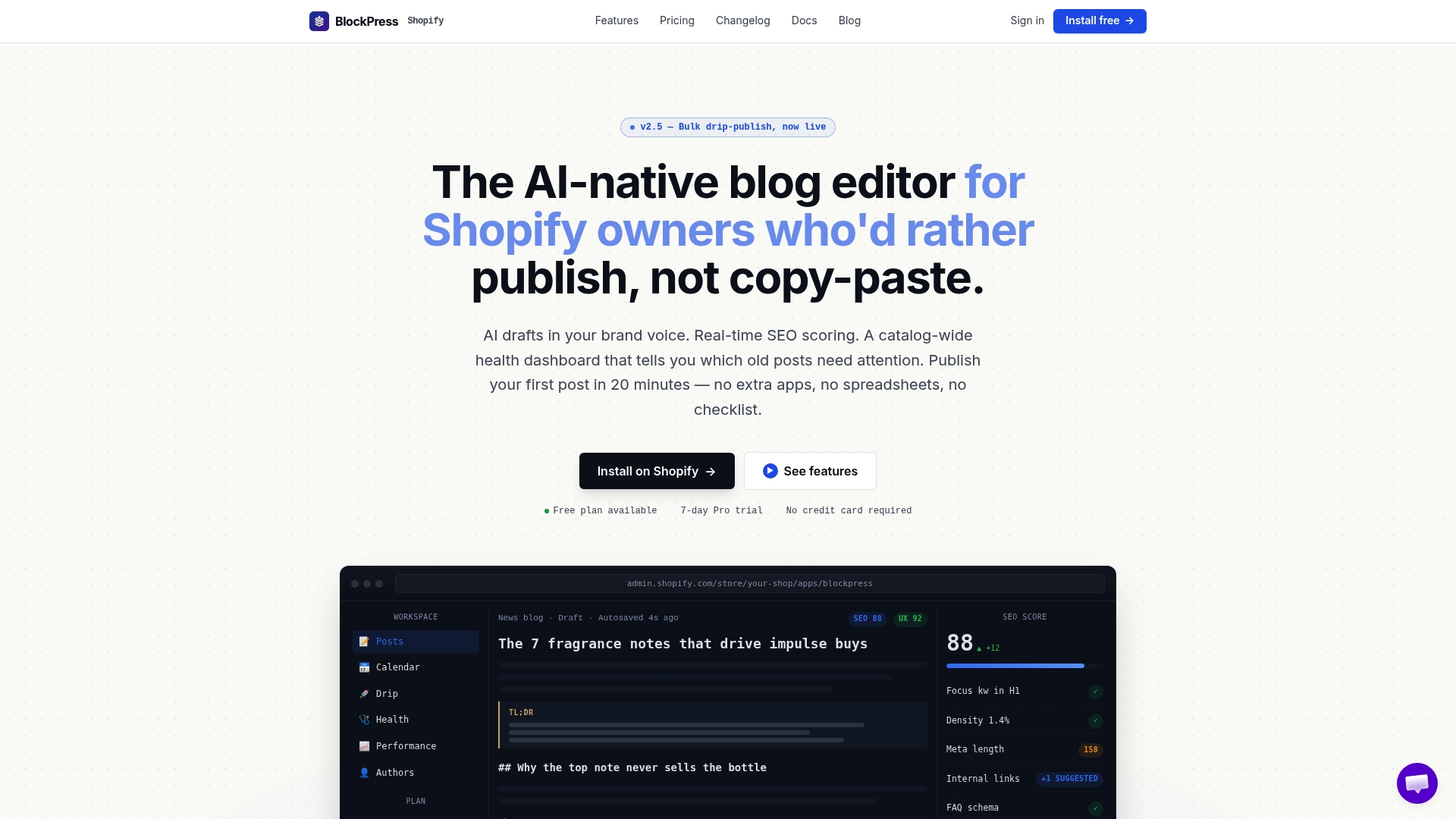
For a store owner mapping keywords to 50, 100, or 500 product and collection pages, that means fewer tabs, fewer handoffs between tools, and a faster path from "we found a good keyword" to "the page is live." If you're weighing whether to keep stitching together separate research and writing tools versus consolidating the workflow, explore the full feature set and see how the editor handles keyword data directly inside a draft. Start with your next planned blog post or category page and see how much of this guide you can execute in one sitting at Blockpress.
Where to Learn More
For implementation details straight from the source, Shopify's own keyword research guide and help documentation on adding keywords cover the platform-specific mechanics. For finding striking-distance queries fast, the Search Console reports guide walks through the exact filters to use. For a partner take on ecommerce-specific tactics, see Boost Online Sales: Proven Ecommerce Keyword Research Tips.
Sources
- Keyword Research Guide for Ecommerce Businesses (2026) - Shopify
- Ecommerce SEO Keyword Research: The Infrastructure Build | Founding Engine
- How To Do Keyword Research for Ecommerce in the AI-Search Era | Nuwtonic
- Adding keywords for SEO to your Shopify store
FAQ
Is Shopify Still Worth It in 2026?
Yes, for most merchants Shopify remains a strong platform, but its built-in SEO fields only work if you fill them with researched keywords. The platform gives you the mechanism; the keyword strategy and mapping are still on you.
How Do You Perform Keyword Research for a Shopify Store?
Collect seed keywords from your product catalog and customer language, expand them with autocomplete and a keyword tool, analyze volume and intent, map each term to one page, and implement it across the six Shopify fields: title, meta title, meta description, URL handle, body copy, and image alt text.
Can You Make $10,000 a Month on Shopify?
It's possible, but it depends heavily on niche, margins, and traffic quality, not just keyword rankings. Strong keyword-to-product mapping improves conversion proximity, but revenue at that scale also requires solid margins, retention, and enough search volume in your category to support it.
Can I Do SEO Myself on Shopify?
Yes. Shopify's admin gives you direct control over all six keyword placement fields, and free tools like Google Search Console and Google Keyword Planner cover most of the research a small to midsize catalog needs. An editor like BlockPress can speed up the process by surfacing keyword data and SEO scoring in the same screen where you write, but it's not required to do keyword research yourself.