
Duplicate content rarely triggers a manual Google penalty, but it still harms ranking outcomes by fragmenting ranking signals and confusing indexing systems. The real damage is operational: your backlinks split across multiple URLs, Google picks a canonical you didn't choose, and crawl budget drains on pages that add no value. Fix it by treating duplication as a control problem, not a compliance issue.
Three actions you can take in the next 15 minutes:
- Technical: Run a
site:yourdomain.comsearch and look for repeated page titles or near-identical snippets in the results. - Content: Open Google Search Console's Index Coverage report and filter for "Duplicate without user-selected canonical" to see which pages Google is already flagging.
- Monitoring: Set up a Google Alert for a unique sentence from your highest-traffic page to catch scrapers republishing your content.
Key Takeaways
Duplicate content doesn't trigger an automatic Google penalty, but it costs you ranking control, link equity, and crawl efficiency in ways that compound over time if left unaddressed.
| Point | Details |
|---|---|
| No inherent penalty, but real harm | Google groups duplicates and picks a canonical; you lose control over which URL ranks. |
| Link equity splits across URLs | Backlinks pointing to duplicate URLs dilute authority; consolidate them with 301 redirects or rel=canonical. |
| Crawl budget is finite | Duplicate pages consume Googlebot's budget, delaying indexing of new or updated content. |
| Fix by priority, not volume | Address duplicates on pages with backlinks and traffic first; low-traffic boilerplate can wait. |
| Blockpress prevents new duplicates | Built-in article health audits and live SEO scoring catch duplicate titles and missing canonicals before publishing. |
Table of Contents
- Why duplicate content hurts rankings: the core mechanics
- What types of duplicate content are most common on your site?
- How duplicate content actually reduces your traffic and conversions
- What Google actually says about duplicate content
- How to audit your site for duplicate content
- Concrete fixes and how to choose the right one
- A 30/60/90-day remediation playbook
- The case for fixing duplicates before they compound
- Sources
- FAQ
Why duplicate content hurts rankings: the core mechanics
Before fixing anything, you need to know what actually counts as duplicate content in Google's eyes. The definition is broader than most site owners expect.
Exact duplicates are pages with identical or near-identical HTML content accessible at two or more URLs. Think example.com/product and example.com/product?ref=email serving the same page. Near-duplicates share the same structure and most of the same text but differ in minor ways, such as a product description reused across 40 SKUs with only the color name swapped.

Industry analysis estimates that roughly 25–30% of web pages are duplicate or near-duplicate content. That figure puts the problem in perspective: duplication is not a fringe issue affecting a handful of poorly built sites. It is the default state of the web, and your site almost certainly has some.
Small amounts of duplication are generally harmless. Boilerplate footer text, legal disclaimers, and short product specifications repeated across pages rarely cause problems. The harm starts when duplication is widespread, when it affects pages you want to rank, or when it causes Google to index a URL you never intended to surface.
What types of duplicate content are most common on your site?
Knowing the category helps you find the root cause faster. Most duplicate content falls into one of two buckets: internal (same site, multiple URLs) or external (same content, different domains).
Internal duplicates are the most common and usually the most fixable:
- URL parameters:
?sort=price,?color=blue,?sessionid=abc123all generate unique URLs for the same page. - HTTP vs. HTTPS and www vs. non-www: Four technically distinct versions of every page if you haven't consolidated them.
- Pagination:
/category/page/2often duplicates category-level metadata and intro copy. - Printer-friendly versions:
/print/article-slugis a classic source of exact duplicates. - Duplicate category placements: A product assigned to two Shopify collections appears at two distinct URLs.
- Trailing slashes:
/aboutand/about/are treated as separate URLs by some servers.
External duplicates are harder to control but still manageable:
- Syndicated content: Blog posts republished on Medium, LinkedIn Articles, or partner sites without a canonical tag pointing back to your original.
- Scraped copies: Automated bots copying your content and publishing it on other domains.
- Mirrored or staging domains: A staging environment accidentally indexed by Google.
Special cases worth flagging separately:
- Faceted navigation on e-commerce sites: A single category page with 10 filter dimensions can generate thousands of unique URLs. This is where small configuration mistakes create massive duplicate problems at scale.
- hreflang and locale variants: An English page and its
en-US/en-GBvariants can appear as near-duplicates without proper hreflang implementation. - AI-generated content similarity: Publishing AI drafts without differentiation often produces near-duplicate pages targeting the same keyword with nearly identical phrasing.
- User-generated content: Review pages, forum threads, and Q&A sections frequently duplicate thin content across paginated URLs.
For Shopify stores specifically, tag-based collection pages are a frequent culprit. A product tagged "summer" and "sale" appears in /collections/summer, /collections/sale, and potentially /collections/all simultaneously. See why Shopify stores lose Google rankings for a deeper look at platform-specific patterns.
How duplicate content actually reduces your traffic and conversions
The harm from duplicate content flows through four distinct channels. Understanding each one helps you prioritize which duplicates to fix first.
-
Link equity dilution. When ten external sites link to your content, but five link to
example.com/articleand five link toexample.com/article?utm_source=newsletter, the ranking power splits. Neither URL accumulates the full authority it would if all ten links pointed to one canonical URL. Duplicate content dilutes backlink equity and weakens the consolidated ranking signal Google uses to determine position. -
Keyword cannibalization. Two near-duplicate pages targeting the same keyword compete against each other in Google's index. Google has to pick one to rank, and it may not pick the one you'd choose. The result is unpredictable ranking behavior: the weaker page surfaces, the stronger page gets suppressed, and neither reaches its potential position.
-
Crawl budget waste. Googlebot allocates a finite crawl budget to each site based on authority and server capacity. Duplicate URLs consume that budget without contributing indexable value. For large e-commerce sites with faceted navigation, this is a serious operational problem: Googlebot may spend its entire budget crawling filtered product pages and never reach new blog posts or updated product listings. Crawl budget analysis is one of the fastest ways to quantify this waste.
-
Wrong URL in the SERP. When Google chooses a canonical for you, it doesn't always pick the cleanest, most conversion-friendly URL. A parameterized URL with a session ID or a printer-friendly version can surface in search results, reducing click-through rates and confusing users who land on a stripped-down page.
-
AI overview citation loss. AI-powered search features, including Google's AI Overviews, select a single representative page from a cluster of similar URLs. If Google's systems identify your canonical incorrectly, the wrong page gets cited, or no page from your site gets cited at all. Controlling your canonical signals is now directly tied to whether your content appears in AI-generated answers.
The scale problem: Semrush notes that large e-commerce sites with faceted navigation can generate tens of thousands of duplicate URLs from a single misconfigured filter parameter. At that scale, crawl budget waste alone can suppress an entire product catalog from ranking.
What Google actually says about duplicate content
Google's official position is clear and worth understanding precisely, because a lot of SEO advice misrepresents it.
There is no inherent duplicate content penalty for non-malicious duplication. Google groups duplicate URLs, selects one canonical representative, and indexes that page. The others are typically excluded from search results. The harm is not a penalty; it is a loss of control over which URL Google chooses to represent your content.
Google's canonicalization documentation ranks consolidation signals by strength:
- 301 redirects (strongest): Google treats these as definitive. If you redirect
/old-urlto/new-url, Google will consolidate signals to the destination. - rel="canonical" (strong): A hint, not a directive. Google usually respects it, but may override it if other signals conflict.
- Sitemap inclusion (weakest): Including a URL in your sitemap signals preference but carries less weight than the above two.
Stacking these signals, for example, using a 301 redirect AND a canonical tag on the destination, increases the probability that Google selects your preferred URL. Relying on Google to "guess" the right canonical without explicit signals is a common mistake that costs sites ranking control.
Decision flow for choosing the right fix:
- Redirect (301): Use when you're deprecating a page permanently and want all signals consolidated to a replacement.
- rel=canonical: Use when multiple URL variants must remain accessible (e.g., parameterized URLs for tracking) but you want one to rank.
- noindex: Use for low-value pages (printer-friendly versions, internal search results) that should never appear in search results.
- Monitor and leave: Use for small amounts of boilerplate duplication that don't affect pages you want to rank.
Pro Tip: When you add a rel=canonical tag, also add the canonical URL to your XML sitemap. The combined signal is significantly stronger than either alone, and it reduces the chance Google overrides your preference.
How to audit your site for duplicate content
A systematic audit takes less time than most SEOs expect. Here's a workflow that scales from a 50-page blog to a 50,000-SKU catalog.
-
Start with Google Search Console. Open the Index Coverage report and filter for "Duplicate without user-selected canonical" and "Duplicate, Google chose different canonical than user." These two filters show you exactly where Google is already overriding your intent. The URL Inspection tool lets you check individual pages to see which canonical Google has selected.
-
Run a site: operator check. Search
site:yourdomain.com "exact phrase from your most important page"in Google. Multiple results with the same phrase confirm a duplication problem. Do this for your top 10 pages by traffic. -
Crawl with Screaming Frog or Sitebulb. Both tools flag duplicate page titles, meta descriptions, H1s, and body content. Screaming Frog's "Duplicate Content" tab groups near-identical pages by similarity score. Sitebulb's visual crawl maps make it easier to spot structural duplication patterns across large sites.
-
Check parameterized URLs. In Screaming Frog, filter for URLs containing
?and group them by base URL. Any base URL with more than two or three parameterized variants is worth investigating. For Shopify stores, collection tag pages (/collections/all?sort_by=price-ascending) are the most common source. -
Use Copyscape or Siteliner for cross-domain detection. Copyscape checks whether your content appears on other domains. Siteliner scans your own site for internal duplicate blocks. Run both on your top 20 pages by organic traffic.
-
Analyze server logs. Log analysis shows you what Googlebot actually crawls, not just what's theoretically accessible. If Googlebot is spending 60% of its crawl budget on parameterized URLs, that's a measurable crawl waste problem. Tools like Screaming Frog Log Analyzer or Semrush's Log File Analyzer surface these patterns. A practical crawl budget audit walks through the log analysis process step by step.
-
Prioritize by business impact. Not all duplicates are equal. Fix duplicates on pages with existing backlinks or organic traffic first. A duplicate of a page with zero links and no traffic can wait. Use Semrush or Ahrefs to pull backlink counts per URL and sort your duplicate list by link equity at risk.
Pro Tip: Export your GSC Index Coverage data monthly and track the count of "Duplicate without user-selected canonical" URLs over time. A rising count after a site update is an early warning that a template change created new duplication at scale.
Concrete fixes and how to choose the right one
Once you've identified your duplicates, the fix depends on the type of duplication and whether the duplicate URL needs to remain accessible.
| Fix | Best use case | Signal strength | Key risk |
|---|---|---|---|
| 301 redirect | Deprecated pages, consolidated domains | Strongest | Redirect chains if not managed carefully |
| rel=canonical | Parameterized variants, syndicated copies | Strong | Google may override if signals conflict |
| noindex | Printer pages, internal search results | Definitive for indexing | Does not consolidate link equity |
| Parameter rules (GSC) | Faceted nav, tracking params | Moderate | Deprecated in GSC; prefer server-side |
Parameter handling at scale. For e-commerce sites with faceted navigation, server-side solutions outperform manual canonical tags. Rewriting parameterized URLs to clean paths (using URL rewrite rules at the server or CDN level) eliminates the problem before it reaches Google. Where rewrites aren't feasible, add rel=canonical pointing to the base category URL on every filtered variant. See the technical SEO guide for e-commerce blogs for implementation specifics.
Pagination. Use rel=canonical on paginated pages pointing to the first page only when the paginated content is truly a subset of page one. If each paginated page has unique content (a list of distinct products), canonicalize each page to itself and rely on internal linking to signal the series structure.
Syndication policy. When you republish content on external platforms, require the publisher to add a rel=canonical pointing back to your original URL. Medium and LinkedIn both support canonical tags for imported posts. If you can't control the publisher's markup, add a clear attribution link and monitor with Copyscape.
Scraped content. File a DMCA takedown request with the hosting provider. Add canonical headers at the server level so even scraped copies carry a signal back to your original. Set up Google Alerts for unique phrases from your most-copied pages to catch new scrapes quickly. For a detailed remediation walkthrough, the step-by-step process covers DMCA filing through canonical header implementation.
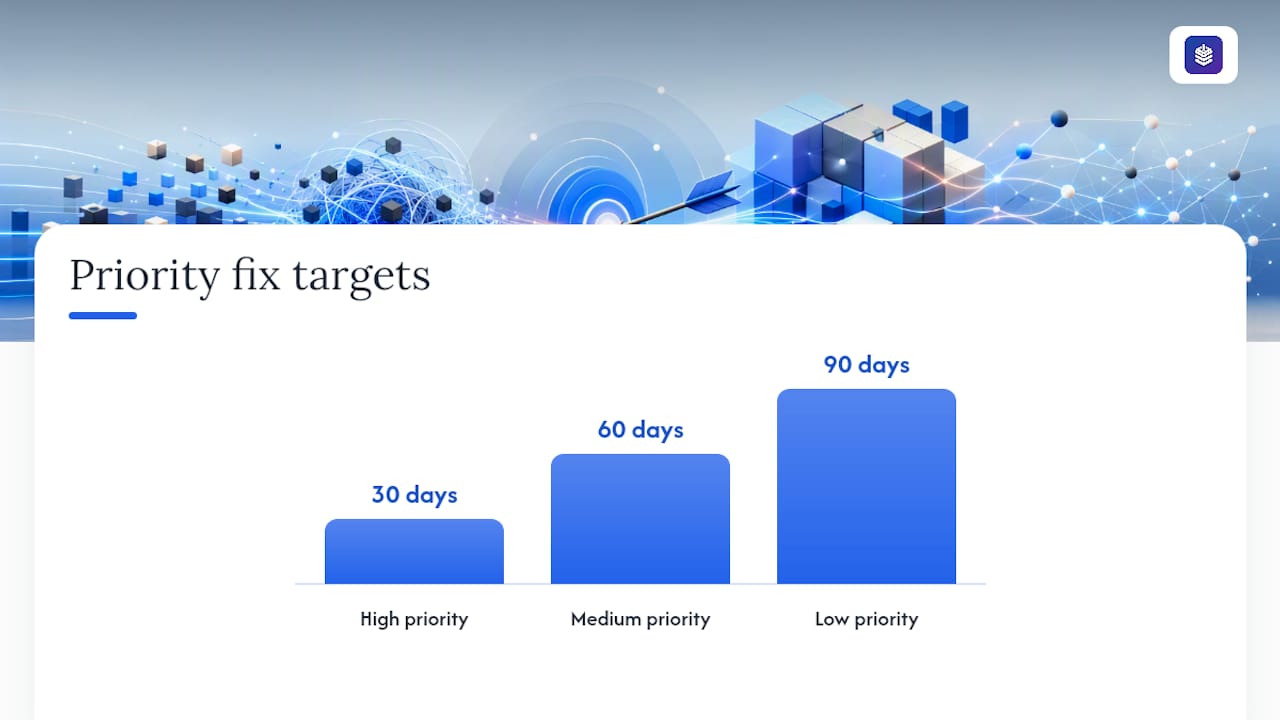
Priority checklist:
- High priority (fix within 30 days): Pages with external backlinks that are duplicated; HTTP/HTTPS and www/non-www consolidation; faceted nav generating thousands of parameterized URLs.
- Medium priority (fix within 60 days): Paginated series without canonical tags; syndicated posts without canonical attribution; near-duplicate product descriptions across SKU variants.
- Low priority (fix within 90 days): Printer-friendly versions; boilerplate duplication on low-traffic pages; staging environment indexation.
Pro Tip: For Shopify stores, the fastest win is usually consolidating collection tag pages. Add rel=canonical pointing to the primary collection URL on every tag-filtered variant. A single template change fixes hundreds of duplicates simultaneously.
A 30/60/90-day remediation playbook
After the audit, execution needs clear ownership and measurable milestones. Here's a time-boxed plan that works for a two-to-three person team.
-
Days 1–30 (Quick wins and critical fixes).
- SEO owner: Map all duplicate clusters from the GSC Index Coverage export. Assign a fix type (redirect, canonical, noindex) to each cluster. Prioritize clusters containing pages with backlinks.
- Developer: Implement HTTP-to-HTTPS and www-to-non-www 301 redirects if not already in place. Add server-side canonical headers for parameterized URLs. Update the XML sitemap to include only canonical URLs.
- Content editor: Audit the top 20 blog posts for near-duplicate titles and meta descriptions. Rewrite any that are identical or within a few words of each other.
- KPI to track: Count of "Duplicate without user-selected canonical" URLs in GSC (target: 30% reduction by day 30).
-
Days 31–60 (Structural and content fixes).
- SEO owner: Verify that 301 redirects from month one are passing link equity correctly using Screaming Frog. Confirm GSC is showing the correct canonical for top 50 pages.
- Developer: Implement faceted navigation canonical tags or URL rewrites. Set up parameter handling rules at the CDN or server level.
- Content editor: Merge near-duplicate blog posts targeting the same keyword. Redirect the weaker URL to the stronger one. Update internal links to point to the canonical URL.
- Legal/DMCA contact: File takedown requests for any scraped copies identified during the audit. Set up Copyscape monitoring for the top 10 pages.
- KPI to track: Consolidated backlink count to canonical URLs (use Ahrefs or Semrush to verify links are pointing to the right URL); crawl frequency of canonical pages vs. duplicate variants in server logs.
-
Days 61–90 (Syndication, hreflang, and prevention).
- SEO owner: Audit hreflang implementation for any international or regional variants. Confirm each language/region page has a self-referencing hreflang and points correctly to its alternates.
- Developer: Implement a content governance rule in the CMS or Shopify theme to prevent new parameterized URLs from being indexed without canonical tags.
- Content editor: Establish a syndication policy: all republished content must carry a canonical tag or attribution link. Brief any external publishing partners.
- KPI to track: Organic clicks and impressions for pages that were previously duplicated (target: measurable improvement in GSC performance data); indexed page count (should decrease as duplicates are removed and increase as new content is crawled faster).
The case for fixing duplicates before they compound
Most duplicate content problems don't announce themselves. A Shopify store adds a new filter option to its collection pages, and 800 new parameterized URLs appear in Google's index within two weeks. A blog post gets syndicated to a partner site without a canonical tag, and six months later the partner's version outranks the original. These situations are common, and they share a root cause: no system was in place to catch duplication before it scaled.
The SEO professionals who handle this best treat canonical control as a standing workflow item, not a one-time fix. They audit Index Coverage monthly, review new page templates before launch, and have a syndication policy in writing before the first republishing request arrives.
There's also a prioritization reality worth stating plainly: not every duplicate deserves the same urgency. A printer-friendly version of a low-traffic page is not worth a developer sprint. A duplicate of your highest-converting product page with 40 inbound links is worth fixing this week. The on-page SEO checklist covers the metadata uniqueness checks that catch duplication early in the content creation process, before a page ever gets indexed.
Two patterns show up repeatedly in remediation work. First, consolidating near-duplicate blog posts targeting the same keyword, by redirecting the weaker post to the stronger one and updating internal links, typically produces a measurable improvement in organic clicks within 60–90 days as link equity consolidates. Second, fixing HTTP/HTTPS and www/non-www consolidation on sites that had never addressed it often produces the fastest crawl efficiency gains, because Googlebot stops splitting its budget across four versions of every page.
The prevention side matters just as much as remediation. Building canonical tag generation into your CMS templates, establishing a syndication policy before you need one, and reviewing new URL structures before launch are all lower-effort than cleaning up thousands of duplicates after the fact. Content strategy aligned with SEO governance is what separates sites that stay clean from those that cycle through the same audit every year.
Blockpress helps you prevent duplicate content before it starts
Duplicate content is easier to prevent than to fix. Blockpress builds the prevention layer directly into your Shopify content workflow. Its article health audits and live SEO scoring flag near-duplicate titles, repeated meta descriptions, and missing canonical signals before a post goes live, so you catch the problem at the draft stage rather than in a GSC audit six months later.
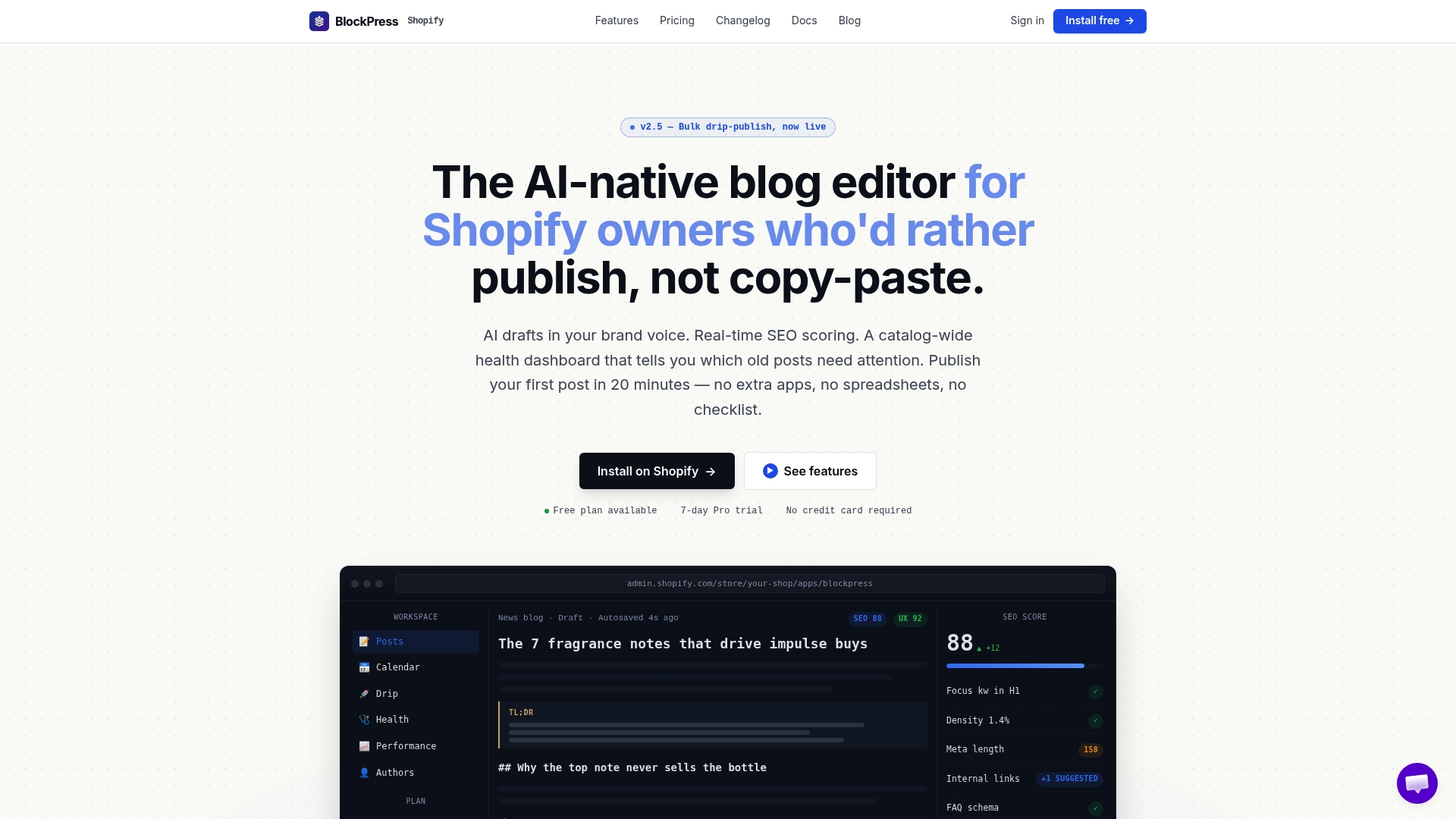
For Shopify store owners publishing blog content regularly, the operational risk of accidental duplication is real: similar product roundups, seasonal reposts, and AI-generated drafts without differentiation all create near-duplicate clusters over time. Blockpress's integrated keyword data and content audit tools give you the visibility to keep each post genuinely distinct. Start with the free plan at Blockpress to see the audit features in action, or review the pricing page to find the tier that fits your publishing volume.
Sources
Use these resources to go deeper on specific aspects of duplicate content detection and remediation:
- How to specify canonical with rel="canonical" and other methods | Google Search Central
- What Is Duplicate Content? How It Affects SEO & How to Fix It | Semrush
- Duplicate content: Why does it happen and how to fix issues | Ahrefs
FAQ
Does Google penalize sites for duplicate content?
Google does not apply a manual penalty for non-malicious duplicate content. Instead, it groups duplicate URLs, selects one canonical representative to index, and excludes the others from search results, which means you lose ranking control rather than receive a formal penalty.
Why is duplicate content bad for SEO if there's no penalty?
Duplicate content harms SEO by splitting backlink equity across multiple URLs, wasting crawl budget on redundant pages, and causing Google to index a URL you didn't choose, all of which reduce the ranking potential of your intended page.
How do I find duplicate content on my site?
Start with Google Search Console's Index Coverage report filtered for "Duplicate without user-selected canonical," then run a site-wide crawl with Screaming Frog or Sitebulb to identify pages with identical titles, meta descriptions, or body content.
What's the fastest fix for most duplicate content problems?
For most sites, implementing 301 redirects to consolidate HTTP/HTTPS and www/non-www variants, combined with rel=canonical tags on parameterized URLs, resolves the majority of duplicate issues with a single developer session.
How does duplicate content affect e-commerce sites differently?
E-commerce sites face duplicate content at scale because faceted navigation and URL parameters can generate thousands of near-identical pages from a single misconfigured filter, consuming crawl budget and preventing new product pages from being indexed promptly.