

TL;DR:
- Content ROI measures the revenue generated by content relative to its production and distribution costs.
- Tracking it on Shopify requires combining data from Shopify Analytics, Google Analytics 4, and your CRM.
Content ROI is defined as the revenue your content generates relative to what you spend producing and distributing it. To measure content ROI on Shopify accurately, you need integrated data from Shopify Analytics, Google Analytics 4, and your CRM working together. Content marketing in e-commerce targets at least a 3:1 ROI ratio and delivers 28% higher Customer Lifetime Value for customers who engage with content. That benchmark matters because it gives you a concrete target before you write a single post. The standard industry term for this practice is content attribution, and it covers every method you use to connect a blog post, guide, or video to a purchase.
How to measure content ROI on Shopify: core metrics and tools
The ROI formula for content is straightforward: subtract your content costs from the revenue your content influenced, then divide by costs. The result tells you whether your blog earns its keep or drains your budget.
Three data sources feed this calculation:
- Shopify Analytics tracks revenue per order accurately, but it is unreliable per channel due to signal loss. Use it for order-level revenue data only.
- Google Analytics 4 captures user behavior, session paths, and conversion events. It shows which blog posts drive traffic that later converts.
- CRM data connects repeat purchase behavior to content touchpoints, revealing long-term CLV impact.
Beyond revenue, track these content marketing ROI metrics for a full picture:
- Content consumption rate: time on page, scroll depth, and pages per session
- SEO impact: organic impressions, clicks, and keyword rankings from Google Search Console
- Conversion rate: the percentage of content visitors who complete a purchase or email signup
- Cost per content piece: writer fees, design, tools, and publishing time combined
Automated dashboards give you near real-time visibility into these metrics. Manual monthly reports lag too far behind to support fast budget decisions.
| Metric | Data source | What it tells you |
|---|---|---|
| Revenue influenced by content | Shopify + GA4 | Direct and assisted purchase value |
| Organic traffic from blog | Google Search Console | SEO return on content investment |
| Content conversion rate | GA4 Goals | How well content moves buyers |
| Customer Lifetime Value | CRM | Long-term content engagement payoff |
| Cost per content piece | Internal records | True cost basis for ROI formula |
Pro Tip: Connect your Shopify blog traffic data to GA4 conversion paths using the "Assisted Conversions" report. This surfaces blog posts that start the buyer journey even when another channel gets the last click.
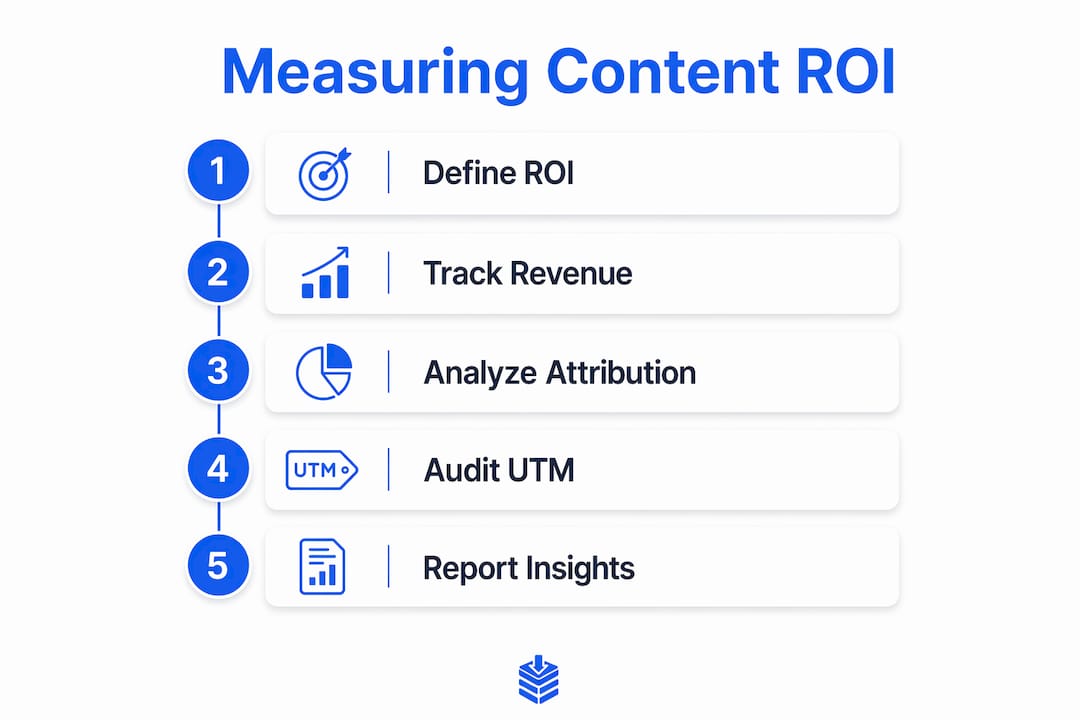
How do you audit attribution to fix Shopify and GA4 gaps?
Shopify and GA4 almost never show identical revenue numbers. The gap is not a bug. It reflects how each platform assigns credit for a sale.

The most common cause is poor UTM parameter management, which pushes attributed traffic into the "Direct" bucket. When a customer clicks a blog post link without a UTM tag, GA4 cannot identify the source. That sale disappears from your content ROI report.
Run this attribution audit to close the gap:
- Export your UTM coverage report from GA4. Identify all sessions labeled "Direct" or "(not set)" in the source/medium report.
- Audit your top 20 content URLs. Check whether internal links, email campaigns, and social posts pointing to those pages carry UTM parameters.
- Standardize medium names. Use "organic" for SEO, "email" for newsletters, and "cpc" for paid. Inconsistent labels like "Paid" or "paid-social" fragment your channel data and make reconciliation impossible.
- Check checkout domain redirects. If your Shopify store uses a custom domain or a third-party checkout, UTM parameters can drop at the redirect. Test the full purchase path with UTM tags attached.
- Compare Shopify and GA4 revenue totals for the same 30-day period. A 90-minute attribution audit typically reduces the "Direct" bucket by 20–35% and brings both platforms within a 10–15% margin of each other.
Pro Tip: Build a UTM naming convention doc and share it with every team member who creates links. One person using "Email" while another uses "email" splits your data into two separate channels in GA4.
Why multi-touch attribution changes how you value content
Last-click attribution is the default in most Shopify setups. It gives 100% of the conversion credit to the final touchpoint before purchase. For content, this is a serious problem. A buyer might read three blog posts over two weeks before clicking a retargeting ad and purchasing. Last-click credits the ad. Your blog gets nothing.
Multi-touch attribution models distribute credit across every interaction in the customer journey. Two models work well for Shopify content:
- Linear attribution splits credit equally across all touchpoints. A blog post, an email, and a paid ad each receive one-third of the revenue credit.
- Data-driven attribution uses machine learning to weight touchpoints based on their actual influence on conversion. GA4 offers this model natively.
Multi-touch attribution reveals that content often starts the customer journey even when it never closes the sale. Undervaluing that role leads to cutting the budget for your highest-performing top-of-funnel asset.
Automation makes multi-touch models practical at scale. Connecting GA4 to a Shopify SEO automation layer or a live reporting dashboard removes the need to pull data manually each week. You get a continuous feed of content performance data, which means you can shift budget toward high-performing posts before the month ends rather than after.
Common pitfalls when evaluating content performance on Shopify
Most Shopify stores undercount content-driven revenue. The reasons are technical, not strategic.
- Relying on client-side tracking alone. Ad blockers and browser privacy settings block GA4's JavaScript tag. Server-side tracking recovers 30–70% of conversion data lost to these restrictions. If you are not using server-side tracking, your content ROI numbers are understated.
- Using one data source as the single truth. Shopify, GA4, Meta Ads, and Google Ads each use different attribution windows and counting methods. None of them agree by default. Reconciliation tables that map the same orders across all four platforms clarify the real picture before you make budget decisions.
- Skipping content-specific UTM tags on internal links. Most merchants tag external campaigns but forget to tag links inside their own blog posts. When a reader clicks from a blog post to a product page, that click should carry a UTM tag so GA4 records the content assist.
Pro Tip: Run a monthly reconciliation check. Pull the same date range from Shopify, GA4, and any ad platforms you use. Log the differences in a shared spreadsheet. Patterns in the gaps tell you exactly where your tracking breaks down.
Integrating CMS, analytics, and ecommerce data into a single source of truth is the fix for all three pitfalls. When your blog data, GA4 events, and Shopify orders connect, assisted conversions stop disappearing from your reports.
Key Takeaways
Accurate content ROI measurement on Shopify requires integrating Shopify Analytics, GA4, and CRM data, auditing UTM parameters, and applying multi-touch attribution to capture the full value of every content touchpoint.
| Point | Details |
|---|---|
| Set a clear ROI benchmark | Target a minimum 3:1 return and track 28% CLV lift for content-engaged customers. |
| Fix UTM hygiene first | Standardize medium names and tag all internal links to shrink the "Direct" traffic bucket. |
| Use multi-touch attribution | Linear or data-driven models credit blog posts for assisted conversions that last-click misses. |
| Add server-side tracking | Recover 30–70% of conversion data lost to ad blockers and privacy restrictions. |
| Reconcile across platforms | Compare Shopify, GA4, and ad platform data monthly before shifting any budget. |
The data silo problem is the real enemy
Most Shopify merchants I work with are not failing at content. They are failing at connecting their content data to their revenue data. The blog lives in one system, GA4 lives in another, and Shopify Analytics sits in a third. Nobody reconciles them, so nobody trusts any of them.
The fix is not a fancier tool. It is discipline. Pick one attribution model and stick with it for at least 90 days. I prefer data-driven attribution in GA4 because it reflects actual buyer behavior rather than a theoretical split. But linear attribution is fine if you apply it consistently. Changing models every month makes your trend data meaningless.
UTM hygiene sounds boring until you realize that a single inconsistent label costs you weeks of clean data. I have seen stores where "email," "Email," and "newsletter" all appeared as separate channels in GA4. That is three months of email-driven content revenue scattered across three rows in a report nobody could read.
Automated dashboards are not optional at this point. If you are pulling content performance data manually, you are always looking backward. A live dashboard connected to GA4 and Shopify lets you catch a declining blog post before it costs you organic traffic, not after.
The merchants who get this right treat content attribution as infrastructure, not a reporting task. Build it once, maintain it consistently, and your content ROI numbers become something you can actually act on.
— Rodney
Blockpress makes content performance visible from day one
Measuring content ROI starts with publishing content that is built to be tracked. Blockpress is an AI-native blog editor built directly into Shopify, and it gives you per-article performance analytics without leaving your store.
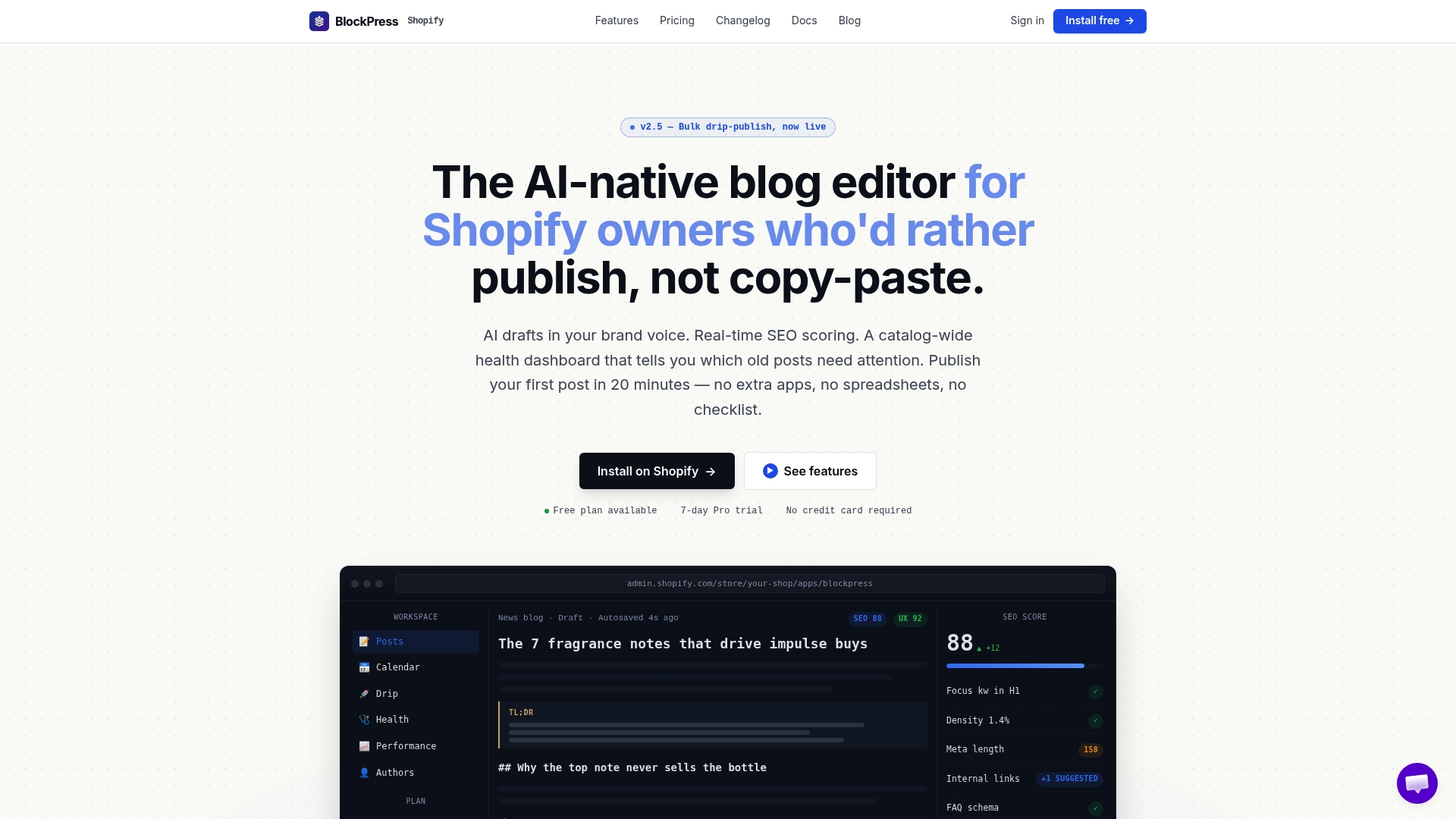
You get real Google keyword data, live SEO scoring, AI-generated drafts, and article health audits all in one place. Every post you publish through Blockpress is structured for both search visibility and attribution accuracy from the start. No separate apps, no manual data exports. Check the pricing plans to see which tier fits your store's content volume and tracking needs.
FAQ
What is the content ROI formula for Shopify?
Content ROI equals revenue influenced by content minus content costs, divided by content costs. E-commerce content targets a minimum 3:1 ratio as the baseline benchmark.
Why do Shopify and GA4 show different revenue numbers?
The gap comes from different attribution windows, UTM parameter loss, and checkout redirects that strip tracking data. A structured attribution audit typically brings both platforms within a 10–15% margin.
What is multi-touch attribution and why does it matter for content?
Multi-touch attribution distributes conversion credit across all touchpoints in the customer journey. It prevents last-click models from erasing the revenue contribution of blog posts that start but do not close a sale.
How do I track which blog posts drive sales on Shopify?
Connect GA4 to your Shopify store, set up conversion events for purchases, and use the Assisted Conversions report to see which blog posts appear in the paths that lead to completed orders.
What is server-side tracking and do I need it?
Server-side tracking sends conversion data directly from your server to analytics platforms, bypassing ad blockers. It recovers a significant share of conversion data that client-side JavaScript tracking misses.