
Image filename SEO is the practice of naming your image files with short, descriptive, keyword-aligned text so search engines can understand what each image shows before they ever read a caption or alt attribute. Google uses the filename as one of the first textual signals during crawling, and that signal persists every time the image is indexed, hotlinked, or shared across platforms. Getting it right pays off: Pages with descriptive filenames see about 34% more Google Images impressions compared to pages using generic names when other factors are equal.
The core benefits of optimizing image filenames include:
- Improved image discovery in Google Images and AI-driven visual search
- Stronger relevance signals when the filename aligns with alt text and page copy
- Better organization across your media library, which helps your whole team
- Persistent identification across indexing, social sharing, and external hotlinking
This guide walks you through Google's official rules, practical naming strategies, real examples, and how to scale the process without breaking what's already working.
Table of Contents
- What does Google actually say about image filename SEO?
- Practical guidelines for naming images effectively
- Good vs. bad image filenames: a side-by-side look
- How image filenames work alongside other SEO signals
- Scaling image filename SEO across large sites
- What happens when you rename images that are already indexed?
- Key Takeaways
- How Blockpress helps you stay on top of image SEO
- FAQ
What does Google actually say about image filename SEO?
Google's image SEO guidelines are clear: filenames should be short, descriptive, and reflect the actual content of the image. Generic or camera-generated names like DSC_0042.jpg or IMG_20260315.jpg give crawlers nothing to work with. Here is what Google's documented guidance covers:
- Use hyphens to separate words. Google treats hyphens as word separators but does not recognize underscores as separators. The filename
red-leather-bag.jpgis parsed as three words;red_leather_bag.jpgis read as a single token. - Use lowercase letters only. Linux-based servers differentiate between uppercase and lowercase filenames.
Red-Leather-Bag.jpgandred-leather-bag.jpgcan resolve to different files, creating duplicate content risks or 404 errors. - Avoid keyword stuffing. Packing five keywords into one filename looks spammy to Google and can hurt rather than help your rankings.
- Match the filename to the image content. If the image shows a close-up of a shoe sole, name it
running-shoe-sole-tread.jpg, notbest-running-shoes-2026.jpg. Google can detect mismatches. - Skip spaces and special characters. Spaces encode as
%20in URLs, making filenames harder to read and more prone to errors in CDN caches and CMS systems.
Practical guidelines for naming images effectively
Knowing the rules is one thing. Applying them consistently across every upload is another. These guidelines give you a repeatable process.
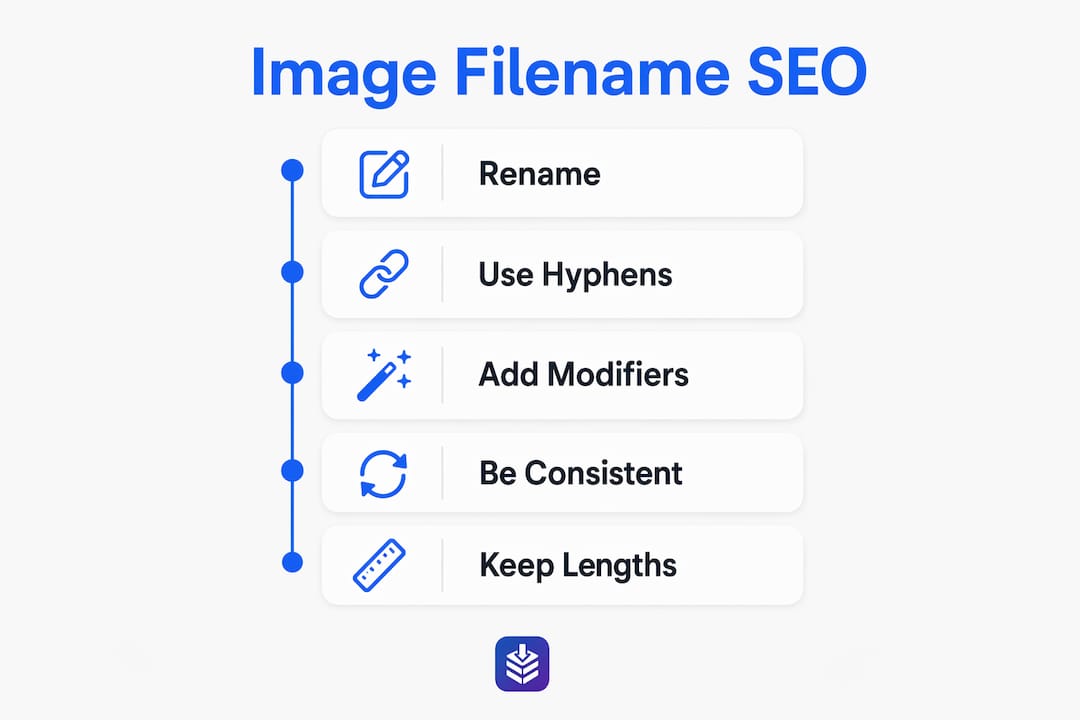
Keep filenames between 30 and 60 characters. Filenames over 60 characters get truncated in search results and can appear spammy; recommended length is 30–60 characters. Shorter is almost always better, as long as the name is still descriptive.
Lead with the primary subject. Put the most important word or phrase at the start of the filename. Search engines weight the beginning of a string more heavily, so leather-crossbody-bag-brown.jpg outperforms brown-bag-leather-crossbody.jpg when "leather crossbody bag" is your target term.

Add relevant modifiers naturally. Color, size, variant, and angle are all fair game when they describe what the image actually shows. navy-blue-ceramic-mug-side-view.jpg is specific without being stuffed.
Rename before you upload. Most CMS platforms, including Shopify, preserve the original filename in the image URL. Once DSC_0042.jpg is live, changing it means setting up redirects. Establish a naming convention for your team before files ever hit the media library. A simple template like [subject]-[descriptor]-[variant].jpg works well for ecommerce, while [topic]-[descriptor].jpg covers most blog content.
Stay consistent across your media library. Consistency matters as much as any individual filename. When your whole library follows the same pattern, it is easier to audit, easier to search internally, and easier for Google to build a coherent picture of your site's topical focus.
Pro Tip: Read the filename aloud before saving it. If it clearly describes what you see in the image, it will work for search engines too. If you hesitate or have to think about it, rewrite it.
Good vs. bad image filenames: a side-by-side look
The difference between an effective and an ineffective filename is usually obvious once you see them next to each other.
| Bad Filename | Why It Fails | Good Filename | Why It Works |
|---|---|---|---|
IMG_20260315.jpg | Camera-generated, zero context | red-leather-crossbody-bag.jpg | Descriptive, hyphenated, lowercase |
image1.jpg | Generic, tells Google nothing | ceramic-pour-over-coffee-dripper.jpg | Specific subject, natural modifiers |
Red_Leather_Bag.jpg | Underscores and uppercase cause parsing issues | red-leather-bag.jpg | Correct separators, lowercase only |
best-running-shoes-2026-mens-nike-air-max-sale-cheap.jpg | Keyword stuffing, over 60 characters | nike-air-max-2026-blue-mens.jpg | Concise, relevant, no stuffing |
homepage-hero.jpg | Describes placement, not content | womens-yoga-pants-black-high-waist.jpg | Describes what the image actually shows |
photo.jpg | Completely meaningless | stainless-steel-water-bottle.jpg | Specific and searchable |
product%20image%20final%20v2.jpg | Spaces encoded as %20, messy URL | bamboo-cutting-board-large.jpg | Clean URL, no encoding issues |

The consequences of bad filenames go beyond aesthetics. Poor naming leads to weaker indexing, fewer impressions in Google Images, and lost visibility when images are shared externally without alt text context. A filename like homepage-hero.jpg describes where the image lives on your page, not what it shows. Google needs the latter.
How image filenames work alongside other SEO signals
No single SEO element works in isolation, and filenames are no exception. They are one piece of a larger relevance puzzle that includes alt text, surrounding page copy, captions, and image sitemaps.
Think of it this way: the filename is the first textual clue Google encounters during a crawl. Alt text is the second. The surrounding paragraph is the third. When all three say the same thing, the relevance signal compounds. When they contradict each other, the algorithm gets confused and the image ranks for nothing in particular.
- Filename + alt text alignment is the most impactful pairing. A filename of
espresso-machine-stainless-steel.jpgpaired with alt text like "stainless steel espresso machine with built-in grinder" sends a consistent, reinforcing signal. - Page copy context amplifies both. If the surrounding text discusses espresso machines, Google has three independent signals pointing to the same topic.
- Image sitemaps help Google discover and recrawl images faster, but they do not override a weak filename. The sitemap tells Google where to look; the filename tells it what it found.
- When alt text is missing, the filename carries the full load. This is especially true for hotlinked images or images embedded in external content where you have no control over the surrounding markup.
Filenames are a light ranking signal individually, but they compound with alt text, captions, and page context for cumulative SEO impact. Mismatched signals across these fields cancel each other out, which is why content strategy and SEO alignment matter at the image level, not just the page level.
AI-driven search platforms, including Bing's index that powers ChatGPT responses, also rely on filename data when processing images. Optimizing filenames is no longer just a Google Images play.
Scaling image filename SEO across large sites
Manual renaming works fine when you're uploading a handful of images a week. At a few hundred images a month, it breaks down fast.
The practical answer is automation built into your workflow before files reach the CMS. Automated naming conventions integrated into media libraries or CMS pipelines are the recommended approach for large sites, and they work best when the convention is defined clearly enough that a script can apply it without human review every time.
Here is how to approach it at scale:
- Define a naming template per content type. Ecommerce product images might follow
[product-name]-[color]-[angle].jpg; blog images might follow[topic]-[descriptor].jpg. Document these templates and enforce them in your upload workflow. - Use a media library plugin or CMS rule. Tools like the Phoenix Media Rename plugin for WordPress can automate renaming on upload based on post title or custom fields. Shopify stores can apply naming conventions at the point of product data entry.
- Avoid bulk renaming already-indexed images. This is the most common mistake teams make when they discover their filenames are a mess. Renaming indexed images changes their URLs, which means Google has to recrawl and reindex them from scratch.
- For multilingual sites, keep one filename per image. Google's John Mueller advises using a single filename and URL for images across all language versions of a site, then localizing the alt text instead. Separate filenames per language create duplicate content problems.
- Audit new uploads regularly. Even with automation, spot-check a sample of recent uploads monthly to catch any filenames that slipped through with generic names.
The goal is a system where every image that enters your media library already has a clean, descriptive, hyphenated filename. Retrofitting is expensive; prevention is not.
What happens when you rename images that are already indexed?
Renaming an indexed image is not a trivial change. The filename is part of the image URL, and changing the URL means Google treats it as an entirely new resource.
Google recrawls images slowly, and the delay between renaming an image and having it reindexed under the new URL can stretch to several months. During that window, the old URL returns a 404, the image loses its existing search visibility, and the new URL starts from zero. If the image had accumulated backlinks or was embedded in external content, those references now point to a broken URL.
The right approach when you do need to rename indexed images:
- Set up 301 redirects from the old image URL to the new one. This passes link equity and signals to Google that the resource has moved permanently.
- Update your image sitemap to reflect the new URLs so Google can discover them faster.
- Batch the changes rather than renaming images one at a time over weeks. A single recrawl wave is easier to track than a rolling series of URL changes.
- Prioritize high-traffic images first. Use Google Search Console to identify which images drive the most impressions, and handle those with the most care.
For images with no existing search visibility, renaming without a redirect is lower risk. But for anything that ranks, treat the rename like a page migration: plan it, redirect it, and monitor it.
Key Takeaways
Descriptive, hyphenated, lowercase filenames are the single most controllable image SEO variable you have before an image ever goes live.
| Point | Details |
|---|---|
| Use hyphens, not underscores | Google reads hyphens as word separators; underscores merge words into a single unreadable token. |
| Keep filenames 30–60 characters | Longer filenames get truncated in search results and can appear spammy to Google. Recommended filename length is 30–60 characters. |
| Align filename with alt text and copy | Consistent signals across filename, alt text, and page copy compound your relevance score. |
| Automate naming conventions at scale | Build naming templates into your CMS workflow before upload; manual renaming is unsustainable. |
| Redirect renamed indexed images | Changing an indexed image URL without a 301 redirect causes temporary ranking loss and broken links. |
How Blockpress helps you stay on top of image SEO
Image filename SEO is one of those details that's easy to overlook when you're managing a Shopify blog at scale. Blockpress is built to close that gap. As an AI-native blog editor inside Shopify, Blockpress gives you live SEO scoring, article health audits, and per-article performance analytics, so you can catch image-related SEO gaps before they cost you impressions. Check the full feature list to see how it fits into your content workflow.
FAQ
Does the image filename affect Google rankings?
Yes, but it is a light signal on its own. Filenames become significantly more powerful when they align with alt text, page copy, and image sitemaps, compounding into a stronger relevance signal.
Should I use hyphens or underscores in image filenames?
Always use hyphens. Google treats hyphens as word separators, so red-leather-bag.jpg is read as three distinct words. Underscores join words into a single token, which hurts keyword matching.
How long should an image filename be?
Keep filenames between 30 and 60 characters. Filenames over 60 characters get truncated in search results and can appear spammy to Google's algorithms.
What happens if I rename an image that's already indexed?
Google will treat the new URL as a new resource and recrawl it slowly, which can take months. Set up a 301 redirect from the old URL to the new one and update your image sitemap to minimize ranking disruption.
Do I need separate filenames for multilingual sites?
No. Google's John Mueller recommends using a single filename and URL per image across all language versions of your site, then localizing the alt text for each language to avoid duplicate content issues.