
You can add a Shopify table of contents three ways: install a TOC app (fastest), use a theme with a built-in TOC feature (a one-time setup), or hand-code a free Liquid and JavaScript snippet (the developer route). For most store owners, a Shopify TOC app is the right starting point unless you have in-house dev support. If you'd rather manage SEO and content structure in one place instead of stacking another app, some blog editors give you that as a built-in feature.
TL;DR:
- Installing a Shopify TOC app is the fastest way to create a functional table of contents, typically taking less than 20 minutes and supporting nested headings and SEO markup.
- Theme-supported TOCs are free and require minimal setup but are limited in customization and depend on your theme's features.
- Custom Liquid and JavaScript solutions offer full control and zero recurring costs but need developer support and careful maintenance after theme updates.
- A good TOC is most effective on long posts over 1,500 words, especially when it uses meaningful anchor text and collapsible mobile menus to improve user experience and SEO.
- Managing a TOC alongside dedicated SEO tools can be simplified by using Shopify editors that offer built-in content structure and health checks, reducing app clutter and manual audits.
Table of Contents
- App vs. Theme vs. Custom Code: Which Method Fits Your Store?
- How to Install and Set Up a Shopify TOC App
- How to Build a Custom Liquid and JavaScript Table of Contents
- What Makes a Table of Contents Actually Good for SEO
- Where Blockpress Fits Into Your TOC and SEO Workflow
- Rodney's Take: The Small Mistakes That Break a TOC
- Get a Working Table of Contents Without Adding Another App
- Sources
- FAQ
App vs. Theme vs. Custom Code: Which Method Fits Your Store?
Each method solves the same problem in a different way, and picking the wrong one usually shows up later as either wasted money or wasted dev hours.
A Shopify TOC app scans your post's headings and auto-builds a clickable jump list, no coding involved. It's built for store owners who publish blog content regularly but don't have a developer on call. A theme-based TOC relies on a feature your theme already ships with, so there's no ongoing subscription, but only a handful of themes support it out of the box. Custom Liquid and JavaScript gives you full control over styling and behavior, but someone has to write it, test it, and fix it when your theme updates.
Here's how they stack up against each other:
- Setup difficulty: Apps are easiest (install and toggle on); theme TOCs are moderate (check theme docs first); custom code is hardest (requires Liquid and JS knowledge).
- Cost: Apps range from free tiers to a few dollars a month; theme TOCs are usually free if your theme supports it; custom code is free but costs developer time.
- Maintenance: Apps handle Shopify and theme updates for you; theme TOCs need no upkeep unless you switch themes; custom code often breaks silently after a theme update.
- Flexibility: Custom code wins here; apps offer templated styling; theme TOCs offer the least customization.
- Mobile friendliness: Most modern apps default to collapsible mobile TOCs; theme and custom options depend entirely on how they're built.
- SEO features: Some apps add JSON-LD navigation markup automatically; theme and custom TOCs rarely do unless you build it in.
How to Install and Set Up a Shopify TOC App
This is the fastest path from "no TOC" to "working TOC" on a published post, usually under 20 minutes.
- Pick an app and confirm Online Store 2.0 support. Smart Table of Contents generates a TOC directly from your H2 and H3 tags, and works with Online Store 2.0 themes, including JSON-LD navigation markup. Auto Table of Contents does something similar, scanning headings and rebuilding anchor links automatically whenever you edit a post. Check the app's listing for a recent changelog entry. If updates stopped a year or two ago, that's a warning sign.
- Install the app and add its block. Most apps either drop into your blog post template as an app block inside the theme editor, or inject the TOC automatically without any manual placement.
- Choose heading levels and formatting. Decide whether you want H2 only, or H2 and H3 both included, then pick numbered or bulleted style and match your brand's colors.
- Test anchors on both desktop and mobile. Click every link, confirm the scroll offset doesn't hide content behind your sticky header, and exclude the feature entirely on posts under roughly 800 words where a TOC just adds clutter.
- Set a recurring maintenance check. Glance at the app's update notes every few months to catch compatibility changes before they cause broken links.
Jump Links takes a slightly different angle, automatically adding a TOC while also offering related-product recommendations at the bottom of posts, with pricing tiers as low as $1.99 a month. RuffRuff Table of Contents supports automatic generation across articles, pages, and even product descriptions, with free and paid tiers and an app block built specifically for Online Store 2.0 themes.
Pro Tip: Install the app on a staging theme first if you can. Some apps inject their TOC through JavaScript that can conflict with existing page builder scripts, and you want to catch that before it hits your live blog.
How to Build a Custom Liquid and JavaScript Table of Contents
If you want zero recurring cost and full design control, a custom TOC is the trade-off: free forever, but it needs someone to build and babysit it.
- Pick your files. Open your blog post template (often
article.liquidor the relevant section file insidesections/) and add an empty container div where the TOC should render, right above your article body. - Write the scan logic. Your JavaScript needs to select all H2 and H3 elements inside the article container only, never the whole page, to avoid picking up headings from your header or footer.
- Generate stable IDs. Slugify each heading's text into a unique ID (lowercase, hyphens instead of spaces) and attach it to that heading element so anchor links have something to target.
- Build the nested list and insert it. Loop through the scanned headings, construct a nested
<ul>matching H2/H3 hierarchy, and inject it into your empty container. - Style with scroll-margin-top. Apply
scroll-margin-topin your CSS to each heading so your sticky header doesn't cover content when a reader clicks a TOC link, and add a media query to collapse the TOC into a toggle on mobile. - Back up and stage before shipping. Duplicate your theme, test the script on a staging version, and write down exactly which files you touched so you can reapply the change after your next theme update.
This approach costs nothing but developer time, and it's genuinely resilient if you scope your selectors correctly and document the change for your future self. The risk isn't the initial build, it's six months later when a theme update quietly moves the article wrapper and nobody remembers where the TOC script lives. Scoping your JavaScript tightly to the article container, rather than the whole document, is the single biggest thing you can do to prevent that from happening.
What Makes a Table of Contents Actually Good for SEO
A TOC that just sits there looking organized isn't doing its job. It needs to actually help both readers and search engines understand your page.
- Match anchor text to your real headings. Don't stuff keywords into TOC links that don't match the heading itself; for more tips, see Internal linking how-to: boost your SEO with proven strategies. Readers notice the mismatch, and so does Google.
- Make long TOCs collapsible on mobile. A 12-item list eating the whole screen before someone reaches your first paragraph is a fast way to lose them.
- Keep it near the top, and keep it meaningful. Stick to H2 and H3 only. A TOC with every minor subhead included stops being useful and starts being noise.
- Turn on scroll-spy highlighting if your app supports it. Readers can see exactly where they are in a long post, which keeps them oriented and less likely to bounce.
- Add JSON-LD navigation markup where available. Some apps, including Tocito, build this in automatically, which helps search engines parse your article's structure.
A TOC earns its place most clearly on long or multi-topic posts. It's most useful on content past roughly 1,500 words, where a reader genuinely needs a map to skip ahead to the section they came for. Below that length, it's often just decoration.
Pro Tip: If you're not sure whether a post needs a TOC, ask yourself if a reader would ever want to skip to section three without reading one and two. If yes, add one. If the post reads front to back naturally, skip it.
Where Blockpress Fits Into Your TOC and SEO Workflow
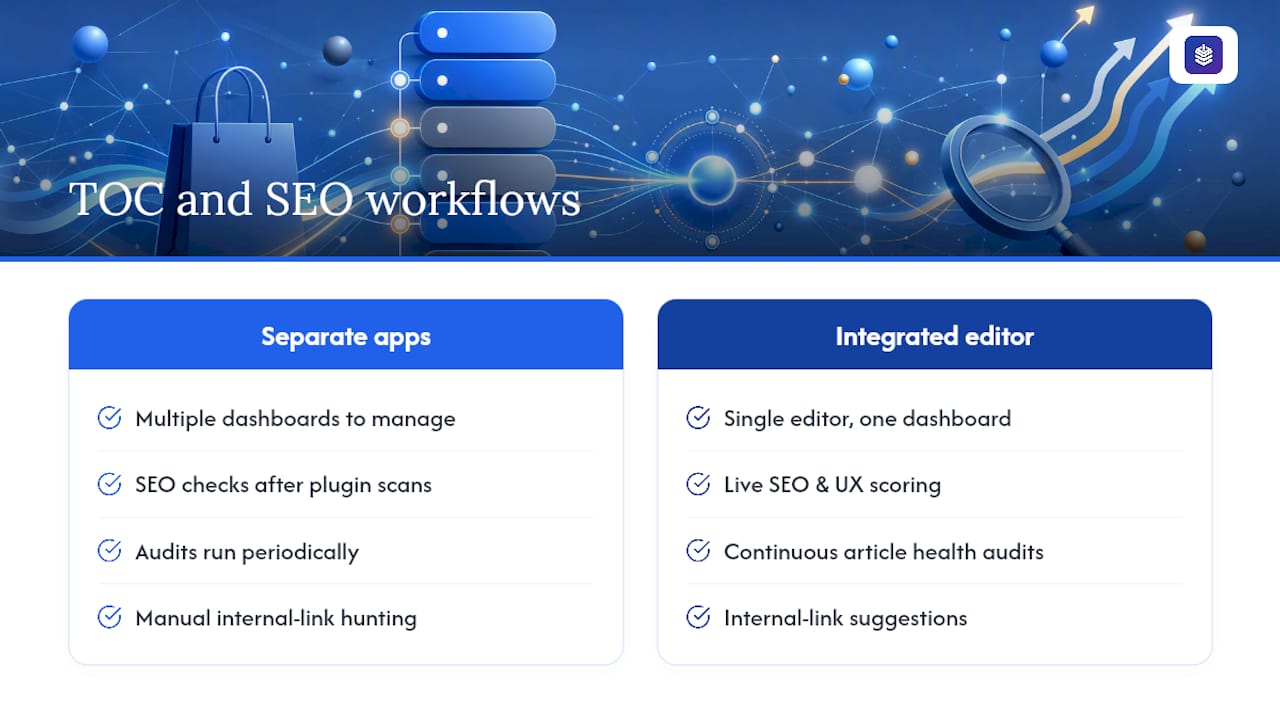
Running a TOC app alongside separate SEO and internal-linking tools works, but it also means juggling three app dashboards to manage one blog post. Some tools fold that into a single editor integrated into Shopify.
You can get live SEO and UX scoring as you write, so heading structure, anchor text, and readability get flagged before you hit publish, not after a plugin scan tells you weeks later. Article health audits can catch structural issues across your blog, including posts that could use better heading hierarchy for a TOC to work well. Internal-link suggestions can help connect new posts to older ones without manually hunting for opportunities.
This setup fits stores that want fewer third-party apps running in the background and prefer catching SEO problems continuously instead of running periodic audits. If you're already thinking about how heading structure affects a post that ranks, that same structure is what feeds a clean, functional TOC.
Rodney's Take: The Small Mistakes That Break a TOC
The two failures I see most often: a theme update quietly changes a selector and the TOC just stops linking anywhere, or a page builder app overwrites the heading markup a TOC script depends on. Three quick wins fix most of it. Use headings consistently, collapse the TOC on mobile, and re-test after every theme update. If you want that testing automated instead of manual, Blockpress's article health audits catch structural drift before a reader does.
— Rodney
Get a Working Table of Contents Without Adding Another App
If you've read this far, you already know the trade-off: apps are fast but add another subscription and another dashboard to check, and custom code is free but needs someone watching it after every theme update. Some tools skip that trade-off entirely by building SEO scoring, content structure checks, and heading-level guidance directly into the Shopify blog editor you're already using.
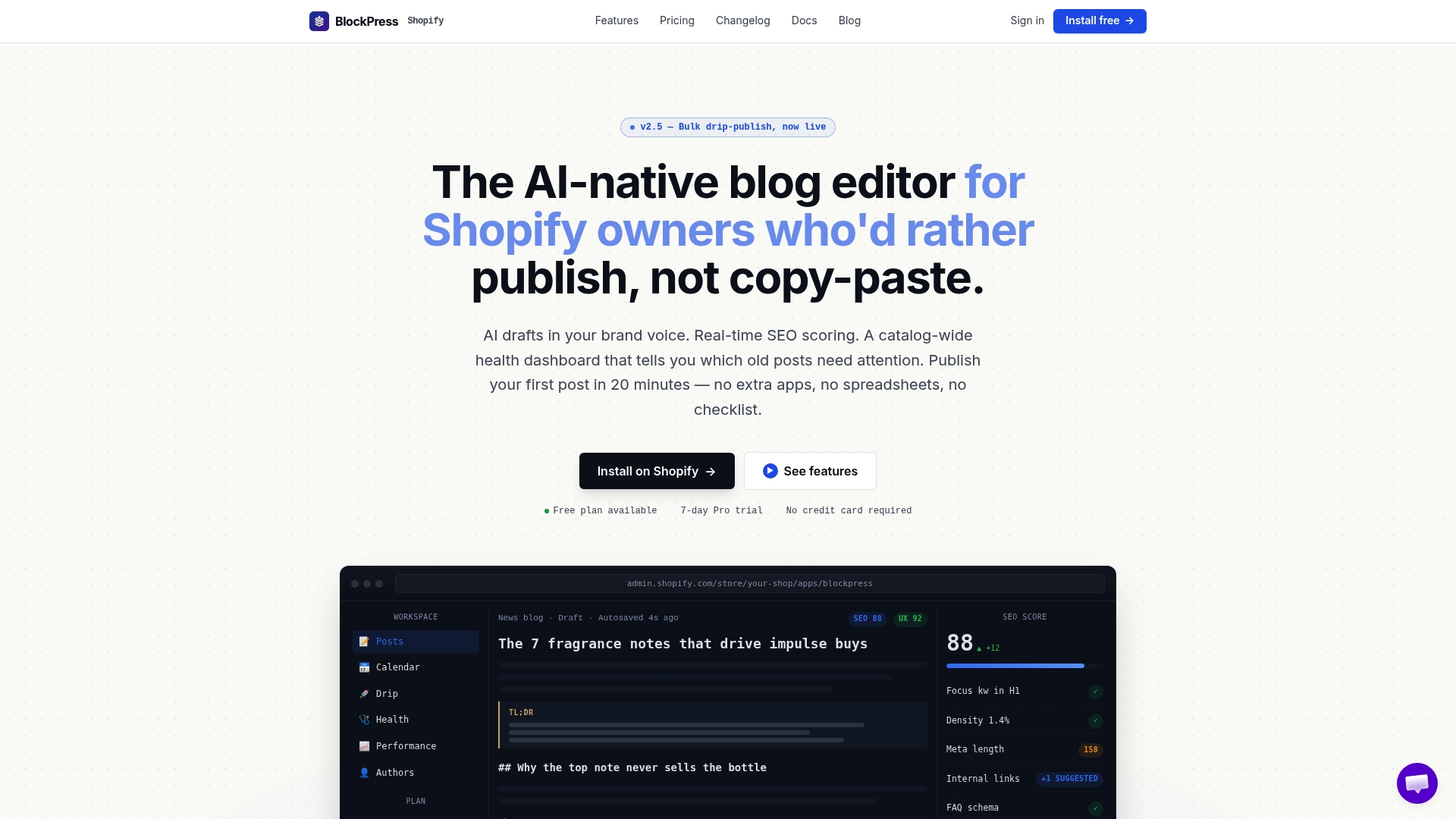
Instead of installing a TOC app, then a separate SEO app, then an internal-linking app to replicate what one editor could do, you can write your post in some editors and get live UX and SEO scoring as you go, including flags on heading structure that a good TOC depends on. Article health audits can also catch older posts where your heading hierarchy has drifted, which is often the real reason a TOC quietly stops matching a page's structure. If you're managing more than a handful of blog posts, that consolidation adds up fast in saved app-switching time. Visit the Blockpress landing page to start a free plan and see your first SEO score on your next draft.
Sources
For implementation details straight from the source, check the Smart Table of Contents and RuffRuff Table of Contents app store listings, plus Blockpress's guide to internal linking for pairing your TOC with a stronger site structure.
- Smart Table of Contents - Auto Table of Contents on every blog article, no setup... | Shopify App Store
FAQ
Does a Shopify Table of Contents Help SEO?
Indirectly, yes. A well-structured TOC improves engagement and helps search engines parse your content hierarchy, especially on posts over 1,500 words.
Will a Custom TOC Break After a Theme Update?
It can, especially if your JavaScript selectors aren't scoped tightly to the article container. Backing up your theme and documenting exactly which files you edited makes it much easier to reapply the fix.
Should My Table of Contents Be Collapsible on Mobile?
Yes. A long TOC that takes up the full screen before a reader reaches your first paragraph increases the chance they leave before reading anything.
Can Blockpress Replace a Separate TOC App?
Blockpress focuses on live SEO and UX scoring, heading structure checks, and article health audits inside the Shopify blog editor, which reduces the need to run several separate apps for structure and SEO together.