

SERP feature optimization is the practice of formatting and structuring your content so Google can extract it for enhanced result types, including featured snippets, People Also Ask boxes, rich results, and video carousels. It differs from standard SEO in one key way: you are not just trying to rank, you are trying to match the format Google already serves for a query. The single most useful action you can take right now is to open an incognito window, search your highest-value keyword, and note every feature type that appears above the first organic blue link. That SERP read tells you exactly what format to produce.
Pro Tip: Run your SERP read on both desktop and mobile. Google often shows different features by device, and the mobile result is frequently what most of your audience actually sees.
Table of Contents
- Why SERP features change how you should prioritize content
- Which SERP features should you target first?
- How to perform a quick, repeatable SERP read
- Feature-by-feature optimization tactics you can copy
- Technical checklist to make your pages eligible
- How to measure success and run experiments
- How Blockpress speeds up your SERP feature workflow
- How to handle negative SERP features
- Key Takeaways
- The case for treating features as your content brief
- Blockpress makes this workflow faster for Shopify stores
- Useful sources
- FAQ
Why SERP features change how you should prioritize content
Standard SEO gets you to page one. SERP feature optimization determines whether your result stands out once you are there, or gets buried under an AI Overview, a featured snippet from a competitor, and a video carousel.
The strategic consequences are real:
- CTR shifts above the fold. Features like featured snippets and AI Overviews appear before position one, pushing traditional blue links down. Winning a feature can increase your click share even from position three or four.
- Format is a ranking signal for features. SERP feature optimization is part of intent-matching, not a separate SEO task. If Google shows a video carousel for a query, a text-only page will not win that feature regardless of how well it ranks.
- E-E-A-T and domain authority are prerequisites. Domain authority and E-E-A-T remain foundational — clean HTML and valid schema will not win features if the page lacks demonstrated expertise and authority. Feature optimization refines high-quality content; it does not replace it.
- Content planning changes. Once you know which features a query triggers, you can write to that format from the first draft rather than retrofitting it later.
Understanding search intent for ecommerce is the foundation here. Features are Google's way of showing you what format satisfies user intent for a specific query.
Pro Tip: Before you write a new post, search the target keyword and screenshot the SERP. Paste it into your brief as the format spec.

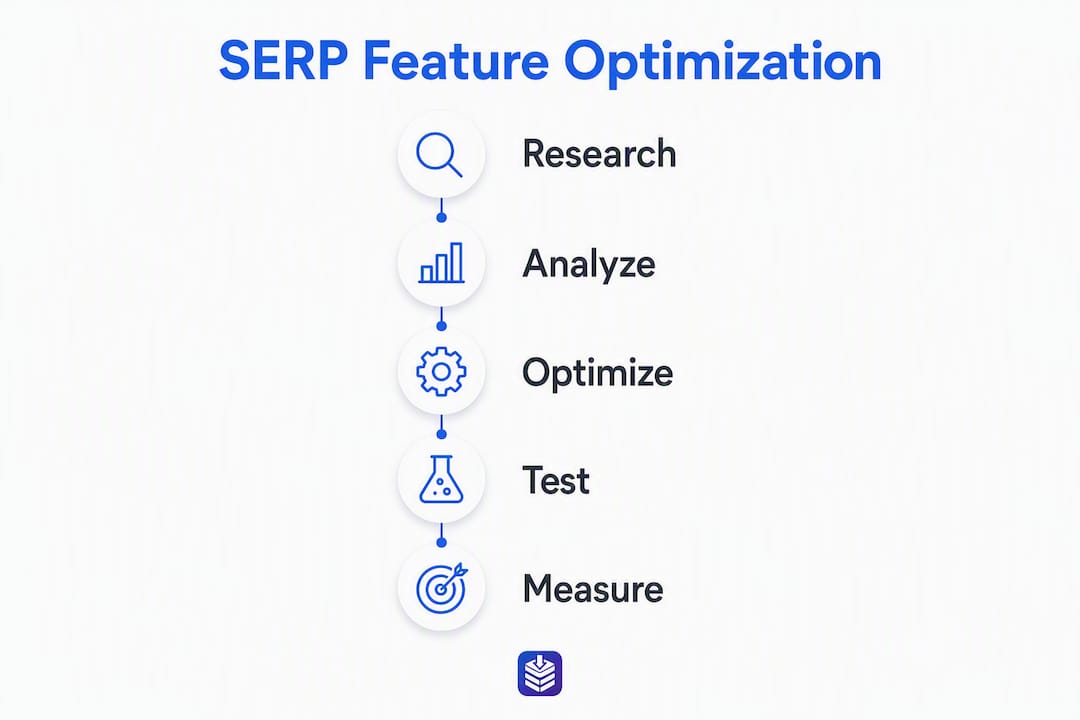
Which SERP features should you target first?
Not every feature is worth chasing. Analysts recommend focusing on features that scale across pages rather than one-off wins that require heavy engineering effort.
| Feature | Typical query type | Quick eligibility tactic |
|---|---|---|
| Featured Snippet | Informational, "how to," definitions | 40–60 word direct answer under an H2/H3 |
| People Also Ask | Broad informational, research queries | Short Q&A blocks matching likely follow-up questions |
| Rich Snippets (FAQ, HowTo, Product) | Transactional, instructional | Add matching JSON-LD; visible content must match markup |
| Video Pack | Tutorial, visual "how to" queries | VideoObject schema, descriptive title, transcript |
| Local Pack | Near-me, service-area queries | Google Business Profile, NAP consistency, local schema |
A few prioritization rules worth following:
- Start with Featured Snippets and PAA. Both are content-driven and repeatable across dozens of pages with no engineering work.
- Add Product rich results if you run a Shopify store. Product and Local Pack features are high-control when you use the right structured data — they reward editorial and feed work more than pure content formatting.
- Skip features the SERP never shows. If your SERP read for a keyword shows zero video results across ten query variants, producing video for that keyword is low-return.
How to perform a quick, repeatable SERP read
A SERP read takes about ten minutes per keyword and tells you exactly which features to target.
- Open an incognito window to strip personalization from results.
- Search the exact keyword, then two to three close variants (plural, question form, "how to" version).
- Note every feature type that appears: featured snippet, PAA, video carousel, image pack, local pack, AI Overview.
- Switch to mobile view in Chrome DevTools (or use a real phone) and repeat the search. Record any differences.
- Identify the current winner for each feature. Note their format: paragraph, numbered list, table, or video.
- Record your findings in a simple spreadsheet: keyword, feature type, winner URL, format used, your current ranking position.
Useful tools at each step:
- Google Search (incognito): Free, accurate, shows real feature layout.
- Google Search Console: Reveals which queries already earn impressions for your pages and at what position.
- AI-driven SERP analysis tools: Useful for tracking feature presence at scale across large keyword sets.
- Rich Results Test: Confirms whether your existing markup is technically eligible.
Pro Tip: Sort your Search Console queries by impressions, filter to positions 2–10, and run SERP reads only on those. That is where small format edits produce the fastest results.
Feature-by-feature optimization tactics you can copy
Featured snippets
Place a direct answer of 40–60 words immediately after the H2 or H3 heading that matches the query. The answer should stand alone as a complete response. Follow it with supporting detail, examples, or a list. If the winning snippet uses an HTML list, your page must include a native <ul> or <ol> — a visual list in an image will not be extracted.
People Also Ask
Write short, self-contained answers (two to three sentences) for the most likely follow-up questions. Structure each as a question heading followed by a direct answer paragraph. This expandability signals to Google that your page covers the topic's full question tree.
FAQ and HowTo rich results
Valid JSON-LD must match visible on-page content exactly. A minimal FAQ schema example:
{
  "@context": "https://schema.org",
  "@type": "FAQPage",
  "mainEntity": [{
    "@type": "Question",
    "name": "What is a featured snippet?",
    "acceptedAnswer": {
      "@type": "Answer",
      "text": "A featured snippet is a short answer Google extracts from a page and displays at the top of search results."
    }
  }]
}
A minimal HowTo schema example:
{
  "@context": "https://schema.org",
  "@type": "HowTo",
  "name": "How to perform a SERP read",
  "step": [
    {"@type": "HowToStep", "text": "Open an incognito browser window."},
    {"@type": "HowToStep", "text": "Search the target keyword and note every feature type."}
  ]
}
VideoObject schema
Include name, description, thumbnailUrl, uploadDate, and contentUrl properties. The video must be publicly accessible and the thumbnail must be crawlable.
After implementing any schema, run the Rich Results Test and confirm zero errors before publishing.
| Schema type | Required visible content | Common mistake |
|---|---|---|
| FAQPage | Q&A pairs visible on page | Schema answers differ from visible text |
| HowTo | Numbered steps visible on page | Steps only in schema, not in HTML |
| Product | Price, availability, name visible | Missing offers property |
| VideoObject | Video embedded and playable | Thumbnail URL is unavailable |
Technical checklist to make your pages eligible
Structured data is an eligibility layer, not a guarantee. Google decides whether to display a feature based on query context, device, and content quality. Your technical job is to remove every barrier to eligibility.
- Validate schema with the Rich Results Test after every deployment. Fix all errors; warnings are lower priority.
- Check indexing with Search Console URL Inspection. Confirm the page is indexed and the last crawl rendered your structured data correctly.
- Audit crawlability. Confirm no
noindextag, noDisallowin robots.txt, and no JavaScript-only rendering that blocks Googlebot from seeing your markup. - Run Core Web Vitals in PageSpeed Insights and Lighthouse. Poor performance does not directly block features, but it signals low page quality.
- Add alt text to all images and include VideoObject properties for any embedded video.
- Submit an updated sitemap after significant structural changes.
The 12 SEO checks every Shopify blog post needs covers several of these items in a Shopify-specific context.
Pro Tip: Pages ranking in positions 2–10 are your best candidates. A single surgical edit, adding a 40–60 word direct answer or a clean HTML table, often flips a page into a snippet without any other changes.
How to measure success and run experiments
Organic results do not support true A/B testing, but you can run structured iterative experiments.
- Form a hypothesis. Example: "Adding a 50-word direct answer under the H2 on this page will earn a featured snippet within four weeks."
- Select sample pages. Pick three to five pages ranking in positions 2–10 for the same feature type.
- Make one change per page and record the date in a changelog.
- Set your KPIs: impressions for feature queries, CTR, ranking position, and feature presence (tracked manually or via a rank tracker).
- Wait four to six weeks before evaluating. Search Console data lags by a few days, and Google re-crawls at its own pace.
- Attribute correctly. If a featured snippet reduces clicks (because users get the answer on the SERP), measure brand impressions and assisted conversions, not just direct CTR.
Key metrics to track in Search Console:
- Impressions for target queries (rising impressions often precede feature wins)
- CTR change after a format edit
- Average position for feature-eligible queries
- AI Overviews increasingly synthesize multiple sources, so track whether your content appears in AI-cited blocks separately from traditional snippet wins
How Blockpress speeds up your SERP feature workflow
Identifying candidate pages, editing direct-answer blocks, adding schema, and monitoring results is a multi-tool workflow for most Shopify store owners. Blockpress's features consolidate that into one editor inside Shopify.
The workflow looks like this:
- Identify candidates using Blockpress's per-article analytics, which surface pages by impressions and position, so you can spot your positions 2–10 opportunities without leaving the editor.
- Edit the direct-answer block using the drag-and-drop content editor. Add a 40–60 word snippet-ready paragraph directly under the target H2.
- Add schema with Blockpress's built-in JSON-LD helpers, which generate FAQ, HowTo, and Product markup from your visible content.
- Validate and publish with live SEO scoring that flags missing schema properties before you hit publish.
- Monitor results through per-article performance analytics tied to Google keyword data, so you can track impressions and CTR changes in the same place you edit.
How Google ranks ecommerce blog posts explains the authority signals that make this workflow more effective over time.
How to handle negative SERP features
Some SERP features work against your click-through rate rather than for it. Knowledge panels, AI Overviews, and direct answer boxes can satisfy a user's query entirely on the SERP, leaving your listing with impressions but no clicks.
The practical response is not to fight these features but to reframe your content strategy around them:
- Target the next question. If Google answers "what is X" with a knowledge panel, optimize your page for "how to use X" or "X vs. Y," where the user still needs to click through for a complete answer.
- Claim your knowledge panel if one exists for your brand. Verify your Google Business Profile, add structured data for your organization, and use Google's feedback mechanism to correct inaccurate panel information.
- Write for AI Overview citation. Clear, conversational content that covers the follow-up question improves your chances of being cited inside an AI Overview, which keeps your brand visible even when users do not click.
- Shift KPIs for zero-click queries. Track branded impressions and assisted conversions rather than direct CTR for queries dominated by knowledge panels or AI answers.
Key Takeaways
SERP feature optimization works when you treat features as required formats, match your content structure to what Google already shows for a query, and focus surgical edits on pages already ranking in positions 2–10.
| Point | Details |
|---|---|
| Start with a SERP read | Search your target keyword in incognito on desktop and mobile before writing or editing anything. |
| Target positions 2–10 first | Small edits like a 40–60 word direct answer often flip these pages into featured snippets. |
| Schema is eligibility, not a guarantee | Validate every schema deployment with the Rich Results Test; Google still decides whether to display the feature. |
| Match the winning format exactly | If the current snippet uses an HTML list, your page needs a native <ul> or <ol>, not an image. |
| Blockpress consolidates the workflow | Per-article analytics, JSON-LD helpers, and live SEO scoring let Shopify store owners run the full optimization sprint in one editor. |
The case for treating features as your content brief
Most marketers treat SERP features as a bonus, something to add after the content is written. That is the wrong order. The feature type Google shows for a query is the clearest signal available about what format users actually want. A PAA box tells you users are still exploring; a featured snippet tells you they want a direct answer; a video carousel tells you they want to watch, not read.
The teams that consistently win features start with the SERP read, not the keyword research spreadsheet. They write the direct-answer paragraph first, then build the supporting content around it. They treat the 40–60 word snippet block the same way a print editor treats a pull quote: it has to work on its own.
One thing that gets underestimated is how much the technical side limits otherwise strong content. A page with a perfect direct-answer paragraph but a JavaScript rendering issue will never appear in a snippet. The eligibility checklist is not optional work you do after the content is good enough. It is part of what makes the content good enough.
Blockpress makes this workflow faster for Shopify stores
Shopify store owners running SERP feature optimization typically juggle three tools: a rank tracker to find candidate pages, a schema generator to build markup, and their blog editor to make the actual content changes. Blockpress replaces all three inside your Shopify dashboard.
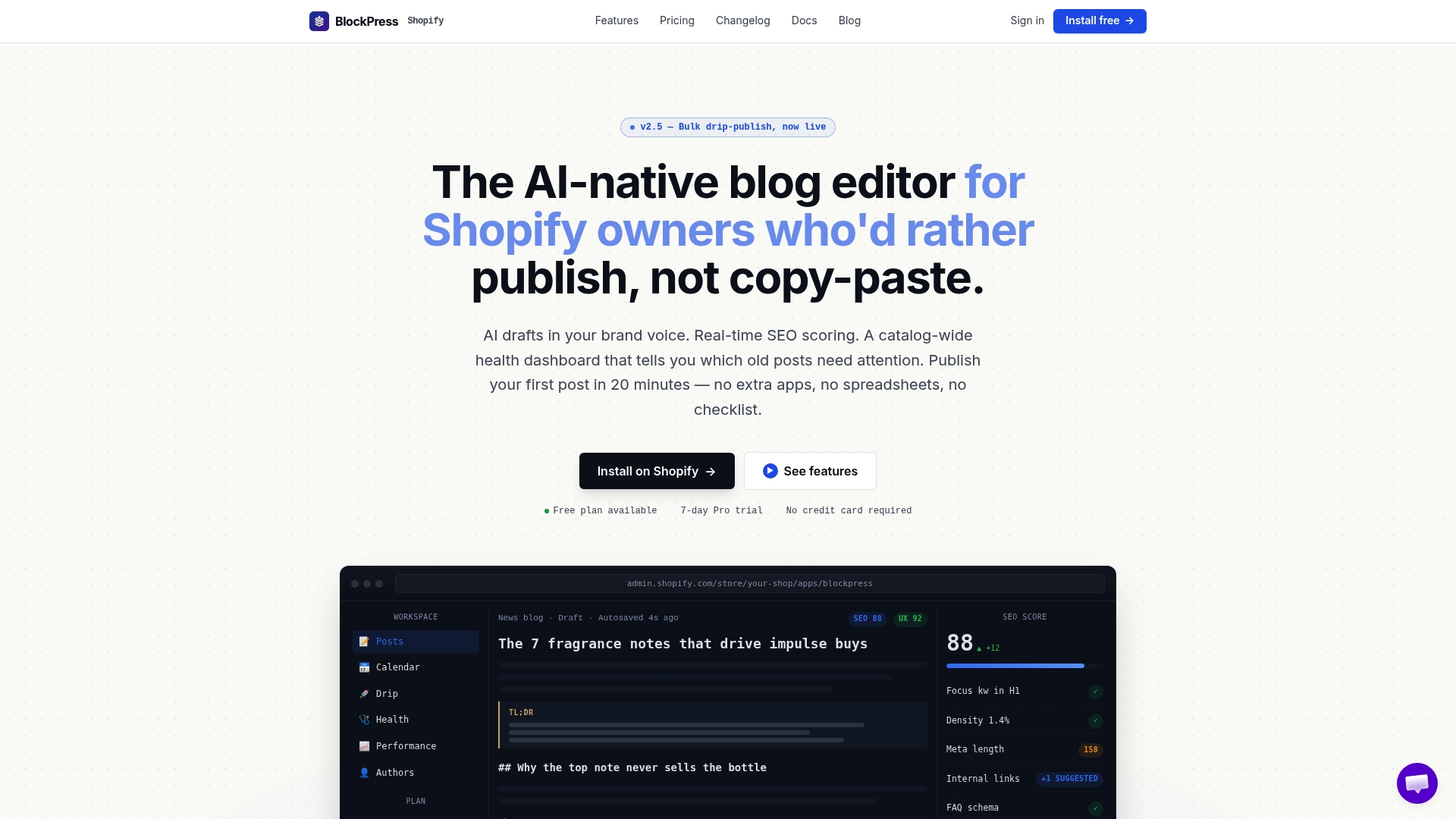
With Blockpress, you get per-article performance analytics that surface your positions 2–10 pages directly in the editor, built-in JSON-LD helpers for FAQ, HowTo, and Product schema, live SEO scoring that catches missing markup before you publish, and AI-generated draft blocks that produce snippet-ready 40–60 word answers in your brand voice. No tab-switching, no copy-pasting schema into a separate tool, no waiting for a developer.
Start your free trial at Blockpress and run your first SERP feature optimization sprint today.
Useful sources
The tools and references below are the ones practitioners use most often to validate schema, monitor feature wins, and stay current on how Google handles structured data.
- Rich Results Test: Paste any URL or code snippet to confirm schema validity and see which rich result types your markup qualifies for. Run this after every schema deployment.
- Google Search Console: Use the Performance report filtered by query to track impressions, CTR, and position for feature-eligible keywords. URL Inspection confirms crawlability and last-rendered markup.
- PageSpeed Insights: Measures Core Web Vitals and performance scores. Use it to confirm pages meet the baseline quality signals Google expects before awarding features.
- Lighthouse: Run from Chrome DevTools for a full technical audit including performance, accessibility, and SEO signals.
- Search Engine Land: SERP Features Guide: Authoritative overview of all major feature types and their SEO implications.
FAQ
What is SERP feature optimization?
SERP feature optimization is the practice of structuring and formatting content so Google can extract it for enhanced result types like featured snippets, PAA boxes, and rich results. It focuses on matching the format Google already shows for a query, not just improving rank.
How is SERP feature optimization different from regular SEO?
Standard SEO targets ranking position; SERP feature optimization targets the format of your result. You can rank in position three and still win a featured snippet by matching the content structure Google prefers for that query.
Does adding schema guarantee a rich result?
No. Structured data makes a page eligible for certain rich results, but valid schema does not guarantee display. Google decides whether to show the feature based on query context, device, and content quality.
Which SERP features are easiest to win?
Featured snippets and People Also Ask boxes are the most repeatable because they are content-driven and require no engineering work. Pages already ranking in positions 2–10 are the best starting point.
Can Blockpress help with SERP feature optimization?
Yes. Blockpress includes per-article analytics to identify candidate pages, JSON-LD helpers for FAQ and HowTo schema, and live SEO scoring that flags missing markup before you publish, all inside your Shopify editor.