
The fastest way to fix shopify blog breadcrumbs is to build one reusable breadcrumbs.liquid snippet, render it in both your blog index and article templates, and emit a matching BreadcrumbList JSON-LD block from that same array. Escape every dynamic value with the | json filter, then confirm the output in Google's Rich Results Test and Search Console. That's the whole job. Everything else in this guide is the detail work that keeps it from breaking.
TL;DR:
- Implement a reusable breadcrumbs.liquid snippet and render it in both blog and article templates to ensure consistent navigation traces across your site.
- Use absolute URLs in your JSON-LD schema and wrap titles with the json filter to prevent validation errors caused by special characters.
- Tie breadcrumb parents to fixed categories or metafields rather than relying on referrer-based logic to maintain consistency, especially when visitors arrive directly from search or social links.
- Place breadcrumbs inside your main content area, immediately below the header and above titles, and ensure the last crumb is marked with aria-current="page" for accessibility.
- Regularly verify schema correctness using Google's Rich Results Test and Search Console, and consider automated tools like Blockpress for ongoing schema maintenance and drift prevention.
Table of Contents
- What Are Breadcrumbs and Which Types Fit a Shopify Blog?
- Why Do Breadcrumbs Improve UX, SEO, and AI Retrievability?
- Where Should Breadcrumbs Live in Your Shopify Theme?
- How Do You Add Breadcrumbs in Shopify Using Liquid?
- How Do You Emit BreadcrumbList JSON-LD Safely?
- How Should Breadcrumbs Be Made Accessible?
- How Do You Test and Fix Shopify Breadcrumb Problems?
- Who's Behind This Guide, and How Does Blockpress Help?
- What Actually Matters Once the Code Is Live
- Fix Breadcrumb Drift Before Google Flags It
- Sources
- FAQ
What Are Breadcrumbs and Which Types Fit a Shopify Blog?
A breadcrumb trail is the small navigational line, usually right below your header, that shows a reader where they are in your site's structure. It typically reads something like "Home > Blog > Article Title," and it does two jobs at once: it gives readers a one-click path back to a parent page, and it gives Google a labeled, sequential list of internal links describing your site's hierarchy.
There are three breadcrumb types worth knowing, though not all of them belong on a blog.
- Hierarchy or location-based breadcrumbs reflect where a page sits in your site's structure, regardless of how the visitor arrived. This is the standard for Shopify blogs: Home > Blog Name > Article Title.
- Path or history-based breadcrumbs track the actual pages a visitor clicked through, session by session. They're rare on blogs because they change per visitor and don't map to a fixed structure, which makes them a poor fit for structured data.
- Attribute-based breadcrumbs appear when content is filtered by tag, category, or facet, such as Home > Blog > Skincare Tips > Retinol. These show up naturally once your archive uses tags or multiple categories.
If your store runs a single blog with a handful of posts, breadcrumbs are a nice-to-have. Once you're running deep archives with dozens of tags, multiple blogs, or a content library that's outgrown its original structure, breadcrumbs stop being decoration and start doing real navigational work. Shopify blog navigation gets messy fast once you cross that threshold, and a consistent hierarchy trail is one of the cheapest fixes available.
Why Do Breadcrumbs Improve UX, SEO, and AI Retrievability?
Breadcrumbs solve a UX problem most Shopify blogs never notice they have: a reader lands on an article from a search result, has zero context for the rest of your site, and either bounces or hunts for a "back to blog" link that may not exist. A visible trail gives them an instant way back to the category or blog index without touching the browser's back button.
The SEO case is more concrete. When you mark up that trail with BreadcrumbList structured data, you're handing Google a machine-readable map of how your content nests. That structured data doesn't just look tidy in your page source, it's the same data Google can render directly in the search result as a breadcrumb trail beneath your blue link, which changes how the listing looks in the SERP and often improves click-through against listings that show a raw URL instead.
Breadcrumb schema is consistently cited as one of the higher-ROI structured data types you can add to a Shopify store, largely because it's cheap to implement once and keeps paying off across every page that inherits the pattern, according to Pixeltree's breakdown of Shopify breadcrumb schema.
There's a third beneficiary that's easy to overlook: AI answer engines and retrieval systems parsing your content for citation. An explicit, consistent hierarchy makes it easier for a system to understand what category a piece belongs to and how it relates to adjacent content, which matters more every quarter as more traffic arrives through AI-generated answers rather than a traditional ten blue links page.
Where Should Breadcrumbs Live in Your Shopify Theme?
Placement is simple, but it's also where a lot of implementations go wrong. The trail belongs inside your main content wrapper, positioned just below the header and just above the page or article title, never floating outside the content region where it can break on mobile or clash with your theme's sticky nav.
Beyond placement, a few structural decisions determine whether your breadcrumbs actually work across your whole blog:
- Render the snippet in both
templates/blog.liquid(the index) andtemplates/article.liquid(individual posts), since each needs a different trail length. - Add it to standalone pages too, if those pages sit under a logical parent worth surfacing.
- Use
routes.root_urlinstead of a hardcoded forward slash for your Home link, since a hardcoded/breaks the moment your store adds a second market or locale subfolder, a detail confirmed in Shopify's own Liquid breadcrumb example. - Keep the snippet theme-agnostic so it survives a future Online Store 2.0 theme update without a rebuild.
Get the placement and the routing right once, and you won't touch this part of the theme again for years.
How Do You Add Breadcrumbs in Shopify Using Liquid?
This is the part developers actually came for. You're building one snippet that outputs the visible trail, and you'll reuse its logic in the JSON-LD block later.
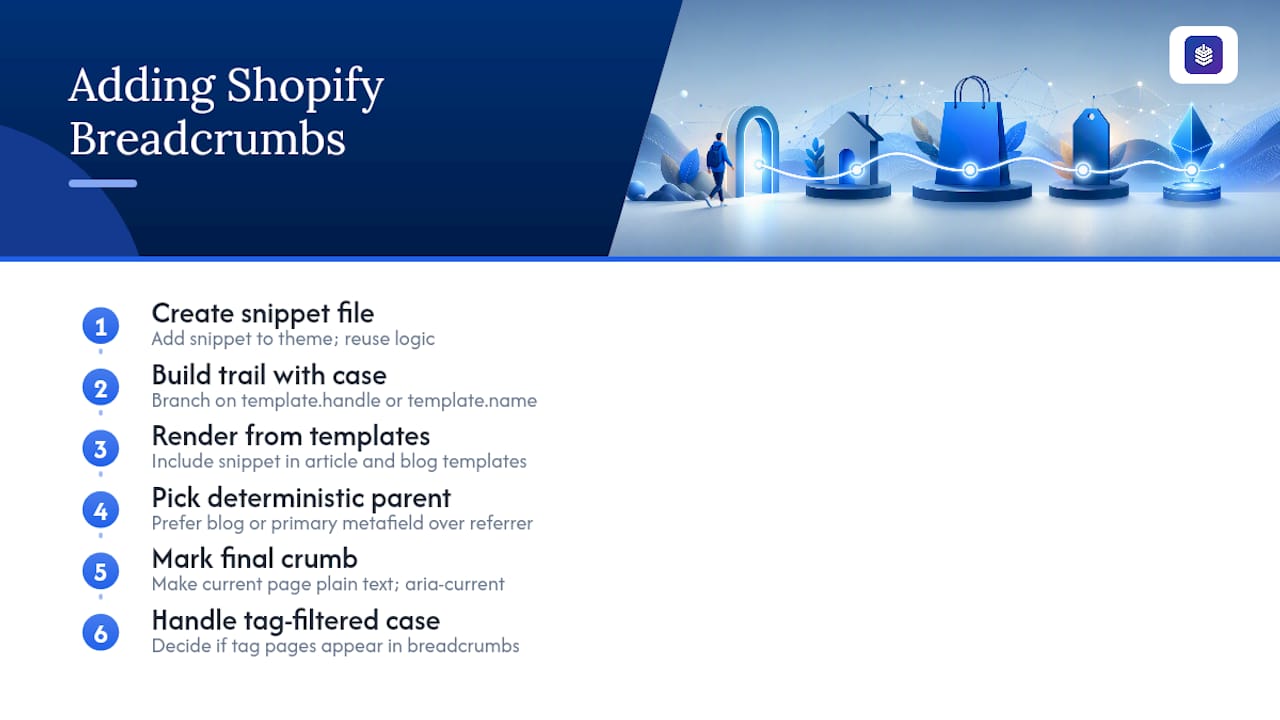
1. Create the snippet file.
Add snippets/breadcrumbs.liquid to your theme. This keeps the logic in one place instead of duplicating markup across templates, which is the single biggest maintenance win in this whole setup, per Shopify's Partners blog guidance on breadcrumb navigation.
2. Build the trail with a case statement based on template type.
Rather than guessing at context from the URL or the referrer, check template.name (or request.page_type) and branch accordingly:
<nav role="navigation" aria-label="Breadcrumb" class="breadcrumbs">
  <ol>
    <li><a href="{{ routes.root_url }}">Home</a></li>
    {% case template.name %}
      {% when 'blog' %}
        <li aria-current="page">{{ blog.title }}</li>
      {% when 'article' %}
        <li><a href="{{ blog.url }}">{{ blog.title }}</a></li>
        <li aria-current="page">{{ article.title }}</li>
    {% endcase %}
  </ol>
</nav>
3. Render it from both templates.
Drop {% render 'breadcrumbs' %} into templates/blog.liquid and templates/article.liquid, right below the header markup you settled on in the placement step above.
4. Pick a deterministic parent, not a referrer-dependent one. Some themes try to reconstruct a trail from browser history or the previous page a visitor came from. That approach breaks the moment someone lands on an article directly from Google or a social share, which is most of your traffic. Instead, tie the parent to something fixed: the blog the article belongs to, or a primary metafield if an article logically sits under more than one category. When an article belongs to multiple collections or tags, the safest rule of thumb is traversal context first, primary metafield second, first collection by sort order last, and only one canonical path should ever reach the page.
5. Mark the final crumb correctly for accessibility.
The last item in the trail, the current page, should never be a clickable link. Give it aria-current="page" instead and render it as plain text, matching the pattern in the code above.
6. Handle the tag-filtered edge case deliberately.
If a visitor arrives at a tag-filtered blog list (/blogs/news/tagged/skincare), decide up front whether that tag deserves its own crumb (Home > Blog > Skincare) or whether you'd rather keep tag pages out of the schema entirely to avoid a shallow, low-value trail multiplying across every tag combination you support.
Pro Tip: Store your breadcrumb logic once inside the snippet and never duplicate the case statement inline in a template. If you ever change how parents are chosen, whether you switch from "first collection" to "primary metafield," you want that to be a one-line edit in one file, not a search-and-replace across six templates.
How Do You Emit BreadcrumbList JSON-LD Safely?
Once your visible trail works, the JSON-LD version needs to mirror it exactly, item for item, in the same order. Google's BreadcrumbList schema expects a position starting at 1, a name, and, for every item except sometimes the last, an item with an absolute URL.
<script type="application/ld+json">
{
  "@context": "https://schema.org",
  "@type": "BreadcrumbList",
  "itemListElement": [
    {
      "@type": "ListItem",
      "position": 1,
      "name": "Home",
      "item": "{{ shop.url }}{{ routes.root_url }}"
    },
    {
      "@type": "ListItem",
      "position": 2,
      "name": {{ blog.title | json }},
      "item": "{{ shop.url }}{{ blog.url }}"
    },
    {
      "@type": "ListItem",
      "position": 3,
      "name": {{ article.title | json }}
    }
  ]
}
</script>
Notice the | json filter wrapping blog.title and article.title. Article titles routinely contain apostrophes and quotation marks, and unescaped punctuation is a quiet way to produce broken JSON that fails validation without throwing an obvious error in your theme editor, a detail Learnshopify calls out directly.
A few rules validators check for, and where implementations most often fail them:
| Rule | What breaks it |
|---|---|
| Positions start at 1 and run sequentially | Skipping a number, or starting at 1 |
name matches the visible crumb text exactly | Schema says "Blog," page shows "News" |
item uses an absolute URL, including protocol and domain | Relative paths like /blogs/news |
Only one BreadcrumbList block per page | Theme and a third-party app both injecting schema |
Final crumb can omit item since it's the current page | Including a self-referencing URL isn't wrong, but it's unnecessary |
That last row on duplicate schema is worth flagging on its own. It's one of the most common Search Console warnings on Shopify stores that install a breadcrumb-related app on top of a theme that already outputs its own JSON-LD, per Breadcrumbs & Categories' schema checklist. Check both your theme's source and any installed app before assuming your schema is clean.
Pro Tip: Build the crumbs array once, in Liquid variables, at the top of the snippet, then feed that same array into both the visible <nav> markup and the JSON-LD block below it. If you write the two independently, they will eventually drift apart the first time someone edits one without the other, and drift is exactly what triggers a Search Console mismatch error.
How Should Breadcrumbs Be Made Accessible?
Structured data satisfies Google. Accessibility markup satisfies everyone using a screen reader or navigating by keyboard, and Shopify themes skip this step constantly.
- Wrap the trail in
<nav role="navigation" aria-label="Breadcrumb">so assistive technology announces it as a distinct navigational region, not just a string of text. - Add
aria-current="page"to the final crumb, and don't wrap it in an<a>tag. A screen reader announcing a link to the page the user is already on is a small but real annoyance. - Keep crumb labels short and matched to your actual navigation names. If your main menu says "Journal" but the breadcrumb says "Blog," you've created a mismatch that confuses readers scanning for a familiar term.
- On mobile, make sure the trail doesn't wrap awkwardly or shrink tap targets below a comfortable thumb width, particularly on articles with a longer blog name.
- Test with a keyboard alone; the whole trail should be reachable and readable in tab order without a mouse.
Run it once through a screen reader like VoiceOver or NVDA before you ship it. Most accessibility misses in breadcrumb markup are invisible until you actually listen to how the page reads out loud.
How Do You Test and Fix Shopify Breadcrumb Problems?
Ship the code, then verify it. Skipping validation is how a broken trail sits live for months before anyone notices the Search Console warning.
- View page source on both your blog index and a live article, and confirm the
BreadcrumbListscript tag is present exactly once, not duplicated by a theme section and an app both firing. - Run the URL through Google's Rich Results Test to catch structural errors, missing fields, or a
namethat doesn't match your visible text. - Check the Breadcrumbs enhancement report in Search Console periodically, since it flags pages Google has crawled and found schema issues on, often before you'd catch it manually.
- Spot-check live search results for a handful of your top articles to confirm the breadcrumb trail is actually rendering in the SERP snippet, not just passing validation.
- Standardize on one data source for crumbs across your entire theme; if the visible markup and the JSON-LD pull from separate logic, they will diverge the next time either one gets edited.
The most common Shopify-specific failure isn't the code itself, it's inconsistency. Themes that build breadcrumbs from the browser referrer or URL structure alone produce different trails depending on how a visitor arrived, which is a problem Risify's breadcrumb troubleshooting guide documents as one of the more frequent support issues store owners run into. The fix is the same one already covered above: set a primary metafield or fixed parent rule so the trail is identical no matter the entry point. A reasonable maintenance routine looks like this: export your Search Console breadcrumb report, sample the flagged URLs through Rich Results Test, spot-check twenty live listings, and backfill a primary metafield on any high-traffic article that's missing one, then repeat monthly.
Who's Behind This Guide, and How Does Blockpress Help?
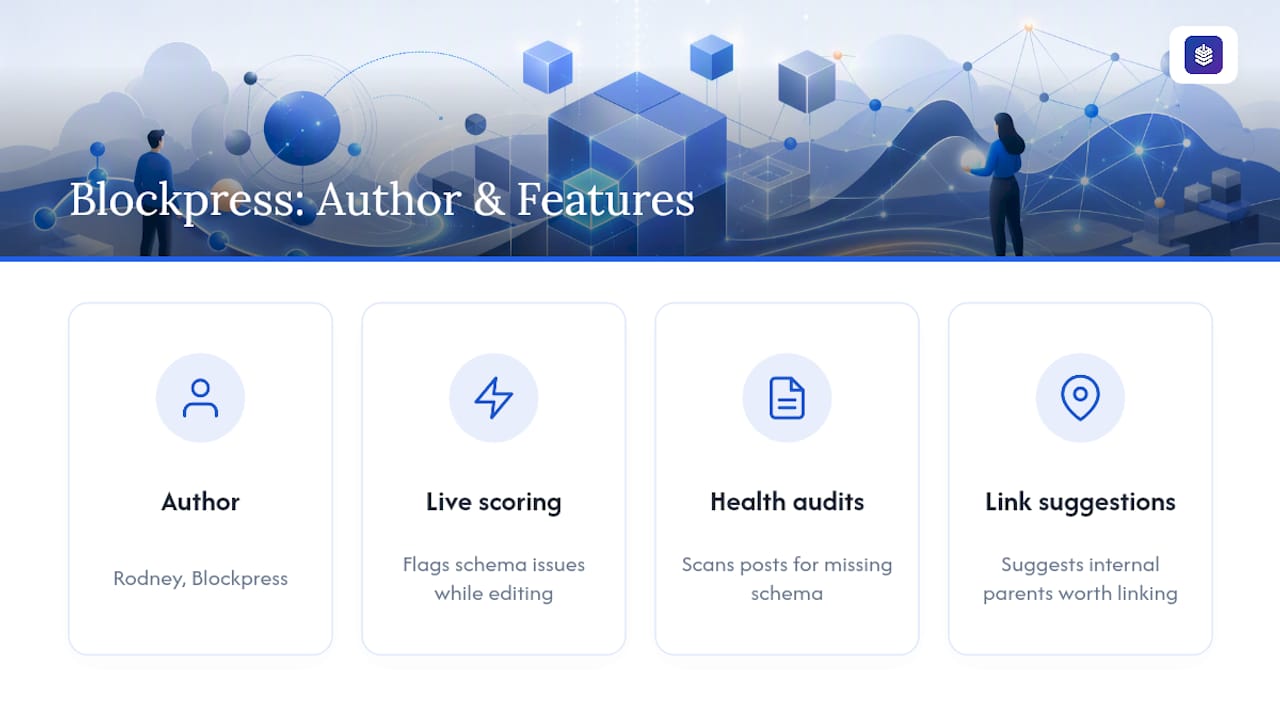
This guide was written by Rodney for Blockpress, drawing on Shopify's own Liquid documentation, structured data specifications, and hands-on implementation patterns used across Shopify blog builds.
Writing the snippet once is the easy part. Keeping it correct across dozens or hundreds of articles, as tags get added, categories get renamed, and themes get updated, is where most stores quietly lose ground. That's the maintenance gap Blockpress is built to close. Its live SEO and UX scoring flags schema issues as you're editing an article rather than after Google has already crawled a broken version, and its article health audits scan your existing posts for missing or mismatched structured data instead of leaving you to check each one manually. Internal-link suggestions built into the same editor also help make sure your breadcrumb trail's parent categories are ones actually worth linking to, not just ones that happen to be first in sort order.
None of that replaces the developer work above. It just means you're not relying on memory to catch drift six months from now.
What Actually Matters Once the Code Is Live
Most of the breadcrumb advice out there overengineers the decision tree. My honest recommendation: pick one rule for choosing a parent, whether that's a primary metafield or first collection by sort order, and apply it everywhere before you write a single line of the case statement. The rule matters more than the code.
Keep the trail minimal, Home > Blog > Article, for most stores. Full hierarchical paths with categories and subcategories only earn their complexity once you're running a genuinely large content library where readers actually browse by topic rather than arriving from search.
Check your schema monthly, not annually. If you're a small shop without in-house development bandwidth, run Blockpress's article health audits to catch drift between visible crumbs and JSON-LD. If you're running a large catalog with multiple blogs and thousands of tagged articles, this is worth a developer's time to build once, correctly, rather than patching it repeatedly.
— Rodney
Fix Breadcrumb Drift Before Google Flags It
Blockpress catches the exact kind of schema drift this guide walks through, mismatched crumb names, missing metafields, inconsistent parents, before it shows up as a Search Console warning weeks later.
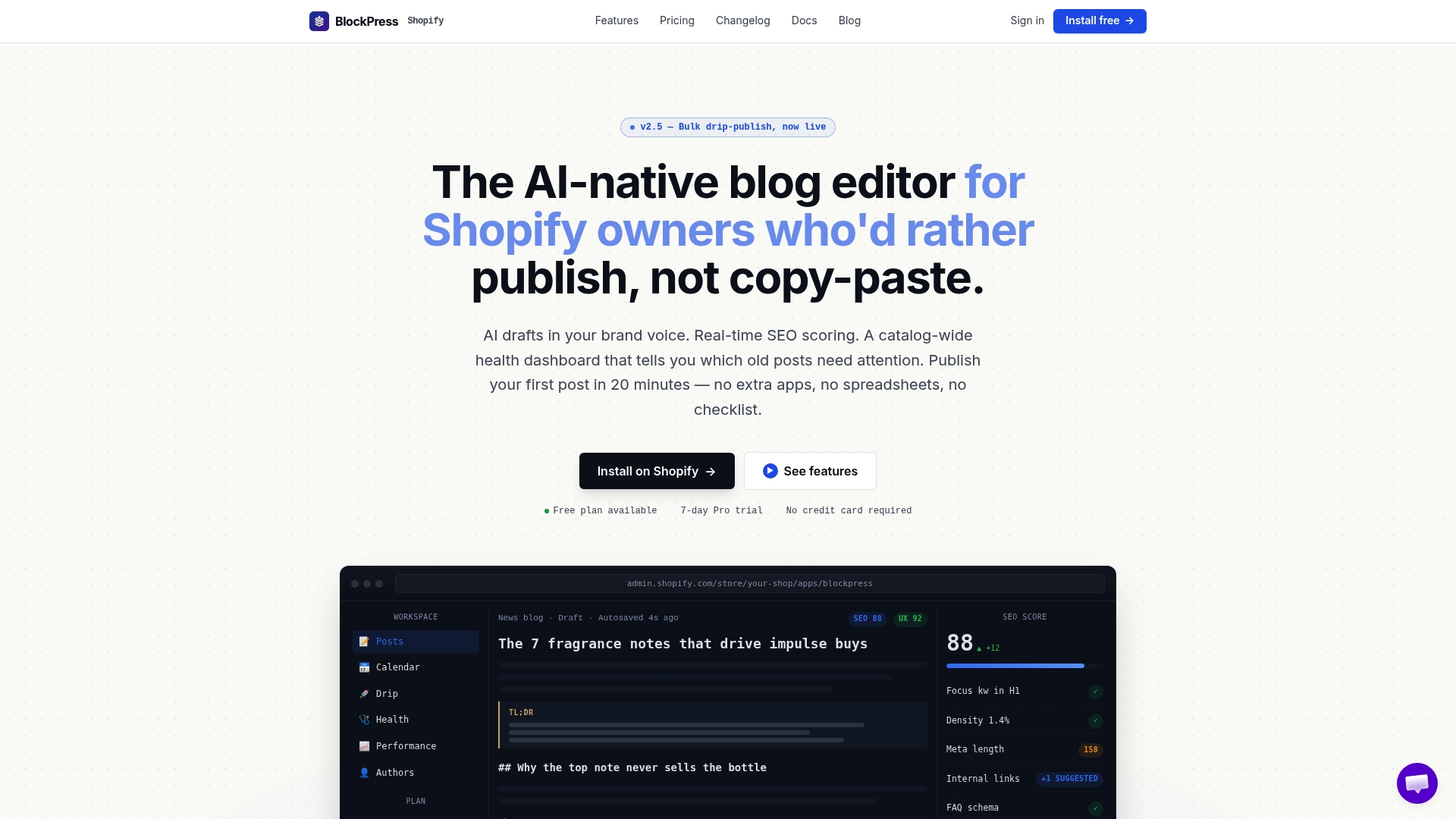
Instead of manually re-checking every article after a theme update or a new tag rollout, Blockpress's live SEO scoring flags schema and structure issues as you write, and its article health audits sweep your existing blog for pages where the visible trail and the JSON-LD have quietly fallen out of sync. Pair that with internal-link suggestions that surface the right parent category for each post, and you're maintaining consistent Shopify breadcrumbs for your store without opening a text editor every time something changes. If you're managing a growing blog and want fewer manual audits, start with Blockpress or check the Features page to see the schema and audit tools in action.
Sources
Bookmark these before you ship anything live, they'll save you a second pass later:
- Breadcrumb navigation — Shopify Partners blog
- Breadcrumb navigation | Shopify Liquid code examples
- Learnshopify
- Shopify Breadcrumb Schema: BreadcrumbList JSON-LD Without the Duplicate Crumbs | Pixeltree
FAQ
How do I add breadcrumbs in Shopify?
Create a snippets/breadcrumbs.liquid file with a case statement that builds the trail based on template type, then render it with {% render 'breadcrumbs' %} in your blog and article templates, and add a matching BreadcrumbList JSON-LD block from the same data.
Are breadcrumbs necessary for SEO?
They aren't required for a page to rank, but BreadcrumbList schema helps Google understand your site hierarchy and can produce a breadcrumb trail directly in the search result, which often improves how your listing stands out against a plain URL.
Does Shopify support blog posts?
Yes, Shopify includes a native blog feature with articles, blog indexes, tags, and customizable templates, and breadcrumbs render cleanly on top of that structure once you add the snippet described above.
What are common breadcrumb mistakes?
The most frequent errors are referrer-dependent trails that change based on how a visitor arrived, duplicate JSON-LD from both a theme and an app, mismatched text between the visible crumb and the schema name field, and relative instead of absolute URLs in the item property.
Can Blockpress help maintain breadcrumb schema over time?
Yes. Blockpress's article health audits and live SEO scoring flag schema inconsistencies and missing structured data across your existing blog posts, which helps catch drift between your visible breadcrumbs and JSON-LD before it shows up as a Search Console error.