

TL;DR:
- Schema markup enhances search visibility through rich results, entity attribution, and AI citations, but it does not directly improve rankings. Proper implementation of structured data, especially JSON-LD, must accurately reflect visible content and be maintained over time for maximum benefit. Regular validation and cross-team coordination are essential to sustain schema effectiveness and optimize AI-driven search features.
Schema markup improves your site's visibility by supplying machine-readable facts that AI systems and search engines can extract and cite with confidence. It is not a ranking signal that moves a weak page to the top, but it is the layer that determines whether your content earns rich results, gets pulled into AI Overviews, and appears in Knowledge Panels.
Three outcomes you can expect when schema is implemented correctly:
- Richer SERP features. Star ratings, FAQ accordions, and breadcrumb trails appear in search results, which consistently earn higher click-through rates than plain blue links.
- Clearer entity signals. Structured
@idandsameAslinks give Google's Knowledge Graph a traversable entity graph to work with, increasing your chances of Knowledge Panel inclusion and AI attribution. - Higher AI citation probability. Pages with comprehensive, correct schema are significantly more likely to earn AI citations than pages without structured data, while generic boilerplate schema can actually reduce citation odds.
Table of Contents
- What is structured data, and why does JSON-LD matter?
- How does schema help search engines, Knowledge Graphs, and AI systems?
- What are the concrete SEO and business benefits you can measure?
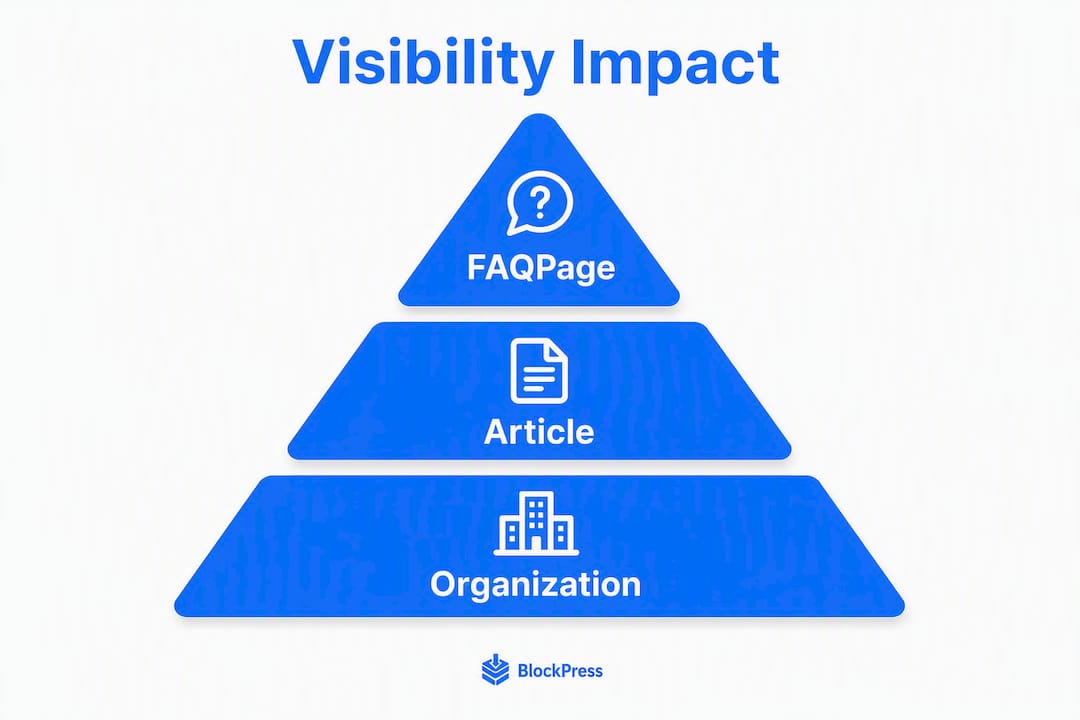
- Which schema types give you the most visibility impact?
- How do you implement schema correctly?
- How do you validate and monitor schema after deployment?
- What mistakes will hurt your schema performance?
- What will schema realistically do for your visibility?
- Your 30-day schema quick-start checklist
- Key Takeaways
- The part most teams get wrong about schema
- Blockpress makes schema-friendly publishing easier for Shopify stores
- FAQ
- Useful sources and tools
What is structured data, and why does JSON-LD matter?
Structured data is metadata added to a page that describes its content in a format machines can parse without guessing. Schema.org is the shared vocabulary that search engines and AI systems use to interpret that metadata. When you mark up an article with Article schema, you are telling crawlers exactly who wrote it, when it was published, and what it is about, in a language they already speak.
JSON-LD (JavaScript Object Notation for Linked Data) is the format Google recommends for delivering that vocabulary. You inject it as a <script type="application/ld+json"> block in the page <head>, completely separate from your HTML presentation layer. That separation matters: crawlers can read it without parsing your layout, and you can update it without touching your design. The one non-negotiable rule is that every property in your JSON-LD must reflect what a user can actually see on the page. Schema that describes content not visible to visitors is treated as misleading and ignored or penalized.
How does schema help search engines, Knowledge Graphs, and AI systems?
Schema increases extractability and entity clarity, which raises citation probability and enables richer SERP features across both traditional search and AI-driven results.

The pipeline works like this. A crawler reads your JSON-LD and extracts named entities: your organization, your authors, your products. Those entities carry attributes (name, description, URL, datePublished) and relationships (@id URIs that link them to each other and to authoritative external profiles via sameAs). Google feeds that entity graph into its Knowledge Graph. When Google assembles an AI Overview, it draws on the Knowledge Graph, not on raw HTML. That is why schema's impact on AI visibility is frequently indirect: it feeds the knowledge layer that AI retrieval systems query.
LLM-based systems like Perplexity and ChatGPT work differently. They rely on Retrieval-Augmented Generation (RAG), pulling content at retrieval time. For those systems, schema that mirrors visible content is the key signal: it confirms the facts on the page and reduces the chance the model hallucinates a wrong answer. Schema acts as a highlighting mechanism that tells the AI, "these facts are confirmed and citable."
Schema markup is the 'form-filling' equivalent of content optimization: AI engines prefer structured JSON-LD fields because they can extract facts with zero interpretation. When your page encodes technical details like ISO 8601 durations, currency values, or geographic coverage, RAG systems retrieve those details accurately instead of guessing from plain HTML.
FAQPage and HowTo schema are especially extractable by AI engines and frequently appear directly inside AI Overviews because their Q&A and step structures map cleanly to how AI assembles answers.
What are the concrete SEO and business benefits you can measure?
Schema's benefits are real, but you need to track the right metrics to see them.
Benefits to expect:
- Rich SERP features (star ratings, FAQ accordions, breadcrumbs, event dates) that increase visual real estate in search results
- Higher CTR from those enhanced listings, which feeds engagement signals back to Google
- Entity attribution in Knowledge Panels and AI answers, reducing the chance a competitor's information gets attributed to you
- Reduced hallucination risk in AI-generated answers, because confirmed structured facts give models less room to improvise
- Improved Knowledge Graph inclusion for organizations, products, and authors
- Faster recrawl signals when you update
dateModifiedaccurately on revised pages
Metrics to track in Google Search Console and your analytics platform:
| Metric | Where to find it | What to watch for |
|---|---|---|
| Rich result impressions | Search Console → Search Appearance | Increase after schema deployment |
| CTR by page | Search Console → Performance | Lift on pages with new rich results |
| Organic sessions | GA4 / analytics | Correlated growth within a few months post-rollout |
| Structured data errors | Search Console → Enhancements | Zero critical errors as baseline |
| AI citation frequency | Manual spot-checks in AI tools | Attribution to your domain in AI answers |
For local businesses, the combination of LocalBusiness schema with consistent NAP (name, address, phone) data and FAQPage markup has shown practitioner-reported lifts in AI visibility and clicks for local queries. Pair schema with product pages supported by content and the CTR gains compound.
Which schema types give you the most visibility impact?
Start with the types that have the highest extractability and the widest SERP feature coverage. Here is a prioritized breakdown.

Organization is the single most important type to add first. It establishes your entity anchor for the Knowledge Graph, especially when you include @id, sameAs links to your LinkedIn, Wikipedia, or Wikidata profiles, and a logo property. Without it, AI systems have no confirmed entity to attribute your content to.
Article / BlogPosting tells search engines exactly what your content is, who wrote it, and when. The author property with its own @id builds author entity signals over time, which matters for E-E-A-T.
FAQPage is the highest-leverage type for AI Overviews. Its Q&A structure maps directly to how AI assembles answers, so it gets extracted frequently. Use it only where the Q&A is visible on the page.
Product schema with Review and AggregateRating unlocks star ratings in product SERPs. For Shopify stores, this is often the fastest path to a visible CTR lift. You can explore 30+ rich results available through structured data to see the full range of SERP features your schema can unlock.
LocalBusiness with NAP consistency is non-optional for any business with a physical location or service area.
BreadcrumbList, Event, and HowTo round out the high-impact set. BreadcrumbList improves URL display in SERPs; Event schema surfaces dates and locations directly; HowTo maps well to step-by-step AI outputs.
A minimal JSON-LD snippet for an Article looks like this:
{
  "@context": "https://schema.org",
  "@type": "Article",
  "@id": "https://example.com/blog/post-slug#article",
  "headline": "Your Article Title",
  "author": {
    "@type": "Person",
    "name": "Author Name",
    "@id": "https://example.com/authors/author-name"
  },
  "datePublished": "2026-01-15",
  "dateModified": "2026-03-10",
  "mainEntityOfPage": "https://example.com/blog/post-slug"
}
How do you implement schema correctly?
Getting schema right is less about volume and more about accuracy and consistency. Follow this order:
- Match every property to visible content — If your schema says
dateModified: 2026-03-10, that date must be visible on the page or at minimum accurate. Schema that does not reflect on-page content is ignored or penalized.
For CMS deployments, inject Organization schema once in the site-wide <head> template and Article schema in the blog post template. For large product catalogs, generate schema via API at build time so @id values stay consistent across thousands of SKUs. The technical SEO guide for ecommerce blogs covers templating patterns in more depth.
Pro Tip: Use a JSON-LD schema generator to scaffold your initial markup, then manually review the output for @id consistency and sameAs completeness before deploying. Generators save time; human review catches the entity-linking gaps that generators miss.
How do you validate and monitor schema after deployment?
Three tools cover the full validation and monitoring workflow:
- Google Rich Results Test: Run this on any URL to confirm which rich result types your schema qualifies for. Use it immediately after deploying new markup.
- Schema Markup Validator: Checks syntax and property completeness against the Schema.org specification. Run this alongside the Rich Results Test since each catches different issues.
One important caveat: validation tools check syntax, not semantic completeness or entity linking quality. A page can pass both validators and still have weak entity signals because its @id values are inconsistent or its sameAs links are missing. Syntax validation is the floor, not the ceiling.
Monitoring cadence: Run the Rich Results Test and Schema Markup Validator on every new template before launch. Check Search Console Enhancements weekly during the first month after a rollout, then biweekly once errors are at zero. Set up a Search Console email alert for any spike in structured data errors. Correlate rich result impression changes in Search Console with organic CTR trends in your analytics platform to confirm impact.
What mistakes will hurt your schema performance?
The most damaging errors are not syntax errors; they are semantic ones.
- Schema that disagrees with visible content — This is the most common mistake and the most penalized. If your
Productschema shows a price that is not on the page, Google ignores the markup. - Boilerplate auto-generated schema — Generic schema that adds no specific facts about the page can lower AI citation odds compared to having no schema at all. Every property should earn its place.
For remediation: audit mismatches with a crawl tool, correct or remove inaccurate properties, and centralize @id management in a single schema configuration file or CMS field. The on-page SEO mistakes guide covers related content-schema alignment issues.
What will schema realistically do for your visibility?
Schema increases visibility probability and CTR, but it will not move a low-quality page to the top of the SERPs on its own. Rich results consistently earn higher CTRs than plain listings, but that lift comes from the enhanced presentation, not from a direct ranking boost. Google has confirmed that structured data is not a ranking factor in the traditional sense.
The AI citation picture is more nuanced. Comprehensive, correct schema materially increases AI citation odds, while sloppy boilerplate schema can reduce them. The gap between well-implemented and poorly implemented schema is significant. Entity linking using @id and sameAs is where enterprise practitioners report double-digit percentage lifts in AI visibility.
For measurement, run a phased rollout: implement schema on a defined set of pages, then monitor Search Console impressions and CTR against a control group. Expect measurable changes within a few months for pages Google recrawls on a normal schedule. Pages that were already ranking well will show the fastest CTR lifts; pages with thin content will show minimal gains regardless of schema quality.
Your 30-day schema quick-start checklist
- Week 1: Audit and plan — Identify a focused set of your highest-traffic pages. Note which schema types apply to each (Article, Product, FAQPage, LocalBusiness). Document your canonical
@idURI pattern and yoursameAstargets. Owner: SEO lead.
Acceptance criteria: zero critical errors in Search Console, all priority pages passing the Rich Results Test, and a documented @id convention in your team's SEO wiki. For content-heavy sites, the on-page SEO checklist is a useful companion for aligning visible content with your new schema.
Key Takeaways
Schema markup improves visibility by giving AI systems and search engines a machine-readable facts layer that enables rich results, entity attribution, and AI citation with measurable CTR gains when implemented correctly and consistently.
| Point | Details |
|---|---|
| Schema is not a ranking signal | It improves CTR and AI citation probability through rich results and entity clarity, not direct rank boosts. |
| JSON-LD + Schema.org is the standard | Use JSON-LD in the <head>, match every property to visible content, and canonicalize @id values across pages. |
| Entity linking is the highest-leverage step | Consistent @id URIs and sameAs links build a traversable entity graph that AI retrieval systems prefer to cite. |
| Boilerplate schema can hurt | Generic, auto-generated markup with no specific facts can reduce AI citation odds compared to no schema at all. |
| Blockpress for schema-ready publishing | Blockpress integrates live SEO scoring and content health audits that help Shopify store owners publish schema-friendly posts without leaving their editor. |
The part most teams get wrong about schema
Schema is treated as a one-time technical task. A developer adds it during a site build, it passes the Rich Results Test, and nobody touches it again. That approach misses the point entirely.
The real value of schema compounds over time, but only if you maintain it. Every time you publish a new article without updating your Article template's author @id, you fragment your entity graph. Every time you change a product price without updating the Product schema, you create a mismatch that Google will eventually catch. Every time you let dateModified sit stale on a page you just updated, you signal to crawlers that nothing changed.
The teams that see the biggest AI visibility gains treat schema as a living content layer, not a deployment checkbox. They document their @id conventions in a shared wiki. They include schema validation in their content publishing checklist, not just their dev release process. They assign a named owner for structured data health in Search Console, the same way they assign someone to monitor Core Web Vitals.
Cross-functional coordination is where most rollouts break down. Content teams write FAQs without knowing FAQPage schema exists. Developers deploy schema without knowing which properties the content team actually populates. Analytics teams track organic sessions but never connect the structured data Enhancements report to CTR changes. Getting those three groups aligned around a shared schema standard is the work that actually moves the needle.
Blockpress makes schema-friendly publishing easier for Shopify stores
Publishing schema-ready content consistently is the hard part, especially when your team is managing a Shopify store alongside a content calendar. Blockpress gives Shopify store owners live SEO scoring, article health audits, and per-article performance analytics built directly into their editor, so every post gets checked against SEO and content quality standards before it goes live.
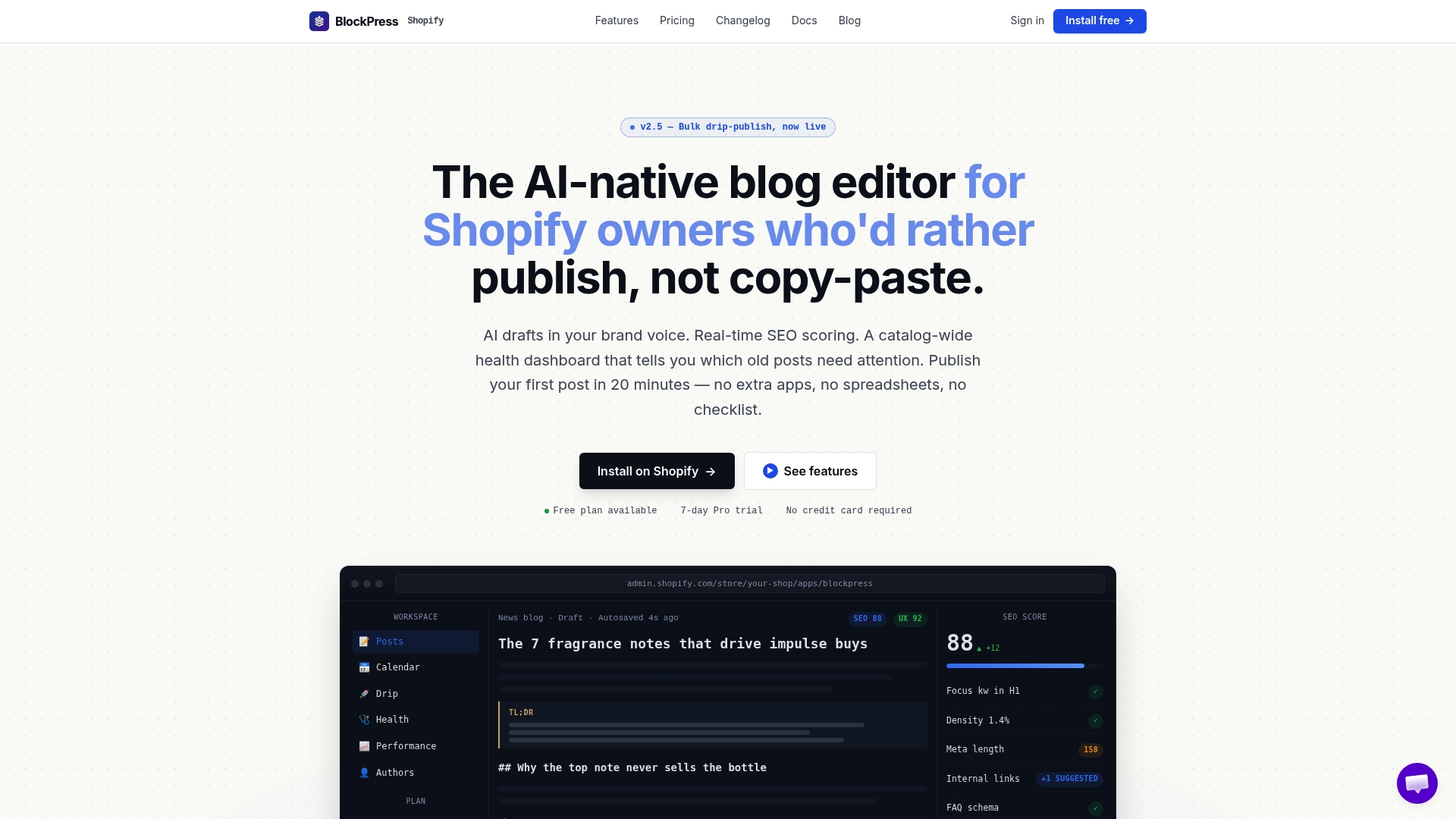
That means your content team is not relying on a separate tool or a developer to catch schema-related issues after the fact. Blockpress surfaces keyword data, flags content gaps, and tracks how individual posts perform over time, all inside Shopify. For store owners who want to publish content that earns rich results and AI citations without managing three separate apps, it is a direct upgrade from Shopify's default blog editor. See the full feature set and pricing to find the plan that fits your publishing volume.
FAQ
Does schema markup directly improve search rankings?
No. Schema is not a direct ranking factor, but it enables rich results that consistently earn higher CTRs, which feeds engagement signals back to Google over time.
Which schema type should you add first?
Start with Organization schema site-wide to establish your entity anchor, then add Article schema to your blog template and FAQPage markup to pages with visible Q&A.
How long does it take to see results from schema?
Expect measurable changes in Search Console impressions and CTR within about 30 days for pages Google recrawls on a normal schedule after schema deployment.
Does schema help with AI Overviews and LLM citations?
Yes. FAQPage and HowTo schema are frequently extracted directly into AI Overviews, and comprehensive entity-linked schema materially increases AI citation probability across LLM-based systems.
What is the biggest schema mistake to avoid?
Deploying schema that does not match your visible page content. Mismatched markup is ignored or penalized, and it is the most common reason schema fails to deliver any visibility benefit.
Useful sources and tools
Use these resources for implementation, validation, and ongoing reference:
- Schema.org: The authoritative vocabulary reference for all schema types and properties. Start here when choosing types or checking property definitions.
- Schema Markup Validator: Checks your JSON-LD against the Schema.org specification for syntax and property completeness.
- Google Rich Results Test: Confirms which rich result types your markup qualifies for. Run this on every URL after deploying new schema.
- Google Search Console Enhancements: Your ongoing monitoring dashboard for structured data errors, warnings, and valid item counts across your site.
- Microsoft Advertising: Optimizing for AI Search Answers: Practical guidance on structuring content for inclusion in AI-generated search answers, including structured data recommendations.
- 30+ rich results you can win with structured data: A practical catalog of rich result opportunities and the schema types that unlock them.
When to use which tool: Run the Schema Markup Validator first for syntax errors, then the Rich Results Test to confirm feature eligibility, then Search Console for site-wide monitoring and error tracking over time.